
How to Fix Spotify Keeps Crashing on Android
If you are experiencing the Spotify app crashing problem on Android and are looking for ways to resolve it, you have landed on the right page. Here are a few best and working ways to fix the problem.
1. Restart the Android smartphone
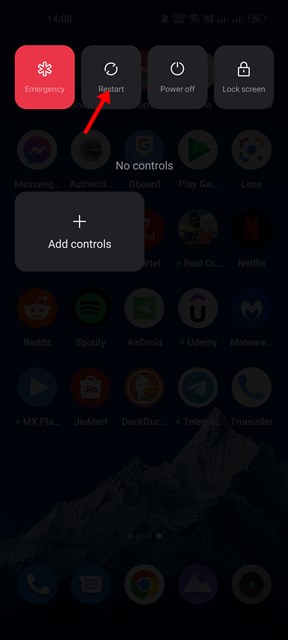
Sometimes, a simple restart can fix most hardware or software-related problems on Android. Restarting an Android device stops all processes running in the background, including those conflicting with Spotify’s functionality.
Hence, restart your Android device before following the next methods.
2. Install the pending Spotify Updates
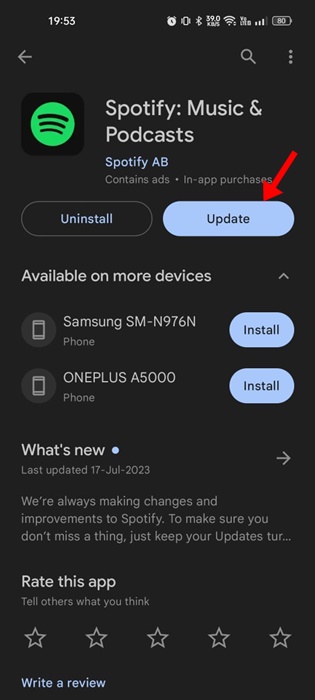
If Spotify still crashes after the restart, you must install the pending Spotify updates from the Google Play Store. Outdated apps often show error messages or cause app crashes or lag problems.
Hence, you must open the Google Play Store, search for Spotify, and install the available update. If no updates were available, then follow the next methods.
3. Check if Spotify is Down
If the Spotify server is down, the app will not open, and even if it does, you will encounter issues while streaming music.
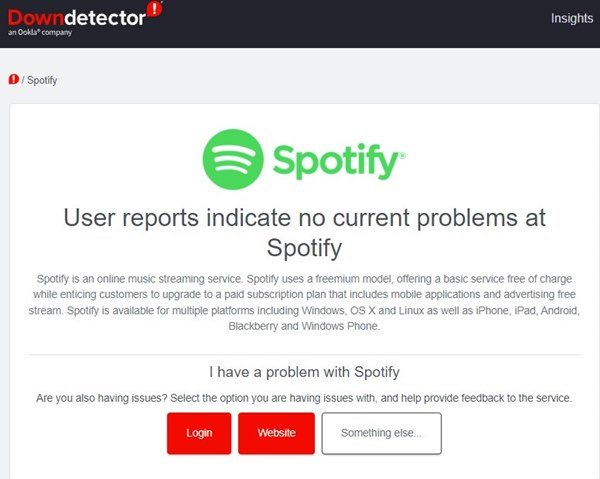
It’s a good idea to check for any problems with the Spotify service before making any conclusions. To check for a Spotify outage, you need to check Spotify’s status page at Downdetector or other similar websites.
If Spotify is down worldwide, you must wait until the service is restored. Meanwhile, you can use other music streaming apps for Android to stream music.
4. Disable the VPN/Proxy Settings
VPN changes your IP address and assigns a different location, forcing the Spotify app to connect to a different server.
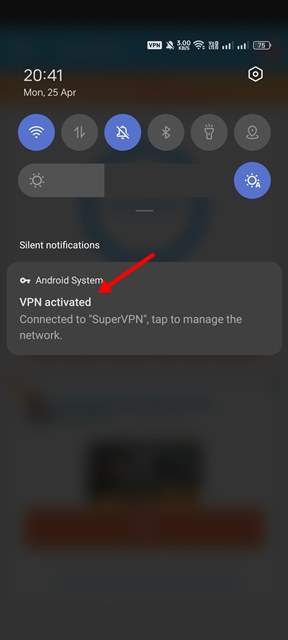
When the mobile app fails to connect to a different server, it either crashes or shows an error message. Hence, make sure to disable the VPN or proxy settings to fix the Spotify crashing issue.
5. Force Stop the Spotify App
When you force-quit an app on Android, the app and its background processes are released from memory.
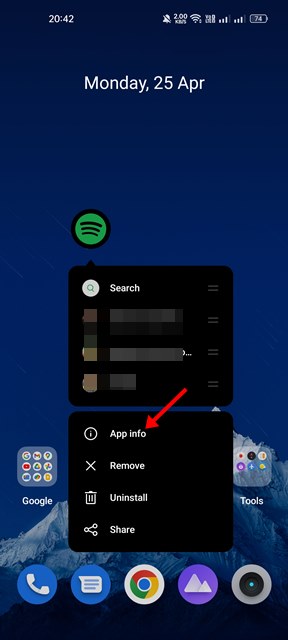
1. Long-press the Spotify icon on the home screen and select the App info.
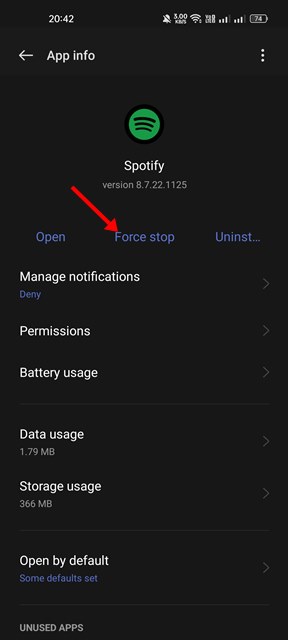
2. Tap on Force stop.
6. Log out of Spotify and log in again
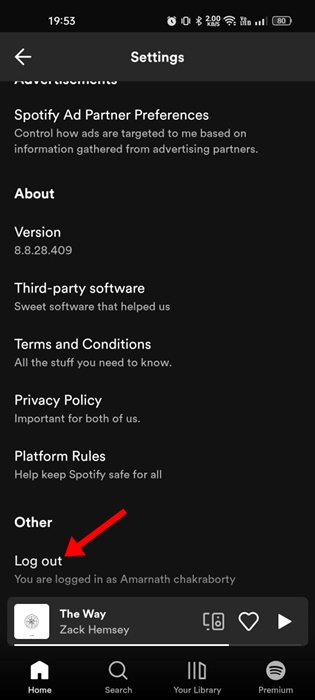
Sometimes, Spotify keeps crashing on Android due to a bug in the user profile. You can eliminate such bugs by logging out of your Spotify account and logging in again. To log out of Spotify, open the app and tap the Settings gear icon in the top right corner.
Now scroll down to the bottom and tap on the Log out button. This will immediately log you out. Once logged out, enter your username and password to log in again.
7. Clear the Cache file of the Spotify App
Outdated or corrupted cache files also lead to Spotify crashes or problems connecting to the internet. Hence, you need to clear the Spotify app’s cache file as well.
1. Long-press the Spotify app on the home screen and select App info.
2. Tap the Storage Usage.
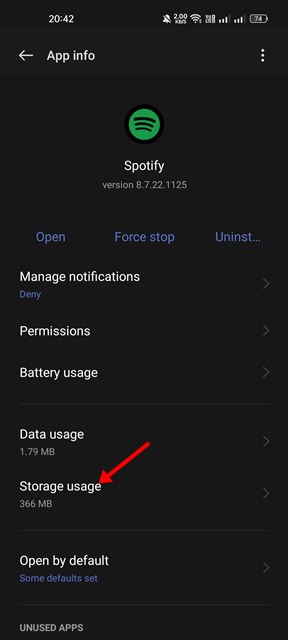
3. Tap on Clear Cache.
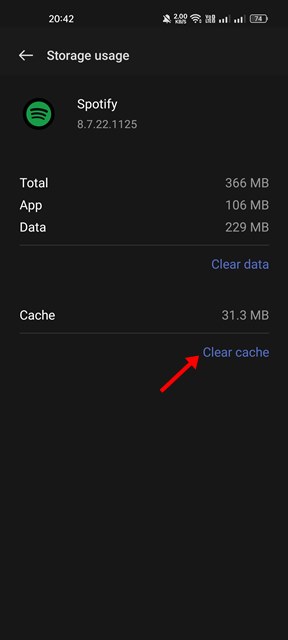
There’s another way to clear the cache file of Spotify, which we have shared below. This will remove all cache files of the Spotify app for Android. Once done, open the Spotify app and log in with your account.
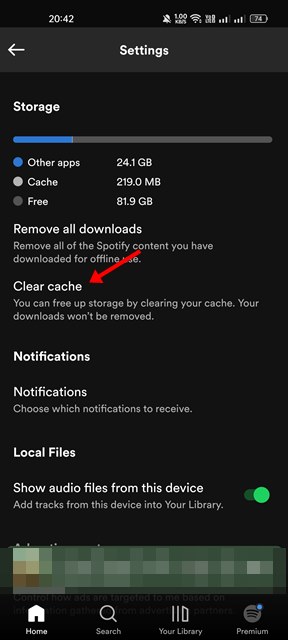
4. Open the Spotify app on your Android device. Tap on the gear icon.

5. Scroll down to the Storage section.
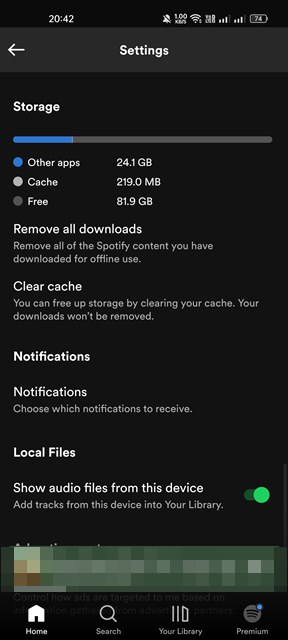
6. Tap on Clear Cache to delete the Spotify cache data.
8. Reset Network Settings on Android
The Spotify app may be unable to connect to the internet or servers due to a Network error or incorrect network settings. You can fix such issues by resetting the network settings on Android.
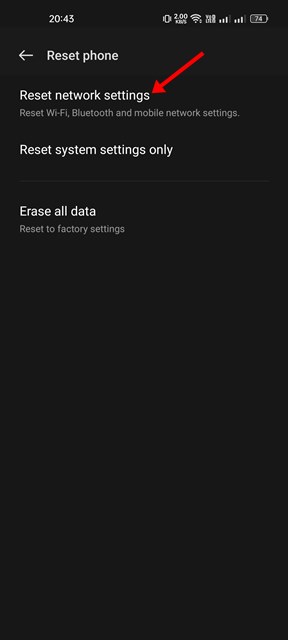
We have already shared a detailed guide on resetting Network settings on Android. Read that guide to know the easy steps to reset the network settings on any Android device.
9. Reinstall the Spotify App
If none of the methods worked for you, you must try reinstalling the Android Spotify app. However, please note that reinstalling the Spotify app will remove your account and saved data, including the offline music that was saved on your device.
To reinstall the Spotify app on Android, long-press the Spotify app icon and select Uninstall. Once uninstalled, open the Play Store and install the Spotify app again.
Spotify is an excellent music streaming service, but it’s not the only one. Today, hundreds of music streaming services allow you to stream for free. You can also use Spotify alternatives to stream your favorite music on your Android smartphone.
The post How to Fix Spotify Keeps Crashing on Android appeared first on TechViral.
ethical hacking,hacking,bangla ethical hacking,bangla hacking tutorial,bangla tutorial,bangla hacking book,ethical hacking bangla,bangla,hacking apps,ethical hacking bangla tutorial,bangla hacking,bangla hacking pdf,bangla hacking video,bangla android hacking,bangla hacking tutorials,bangla fb hacking tutorial,bangla hacking book download,learn ethical hacking,hacking ebook,hacking tools,bangla ethical hacking course, tricks,hacking,ludo king tricks,whatsapp hacking trick 2019 tricks,wifi hacking tricks,hacking tricks: secret google tricks,simple hacking tricks,whatsapp hacking tricks,tips and tricks,wifi tricks,tech tricks,redmi tricks,hacking trick paytm cash,hacking trick helo app,hacking trick of helo app,paytm cash hacking trick,wifi password hacking,paytm cash hacking trick malayalam,hacker tricks, tips and tricks,pubg mobile tips and tricks,tricks,tips,tips and tricks for pubg mobile,100 tips and tricks,pubg tips and tricks,excel tips and tricks,google tips and tricks,kitchen tips and tricks,season 2 tips and tricks,android tips and tricks,fortnite tips and tricks,godnixon tips and tricks,free fire tips and tricks,advanced tips and tricks,whatsapp tips and tricks, facebook tricks,facebook,facebook hidden tricks,facebook tips and tricks,facebook latest tricks,facebook tips,facebook new tricks,facebook messenger tricks,facebook android app tricks,fb tricks,facebook app tricks,facebook tricks and tips,facebook tricks in hindi,tricks,facebook tutorial,new facebook tricks,cool facebook tricks,facebook tricks 2016,facebook tricks 2017,facebook secret tricks,facebook new tricks 2020,blogger blogspot seo tips and tricks,blogger tricks,blogger,blogger seo tips,blogger seo tips and tricks,seo for blogger,blogger seo in hindi,blogger seo best tips for increasing visitors,blogging tips and tricks,blogger blog seo,blogger seo in urdu,adsense approval trick,blogging tips and tricks for beginners,blogging tricks,blogger tutorial,blogger tricks 2016,blogger tricks 2017 bangla,tricks,bangla tutorial,bangla magic,bangla motivational video,bangla tricks,bangla tips,all bangla tips,magic tricks,akash bangla tricks,top 10 bangla tricks,tips and tricks,all bangla trick,bangla computer tricks,computer bangla tricks,bangla magic card tricks,ms word bangla tips and tricks,bangla computer tips,trick,psychology tricks,youtube bangla,magic tricks bangla,si trick Credit techviral


