
How to Block Websites using Firewall on Windows 11
Blocking websites usually requires installing softwares or browser extensions, but what if you want to install a website without any third-party tool? To do so, you need to make some changes to the Firewall. Here’s how you can block websites using the Firewall on Windows 11.
1. Find the IP Address of the Website
The first step is to find the IP Addresses of the sites you want to block. It’s pretty easy to find a website’s IP Address. For that, you need to use websites like IPVOID.
1. Visit IPVOID from your web browser.
2. Enter the website name in the text field and click on the Find Website IP button.
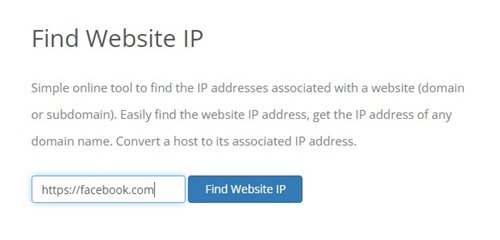
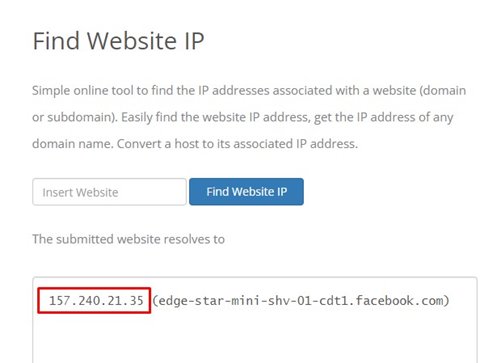
3. The site will list the IP Address. You need to note down the IP address.
2. Creating a Firewall Rule to Block Websites
Once you get the IP Address, you need to create a Firewall rule to block websites.
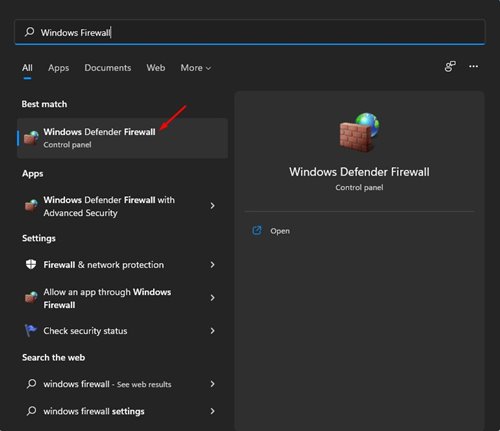
1. Open Windows Defender Firewall from the Windows Search.
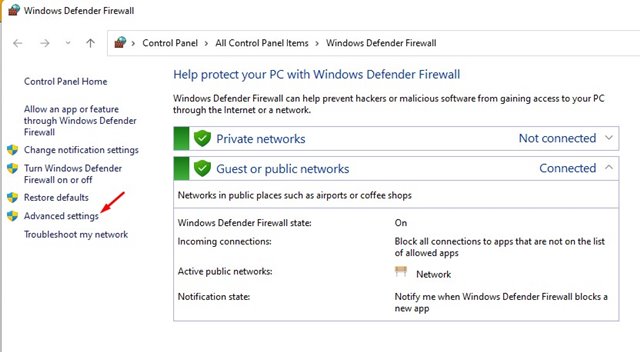
2. Click on the Advanced Settings.
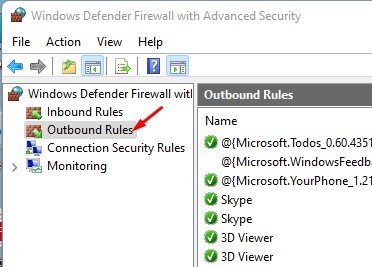
3. Click on the Outbound Rules.
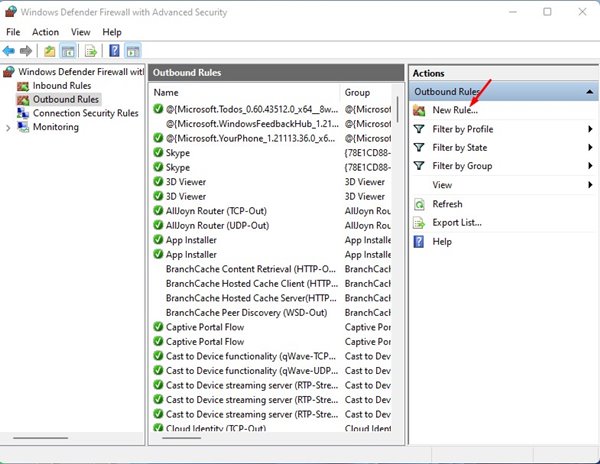
4. Click on New Rule.
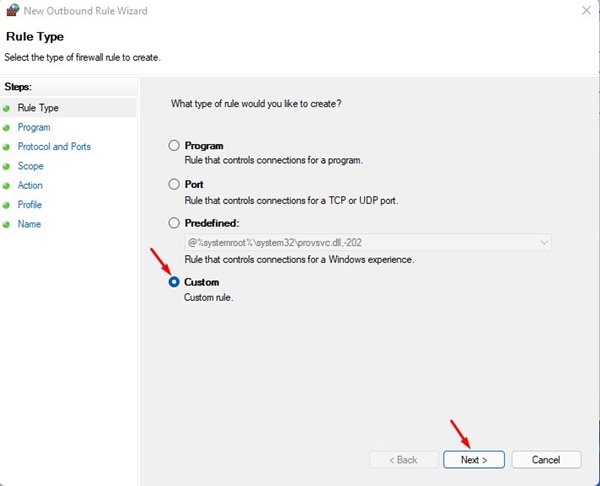
5. Select Custom and click on Next.
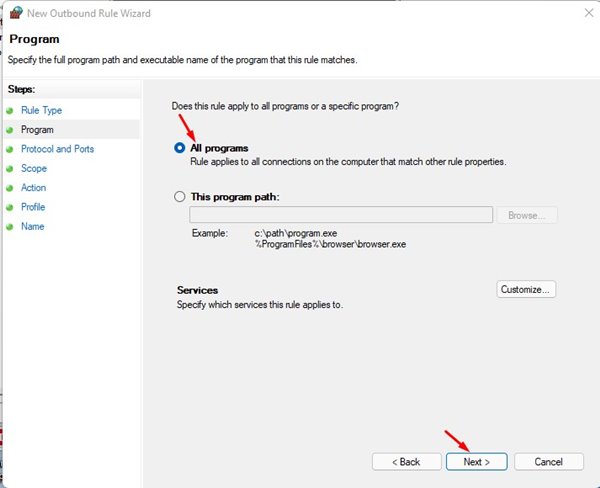
6. Select all programs and click on the Next button on the next page.
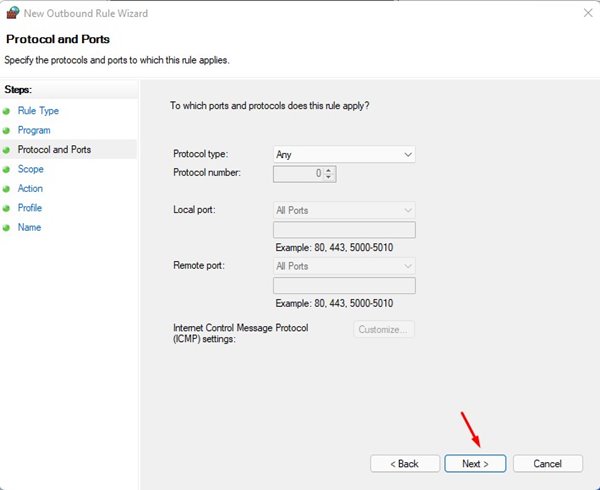
7. Don’t make any changes to the Protocol and Ports option. Just click Next.
8. On the Remote IP Addresses field, select the These IP Addresses checkbox.
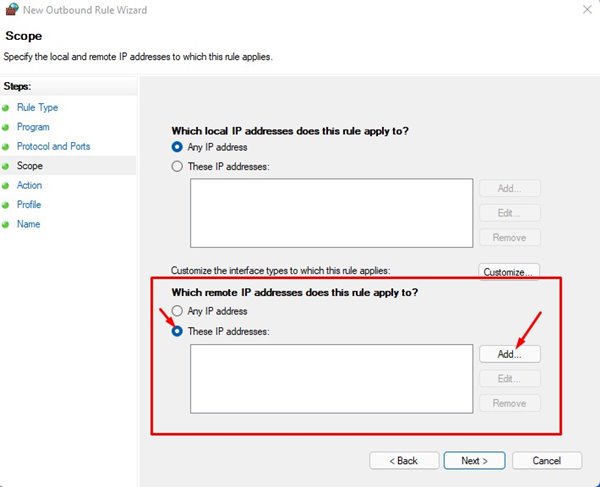
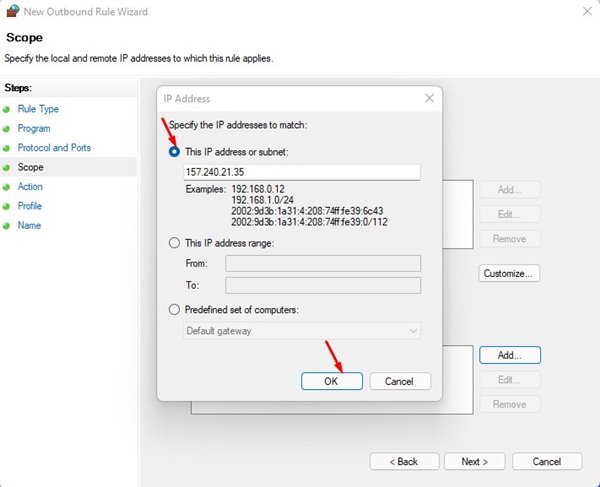
9. Click on the Add button and add the IP Addresses you have copied. You need to enter every IP Address. Once you have done this, click Next.
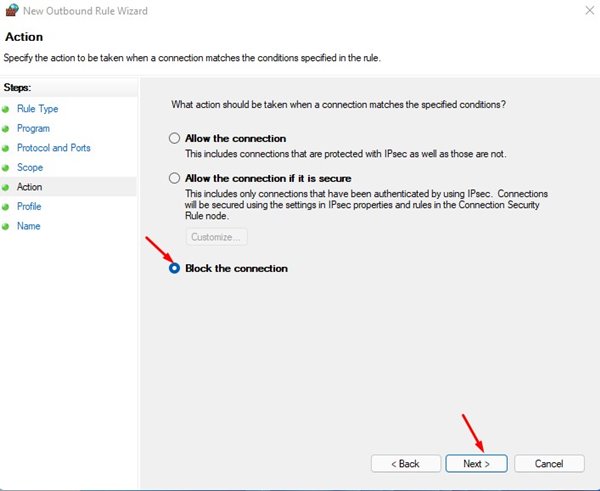
10. On the Action page, select Block the Connection and click Next.
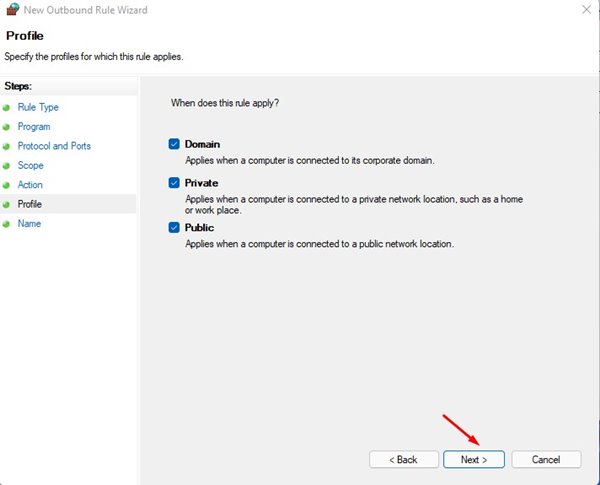
11. On the Profile page, select all three options and click Next.
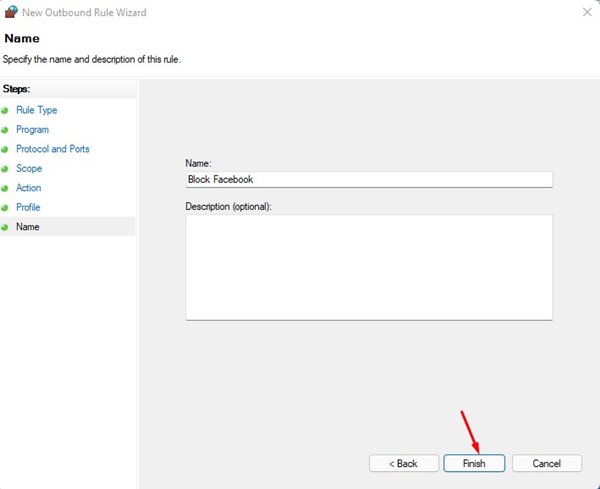
12. Enter the name & description of the new rule and click on the Finish button.
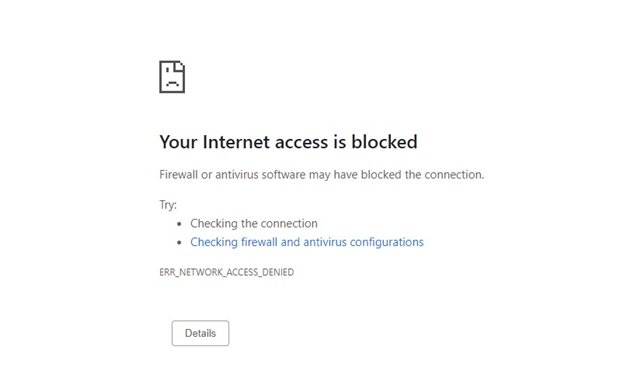
If you try to access the blocked website, you will see a page like this.
How to Disable the Rule?
It’s pretty easy to disable the rule on Windows Defender Firewall.
1. Open Windows Defender Firewall and click on the Advanced Settings option.
2. Select Outbound Rules on the left pane.
3. Right-click on the Rule and select the Disable Rule.
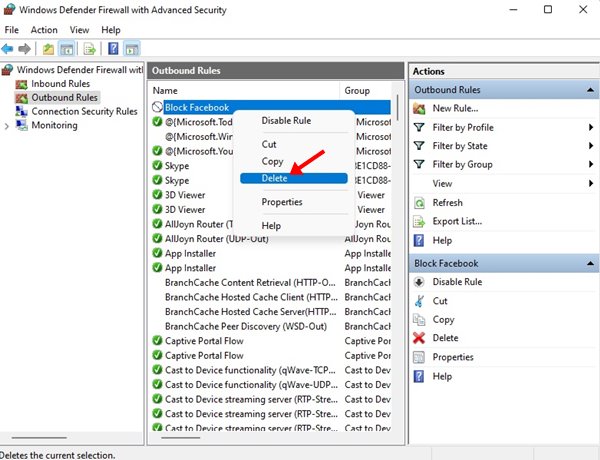
This will disable the rule. Now, you will be able to access the blocked websites.
Other Ways to Block Websites on Windows 11?
If you use the Google Chrome web browser, you can use several extensions to block websites. Extensions like Block Site, StayFocusd, etc., work great in blocking distracting websites.
Alternatively, you can edit the Hosts file on Windows 11 to block the sites that you never want to visit.
If you want a detailed guide on how to block a website using the Hosts file and how to use the website blocker extensions, check out this guide – Block a Website in Chrome.
The process might look lengthy, but it’s easy to follow. If you have any doubts related to this, let us know in the comment box below.
The post How to Block Websites using Firewall on Windows 11 appeared first on TechViral.
ethical hacking,hacking,bangla ethical hacking,bangla hacking tutorial,bangla tutorial,bangla hacking book,ethical hacking bangla,bangla,hacking apps,ethical hacking bangla tutorial,bangla hacking,bangla hacking pdf,bangla hacking video,bangla android hacking,bangla hacking tutorials,bangla fb hacking tutorial,bangla hacking book download,learn ethical hacking,hacking ebook,hacking tools,bangla ethical hacking course, tricks,hacking,ludo king tricks,whatsapp hacking trick 2019 tricks,wifi hacking tricks,hacking tricks: secret google tricks,simple hacking tricks,whatsapp hacking tricks,tips and tricks,wifi tricks,tech tricks,redmi tricks,hacking trick paytm cash,hacking trick helo app,hacking trick of helo app,paytm cash hacking trick,wifi password hacking,paytm cash hacking trick malayalam,hacker tricks, tips and tricks,pubg mobile tips and tricks,tricks,tips,tips and tricks for pubg mobile,100 tips and tricks,pubg tips and tricks,excel tips and tricks,google tips and tricks,kitchen tips and tricks,season 2 tips and tricks,android tips and tricks,fortnite tips and tricks,godnixon tips and tricks,free fire tips and tricks,advanced tips and tricks,whatsapp tips and tricks, facebook tricks,facebook,facebook hidden tricks,facebook tips and tricks,facebook latest tricks,facebook tips,facebook new tricks,facebook messenger tricks,facebook android app tricks,fb tricks,facebook app tricks,facebook tricks and tips,facebook tricks in hindi,tricks,facebook tutorial,new facebook tricks,cool facebook tricks,facebook tricks 2016,facebook tricks 2017,facebook secret tricks,facebook new tricks 2020,blogger blogspot seo tips and tricks,blogger tricks,blogger,blogger seo tips,blogger seo tips and tricks,seo for blogger,blogger seo in hindi,blogger seo best tips for increasing visitors,blogging tips and tricks,blogger blog seo,blogger seo in urdu,adsense approval trick,blogging tips and tricks for beginners,blogging tricks,blogger tutorial,blogger tricks 2016,blogger tricks 2017 bangla,tricks,bangla tutorial,bangla magic,bangla motivational video,bangla tricks,bangla tips,all bangla tips,magic tricks,akash bangla tricks,top 10 bangla tricks,tips and tricks,all bangla trick,bangla computer tricks,computer bangla tricks,bangla magic card tricks,ms word bangla tips and tricks,bangla computer tips,trick,psychology tricks,youtube bangla,magic tricks bangla,si trick Credit techviral


