
How to Fix Slow App Store Downloads & Updates on iPhone
Slow updates or downloads via the App Store, or downloads that get stuck, are nothing new; iPhone users deal with them regularly. If you’re dealing with slow App Store downloads & updates, here’s what you should do.
1. Relaunch the Apple App Store
If a download or update is stuck, stop it and relaunch the App Store on your iPhone. Relaunching the App Store will possibly remove the bugs or glitches that may conflict with the downloads.
Stop all ongoing downloads and close the App Store. Once closed, open it again and download the app or game.
2. Restart your iPhone
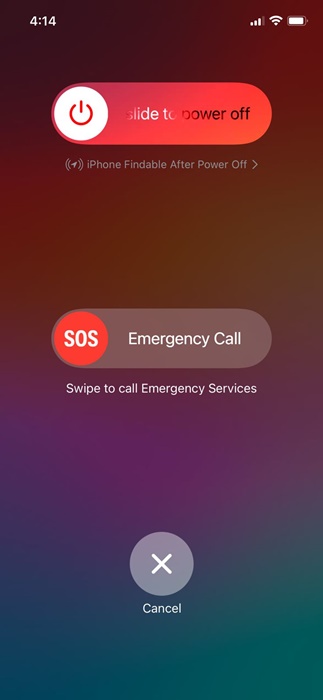
You need to restart your iPhone to remove system-level bugs or glitches. If relaunching the Apple App Store didn’t help, you can try restarting your iPhone. To restart your iPhone, press and hold the side and volume buttons of your iPhone.
This will open the Power menu; select the Slide to Power Off option. Once powered off, press and hold the side button of your iPhone to power it on your iPhone again.
3. Check your Internet
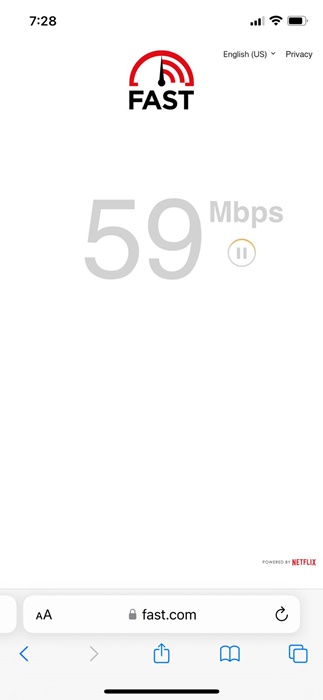
Slow internet speed is another reason why App Store downloads are stuck or slow. It’s possible that your internet connection is experiencing a problem or is slow, leading to stuck downloads.
You can confirm your internet speed by opening the fast.com website in the Safari web browser. If your internet speed is slow, you can try switching to mobile data or a different WiFi network to complete the App Store downloads or updates.
4. Sign out and Sign in to the Apple App Store
Another nifty trick that has helped many users fix slow App Store downloads on iPhone is to sign out of the App Store and sign back in.
To sign out, open the Apple App Store and tap on your profile picture in the top right corner. On the next screen, tap the Sign Out button at the bottom. Once signed out, sign back in with your Apple account credentials and complete the downloads or updates.
5. Prioritize the App Downloads
If multiple apps are being downloaded or updated from the Apple App Store, you get the option to prioritize the app that you need urgently.
Since Apple App Store downloads or updates apps one at a time, prioritizing the app downloads will reduce the wait time. To prioritize app downloads, long-press on the app icon that’s pending download/update and select Prioritize download.
6. Free up Storage Space
If the downloads or updates are stuck, it’s possible that your iPhone doesn’t have the required storage space. So, you should clear a few gigabytes and check again.
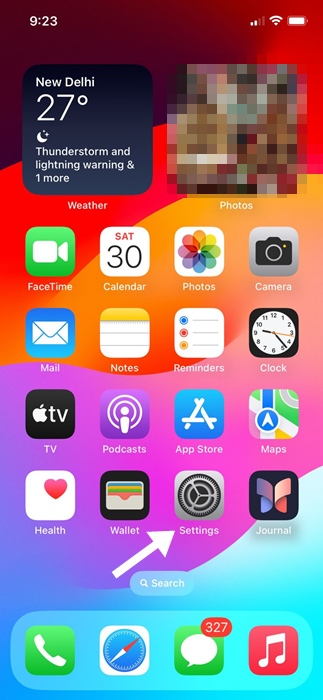
1. Launch the Settings app.
2. Tap General.
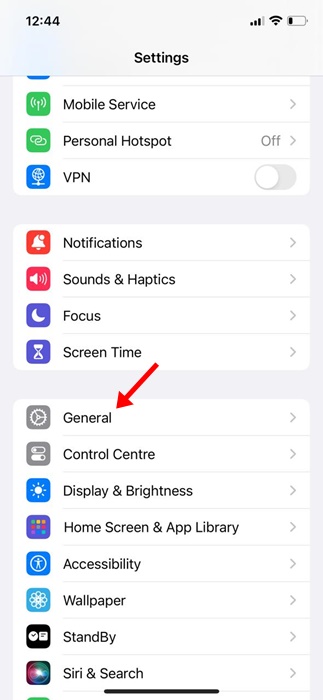
3. Tap iPhone Storage.
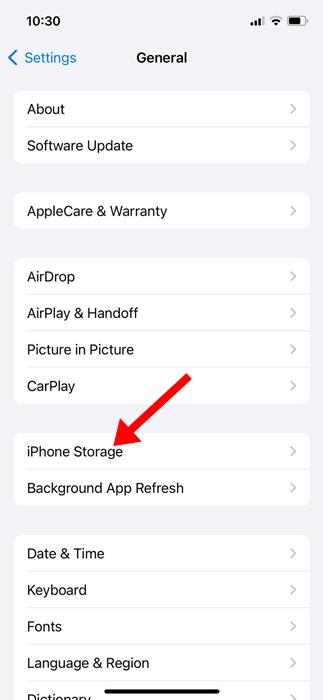
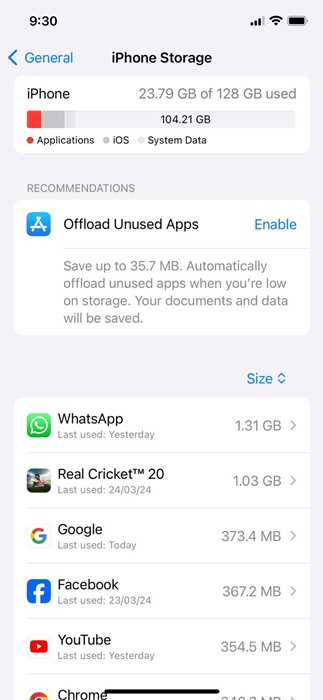
4. You will see the Storage Consumption by apps. If you don’t use an app, you can delete it from your iPhone to free up storage space.
7. Check the Server Status of the Apple App Store
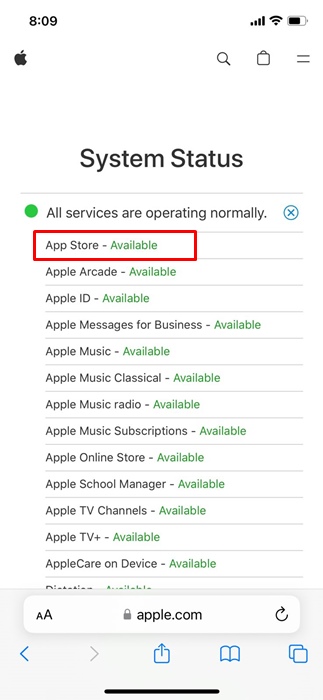
If the App Store’s servers are down globally, you will face problems like slow app downloads and updates. So, if you’re still unable to resolve the slow App Store downloads issue, it’s time to check the server status of the App Store.
You can visit Apple’s system status webpage to see if the App Store servers are down. If the servers are down, you need to wait until they are restored.
8. Switch to Google DNS Server
Switching to a public DNS server like Google DNS can also help.
1. Launch the Settings app.
2. Tap WiFi.
3. Tap the (i) next to the WiFi network you’re connected to.
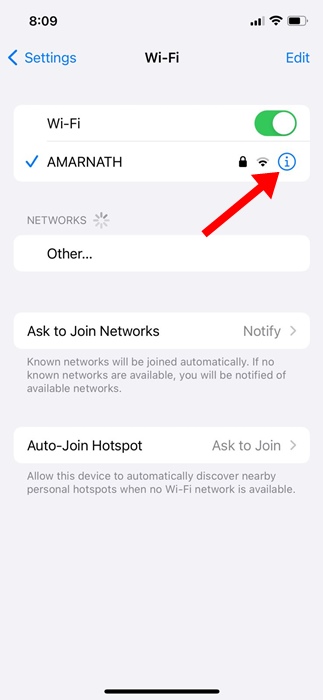
4. Tap Configure DNS.
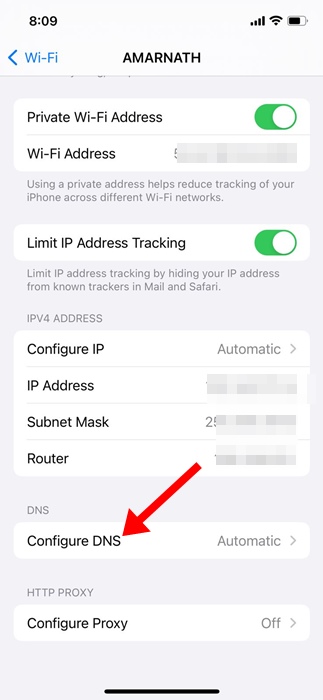
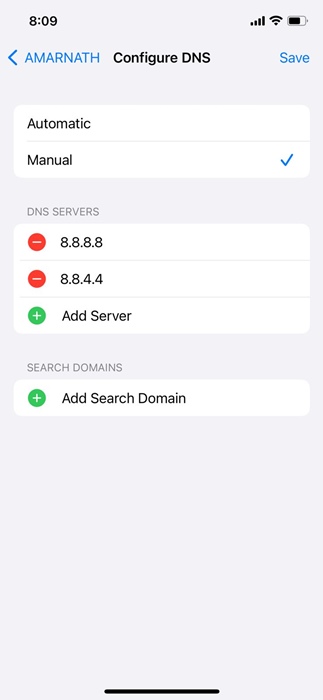
5. Select Manual and add 8.8.8.8 and 8.8.4.4 as DNS servers. After making the changes, tap Save at the top right of the screen.
These are a few simple methods to fix slow App Store downloads on iPhone. Let us know if you need more help on this topic in the comments.
The post How to Fix Slow App Store Downloads & Updates on iPhone appeared first on TechViral.
ethical hacking,hacking,bangla ethical hacking,bangla hacking tutorial,bangla tutorial,bangla hacking book,ethical hacking bangla,bangla,hacking apps,ethical hacking bangla tutorial,bangla hacking,bangla hacking pdf,bangla hacking video,bangla android hacking,bangla hacking tutorials,bangla fb hacking tutorial,bangla hacking book download,learn ethical hacking,hacking ebook,hacking tools,bangla ethical hacking course, tricks,hacking,ludo king tricks,whatsapp hacking trick 2019 tricks,wifi hacking tricks,hacking tricks: secret google tricks,simple hacking tricks,whatsapp hacking tricks,tips and tricks,wifi tricks,tech tricks,redmi tricks,hacking trick paytm cash,hacking trick helo app,hacking trick of helo app,paytm cash hacking trick,wifi password hacking,paytm cash hacking trick malayalam,hacker tricks, tips and tricks,pubg mobile tips and tricks,tricks,tips,tips and tricks for pubg mobile,100 tips and tricks,pubg tips and tricks,excel tips and tricks,google tips and tricks,kitchen tips and tricks,season 2 tips and tricks,android tips and tricks,fortnite tips and tricks,godnixon tips and tricks,free fire tips and tricks,advanced tips and tricks,whatsapp tips and tricks, facebook tricks,facebook,facebook hidden tricks,facebook tips and tricks,facebook latest tricks,facebook tips,facebook new tricks,facebook messenger tricks,facebook android app tricks,fb tricks,facebook app tricks,facebook tricks and tips,facebook tricks in hindi,tricks,facebook tutorial,new facebook tricks,cool facebook tricks,facebook tricks 2016,facebook tricks 2017,facebook secret tricks,facebook new tricks 2020,blogger blogspot seo tips and tricks,blogger tricks,blogger,blogger seo tips,blogger seo tips and tricks,seo for blogger,blogger seo in hindi,blogger seo best tips for increasing visitors,blogging tips and tricks,blogger blog seo,blogger seo in urdu,adsense approval trick,blogging tips and tricks for beginners,blogging tricks,blogger tutorial,blogger tricks 2016,blogger tricks 2017 bangla,tricks,bangla tutorial,bangla magic,bangla motivational video,bangla tricks,bangla tips,all bangla tips,magic tricks,akash bangla tricks,top 10 bangla tricks,tips and tricks,all bangla trick,bangla computer tricks,computer bangla tricks,bangla magic card tricks,ms word bangla tips and tricks,bangla computer tips,trick,psychology tricks,youtube bangla,magic tricks bangla,si trick Credit techviral


