
How to Disable Telemetry on Windows 11
Microsoft collects your activity information, such as the apps you use, your system settings, Windows settings, sites you visit, etc., and sends it to its Server. Microsoft needs the data from its users to improve the operating system, enhance security, and resolve existing bugs.
While Microsoft has valid reasons to collect data remotely, it can raise privacy concerns. Not everyone feels comfortable sharing their system & app usage details to Microsoft without consent. If you don’t want Windows 11 to collect & send telemetry data to Microsoft, you need to turn it off manually.
1. Disable Sending Diagnostic Data on Windows 11
To begin, you need to disable the feature that sends optional diagnostic data to Microsoft in Windows 11.
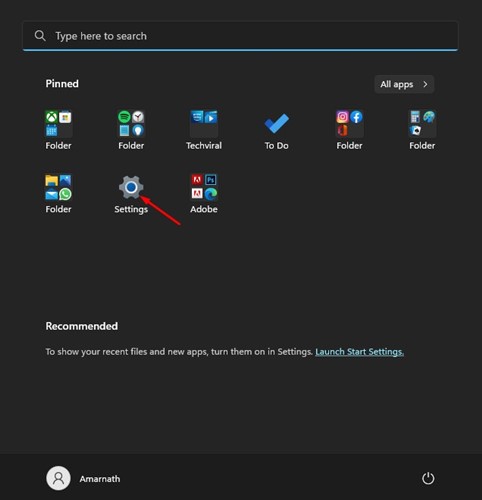
1. Click the Windows 11 Start button and select Settings.
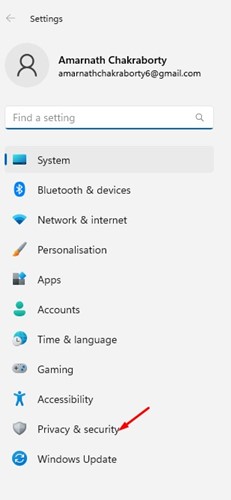
2. Click on Privacy & Security.
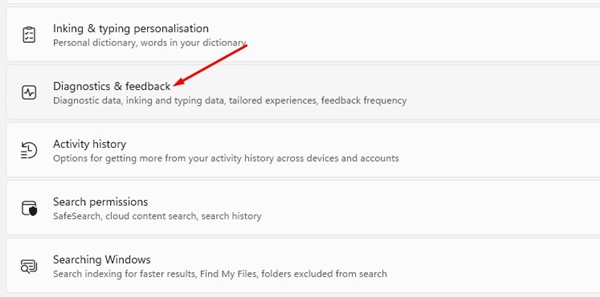
3. Click the Diagnostics & feedback.
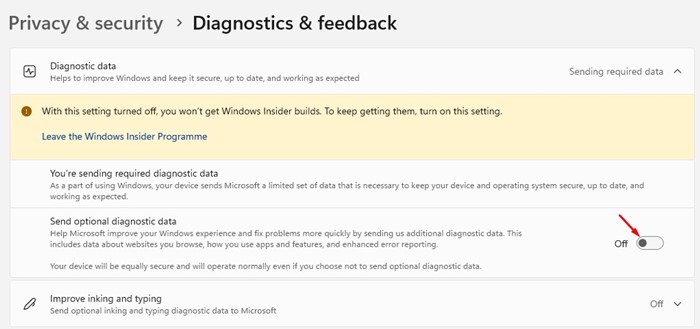
4. Expand the Diagnostic data section and turn off the toggle for Send optional diagnostic data
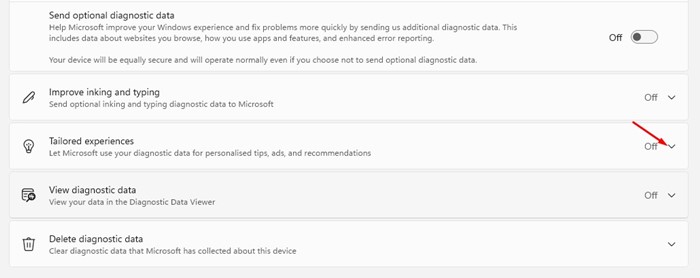
5. Scroll down a bit and expand the Tailored experiences.
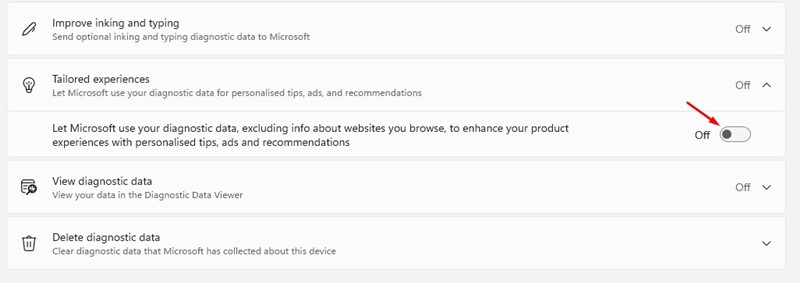
6. Turn off the toggle switch that reads Let Microsoft use your diagnostic…
2. Disable Other Diagnostic Data on Windows 11
You need to disable a few other options to prevent data tracking entirely.
1. Click the Windows 11 Start button and select Settings.
2. Click the Privacy & Security option.
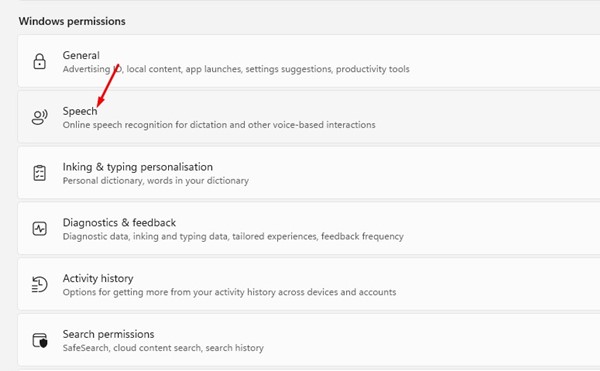
3. Click on Speech.
4. Turn off the toggle for Online Speech recognition on the next page.

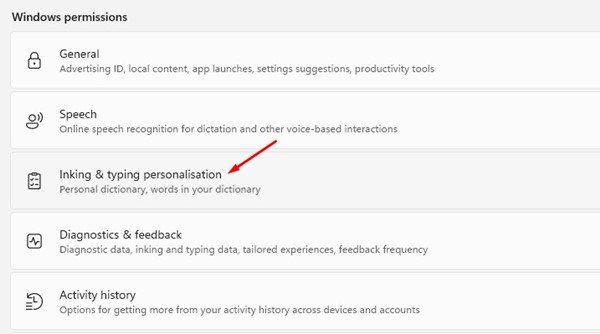
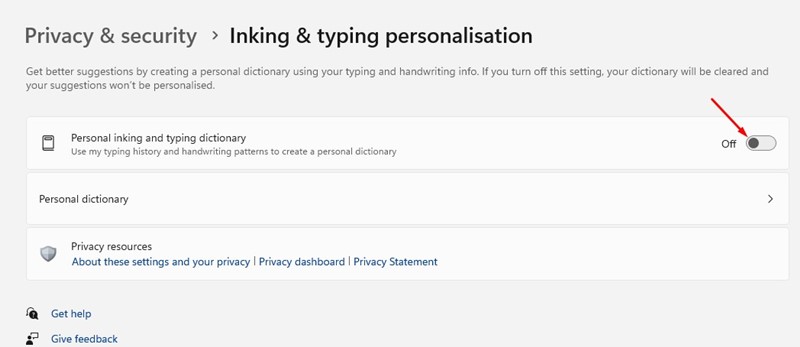
5. Move back to the previous page and click on the Inking & typing personalization.
6. Turn off the toggle for ‘Personal inking and typing dictionary’
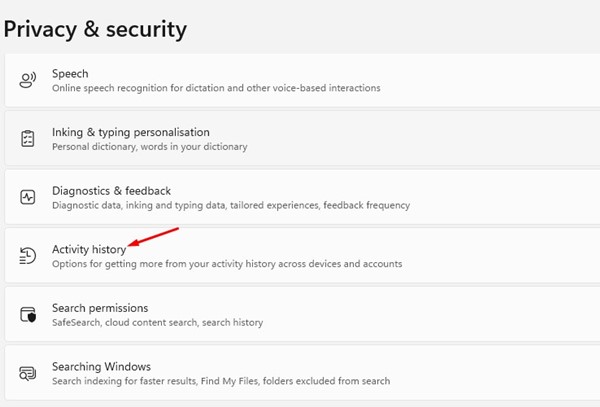
7. Move back to the previous screen and click on the Activity History.
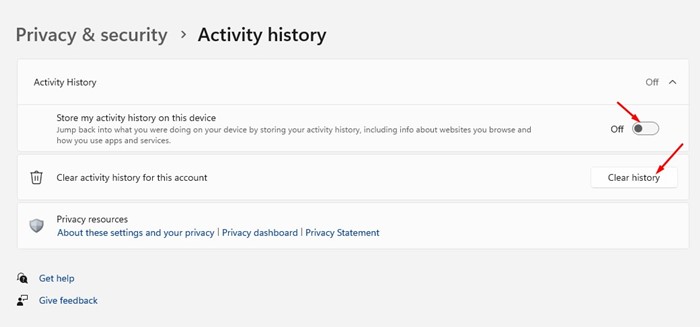
8. Turn off the toggle for Store my activity history on this device. Click on Clear History.
3. Make Changes to General Privacy Settings
You can also make a few changes to the General Privacy Settings of Windows 11 to prevent data tracking.
1. Click the Windows 11 Start button and select Settings.
2. Click the Privacy & Security option.
3. Scroll down and click the General option under Windows permissions.
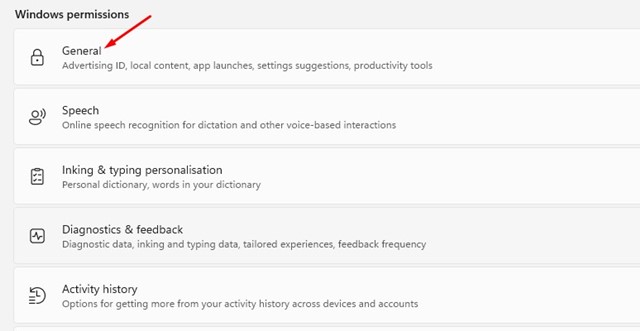
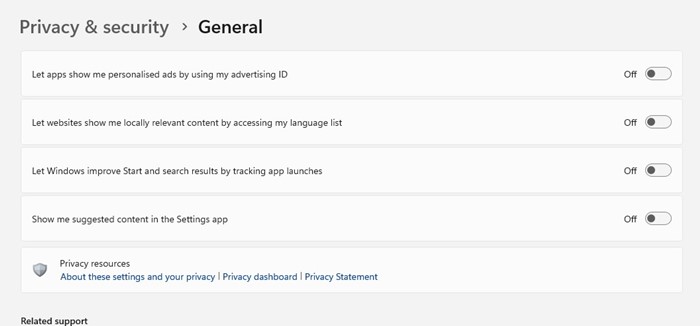
4. You need to disable all four options:
- Let apps show me personalized ads by using my advertising ID.
- Let websites show me locally relevant content by accessing my language list.
- Show me suggested content in the Settings app.
- Let Windows improve Start and search results by tracking app launches.
- After turning off all four options, restart your Windows 11 computer.
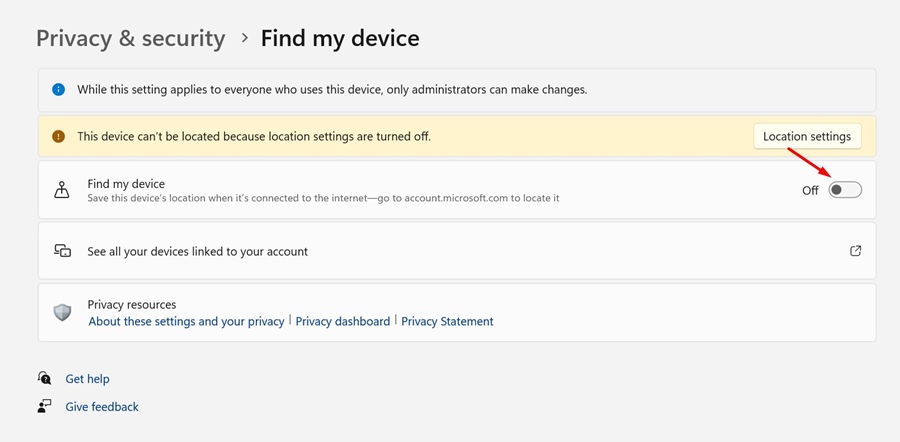
4. Disable the Find My Device Feature
The Find My Device feature is useful and should be turned on if you often forget where your laptop is kept. However, with this feature, Microsoft keeps track of your location details. So, if you want to avoid data tracking, you should turn off the Windows 11 Find My Device Feature as well.
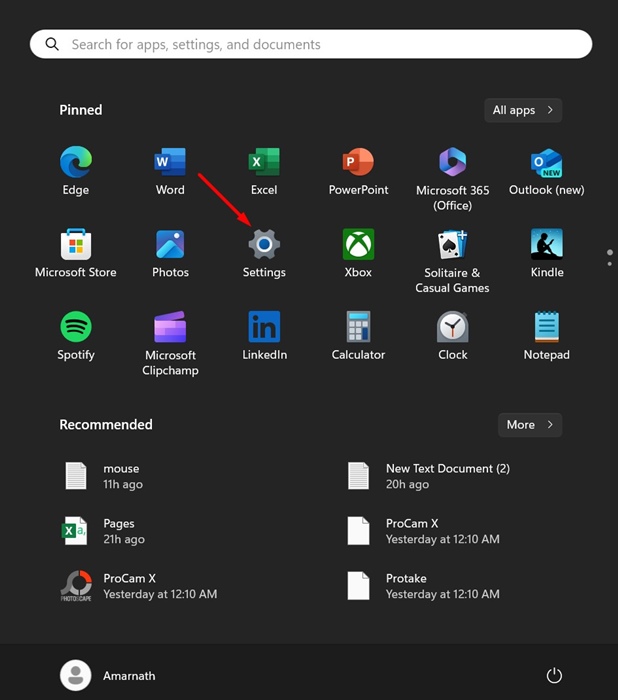
1. Launch the Settings app.
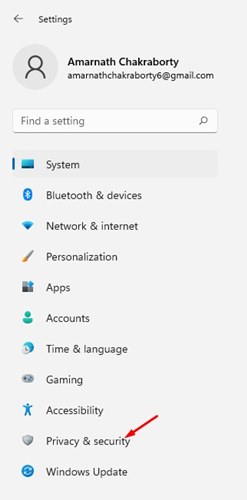
2. Switch to Privacy & Security.
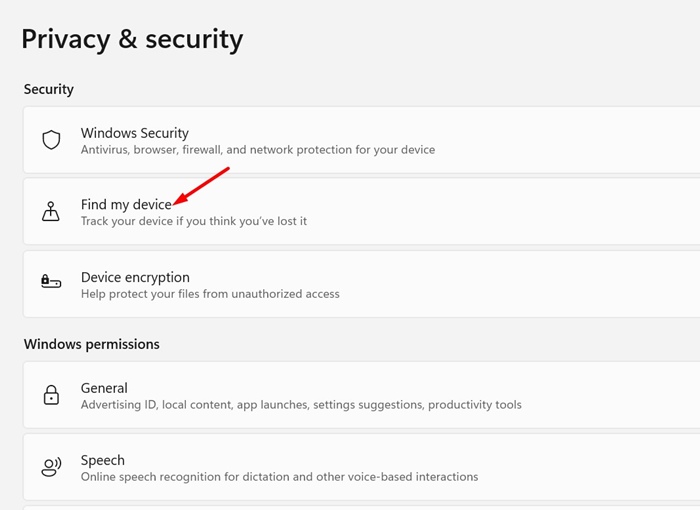
3. Click on Find my device.
4. Turn off the toggle beside Find My Device.
Also read: How to Change Wallpaper in Windows 11 Without Activation
These are the best ways to disable telemetry on a Windows 11 PC. These methods disable all types of data tracking on your device. If you need more help regarding Telemetry data, let us know in the comments.
The post How to Disable Telemetry on Windows 11 appeared first on TechViral.
ethical hacking,hacking,bangla ethical hacking,bangla hacking tutorial,bangla tutorial,bangla hacking book,ethical hacking bangla,bangla,hacking apps,ethical hacking bangla tutorial,bangla hacking,bangla hacking pdf,bangla hacking video,bangla android hacking,bangla hacking tutorials,bangla fb hacking tutorial,bangla hacking book download,learn ethical hacking,hacking ebook,hacking tools,bangla ethical hacking course, tricks,hacking,ludo king tricks,whatsapp hacking trick 2019 tricks,wifi hacking tricks,hacking tricks: secret google tricks,simple hacking tricks,whatsapp hacking tricks,tips and tricks,wifi tricks,tech tricks,redmi tricks,hacking trick paytm cash,hacking trick helo app,hacking trick of helo app,paytm cash hacking trick,wifi password hacking,paytm cash hacking trick malayalam,hacker tricks, tips and tricks,pubg mobile tips and tricks,tricks,tips,tips and tricks for pubg mobile,100 tips and tricks,pubg tips and tricks,excel tips and tricks,google tips and tricks,kitchen tips and tricks,season 2 tips and tricks,android tips and tricks,fortnite tips and tricks,godnixon tips and tricks,free fire tips and tricks,advanced tips and tricks,whatsapp tips and tricks, facebook tricks,facebook,facebook hidden tricks,facebook tips and tricks,facebook latest tricks,facebook tips,facebook new tricks,facebook messenger tricks,facebook android app tricks,fb tricks,facebook app tricks,facebook tricks and tips,facebook tricks in hindi,tricks,facebook tutorial,new facebook tricks,cool facebook tricks,facebook tricks 2016,facebook tricks 2017,facebook secret tricks,facebook new tricks 2020,blogger blogspot seo tips and tricks,blogger tricks,blogger,blogger seo tips,blogger seo tips and tricks,seo for blogger,blogger seo in hindi,blogger seo best tips for increasing visitors,blogging tips and tricks,blogger blog seo,blogger seo in urdu,adsense approval trick,blogging tips and tricks for beginners,blogging tricks,blogger tutorial,blogger tricks 2016,blogger tricks 2017 bangla,tricks,bangla tutorial,bangla magic,bangla motivational video,bangla tricks,bangla tips,all bangla tips,magic tricks,akash bangla tricks,top 10 bangla tricks,tips and tricks,all bangla trick,bangla computer tricks,computer bangla tricks,bangla magic card tricks,ms word bangla tips and tricks,bangla computer tips,trick,psychology tricks,youtube bangla,magic tricks bangla,si trick Credit techviral


