
How to Fix ‘Discord Installation has Failed’ Error
If you get the ‘Installation has failed’ error message while installing Discord on a PC, continue reading the guide.
Why does the Discord installation has a failed error appear?
The ‘Installation has failed’ error on Discord can appear for various reasons. Here are some of them.
- Corrupted Discord Installation File.
- Incompatibility issues.
- Outdated Drivers
- Corrupted System Files
- Antivirus/Firewall Programs
Since you don’t know the actual cause, you need to follow all these methods to fix the error message.
1. Close the Discord App from the Task Manager
If Discord is not installed, it shouldn’t run in the Task Manager, right? The problem is that if you have previously installed Discord on your device, the data from the previous installation might not be completely deleted. Here’s how you can fix it.
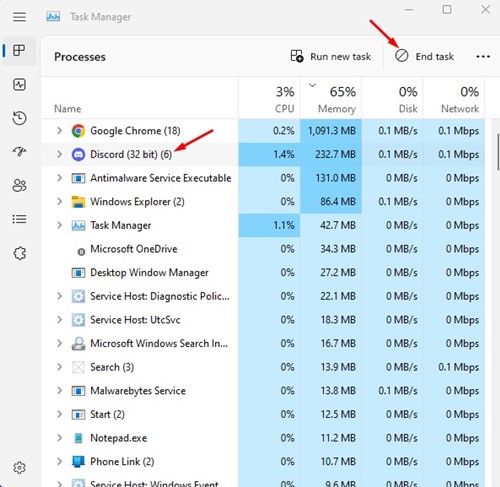
1. Open Task Manager, select Discord, and click End Task.
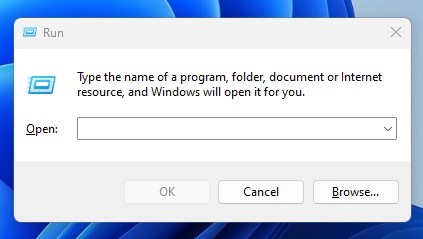
2. Press the Windows Key + R button on your keyboard. This will open the RUN dialog box.
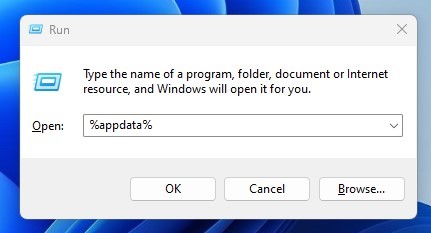
3. Type %appdata% and press Enter.
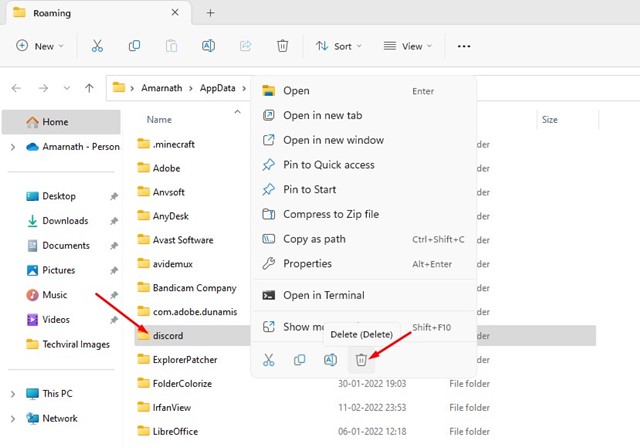
4. In the AppData folder, find and delete the Discord folder.
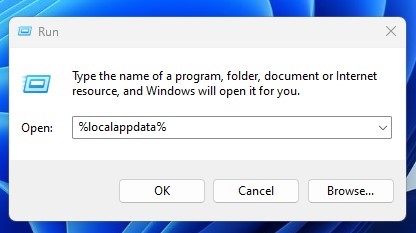
5. Open the RUN dialog box, type %localappdata%, and press Enter.
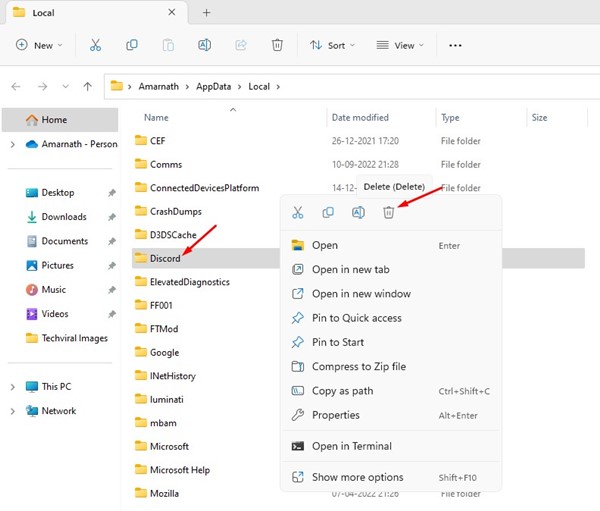
6. Right-click on the Discord folder and select ‘Delete‘.
 2. Run Discord in Compatibility Mode
If you are still getting the Discord Installation has failed error message even after clearing all Discord App data. You need to try running the executable file in compatibility mode.
1. Download the latest version of Discord Installer from the Discord Website.
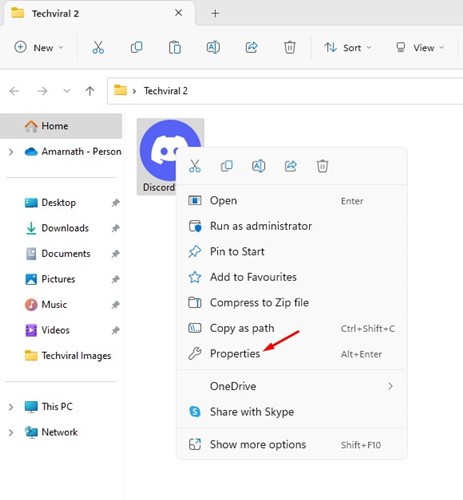
2. Right-click on the DiscordSetup.exe and select Properties.
3. Switch to the Compatibility tab.
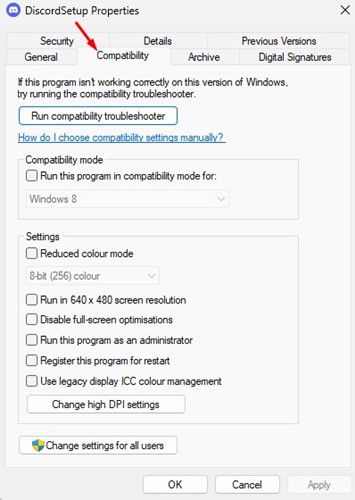
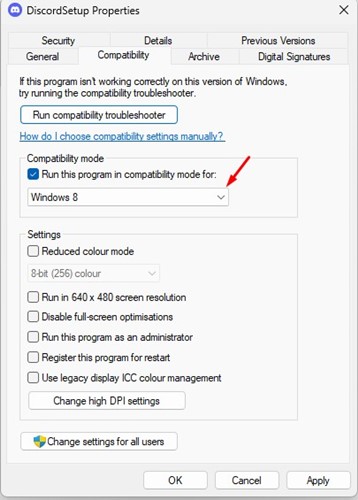
4. Check the box that says, Run this program in compatibility mode for.
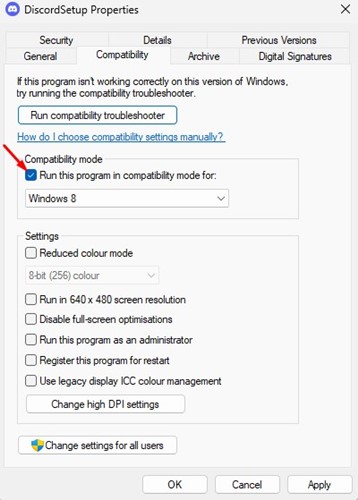
5. Select Windows 8 and click Apply.
3. Add Discord to Windows Security’s Exclusion List
If Windows Security blocks the DiscordSetup.exe, you will get the error message. The best way to avoid such things is to add Discord to the Windows Security exclusion list.
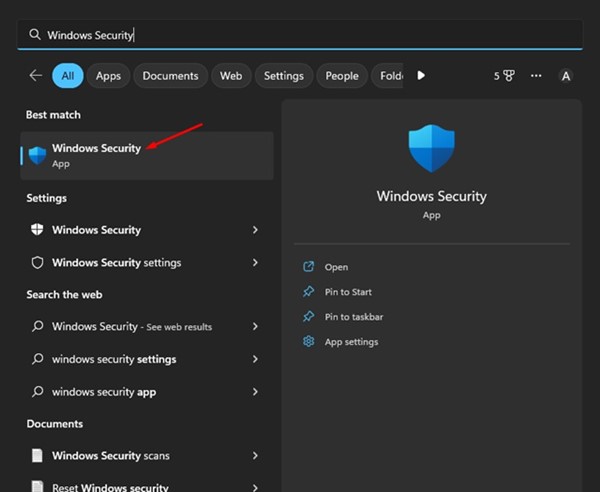
1. Open the Windows Security app from the Windows Search.
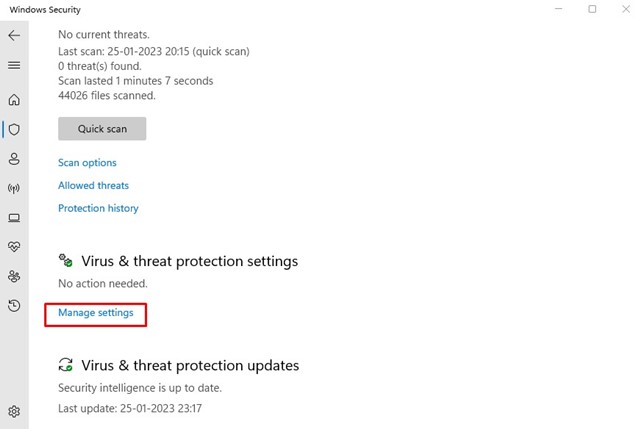
2. Click the Manage Settings link under the Virus & Threat Protection Settings.
3. Under the ‘Exclusions’, click on Add or remove exclusions.
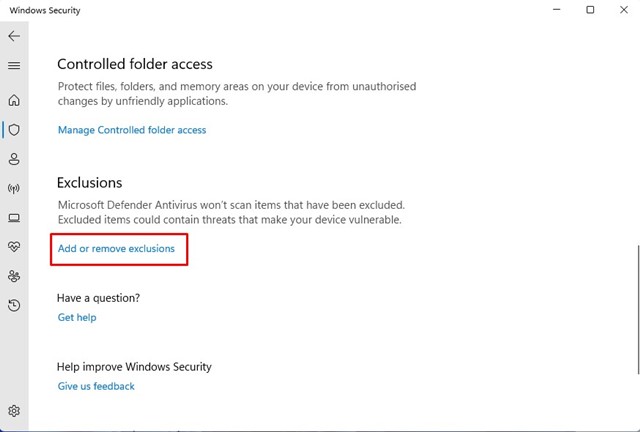
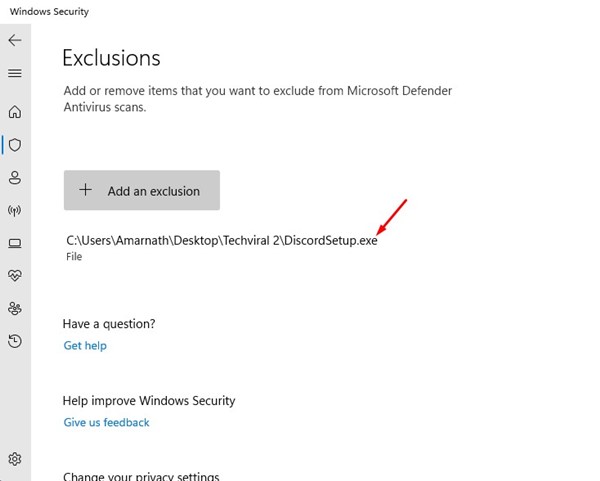
4. Click the ‘Add an exclusion’ button and select the DiscordSetup.exe file you are trying to install.
4. Run Discord Setup File as an Administrator
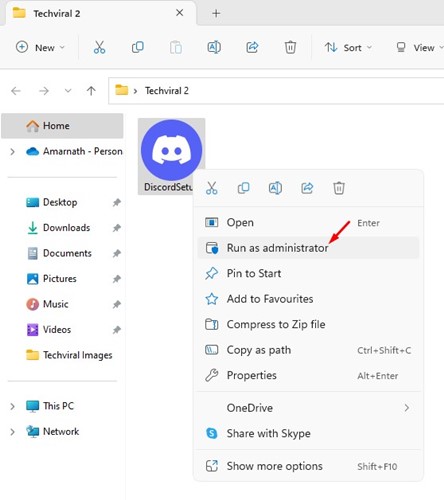
If you still get the ‘Discrod Installation has failed’ error message during the installation part, you need to try running the executable file with administrator access.
It’s easy to give files administrator-level access. Download the latest version of Discord on your device, right-click on the installation file, and select Run as administrator.
This will run the Discord installation wizard with administrative rights. To complete the process, follow the on-screen instructions.
5. Update Windows Operating System
If none of the above solutions worked for you, it’s best to update your Windows version.

Updating the Windows version will likely eliminate compatibility issues. To update your Windows device, navigate to Settings > Windows Update > Check for updates.
Windows will automatically check for all updates. Make sure to install all pending updates, including the driver updates.
6. Install the .NET Framework
Several users in the Discord community claimed to have fixed the ‘Discord Installation has failed’ error by installing the .NET framework. The error can appear if the .NET Framework is missing. Here’s how to install it on Windows.

- Open your favorite web browser and head to this webpage.
- Select the .NET Framework version and language.
- Click the Download button.
- Run the dotNetFx45_Full_setup.exe and follow the on-screen instructions.
7. Install other versions of Discord
There are not one but three different Discord apps available for Windows. You can use the Public test build or the Canary build if the stable build of Discord is not installing on your device.
Alternatively, you can use the web version of Discord. The web version provides all the features and doesn’t need any installation. So, if you want to use Discord in an emergency, use the web version.
Also Read: 10 Best Discord Music Bots
These are some of the best ways to fix the Discord Installation has failed error message. If you need more help resolving this Discord error, let us know in the comments.
The post How to Fix ‘Discord Installation has Failed’ Error appeared first on TechViral.
ethical hacking,hacking,bangla ethical hacking,bangla hacking tutorial,bangla tutorial,bangla hacking book,ethical hacking bangla,bangla,hacking apps,ethical hacking bangla tutorial,bangla hacking,bangla hacking pdf,bangla hacking video,bangla android hacking,bangla hacking tutorials,bangla fb hacking tutorial,bangla hacking book download,learn ethical hacking,hacking ebook,hacking tools,bangla ethical hacking course, tricks,hacking,ludo king tricks,whatsapp hacking trick 2019 tricks,wifi hacking tricks,hacking tricks: secret google tricks,simple hacking tricks,whatsapp hacking tricks,tips and tricks,wifi tricks,tech tricks,redmi tricks,hacking trick paytm cash,hacking trick helo app,hacking trick of helo app,paytm cash hacking trick,wifi password hacking,paytm cash hacking trick malayalam,hacker tricks, tips and tricks,pubg mobile tips and tricks,tricks,tips,tips and tricks for pubg mobile,100 tips and tricks,pubg tips and tricks,excel tips and tricks,google tips and tricks,kitchen tips and tricks,season 2 tips and tricks,android tips and tricks,fortnite tips and tricks,godnixon tips and tricks,free fire tips and tricks,advanced tips and tricks,whatsapp tips and tricks, facebook tricks,facebook,facebook hidden tricks,facebook tips and tricks,facebook latest tricks,facebook tips,facebook new tricks,facebook messenger tricks,facebook android app tricks,fb tricks,facebook app tricks,facebook tricks and tips,facebook tricks in hindi,tricks,facebook tutorial,new facebook tricks,cool facebook tricks,facebook tricks 2016,facebook tricks 2017,facebook secret tricks,facebook new tricks 2020,blogger blogspot seo tips and tricks,blogger tricks,blogger,blogger seo tips,blogger seo tips and tricks,seo for blogger,blogger seo in hindi,blogger seo best tips for increasing visitors,blogging tips and tricks,blogger blog seo,blogger seo in urdu,adsense approval trick,blogging tips and tricks for beginners,blogging tricks,blogger tutorial,blogger tricks 2016,blogger tricks 2017 bangla,tricks,bangla tutorial,bangla magic,bangla motivational video,bangla tricks,bangla tips,all bangla tips,magic tricks,akash bangla tricks,top 10 bangla tricks,tips and tricks,all bangla trick,bangla computer tricks,computer bangla tricks,bangla magic card tricks,ms word bangla tips and tricks,bangla computer tips,trick,psychology tricks,youtube bangla,magic tricks bangla,si trick Credit techviral


