
7 Best Ways to Take Screenshots on Windows 11
Taking screenshots is handy and can be a time-saver, especially when you need to demonstrate something that would otherwise be difficult to explain in words. On Windows 11, there are various ways to capture a screenshot. Here are some of them.
1. Take a Screenshot using the PrtSc key
Regardless of which Windows version you use, you can instantly press the PrtSc key to capture a screenshot.
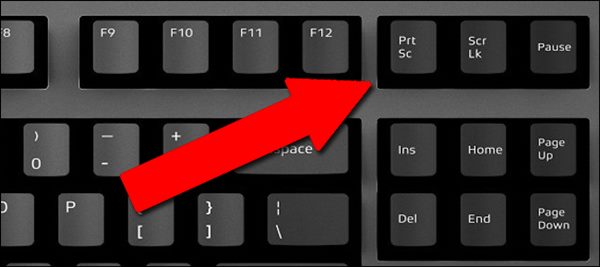
The only drawback of the PrtSc function is that it only captures the items displayed on your current screen.
To take a screenshot, open the screen you want to capture and press the PrtSc key. This will capture the screenshot; next, open the Paint app and press the CTRL + V button to paste the screenshot.
2. Take a Screenshot using Windows + PrtSc Key Combination
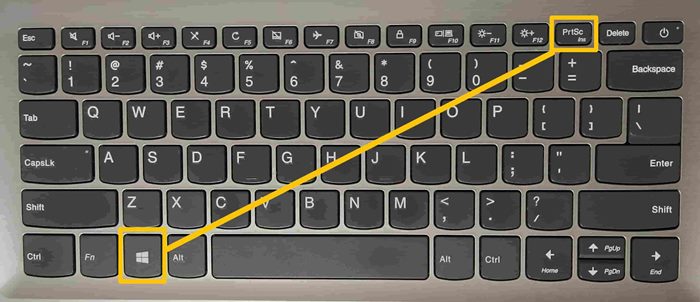
If you don’t want PrtSc to save screenshots to the clipboard, use this key combination. Pressing the Windows + PrtSc Key together captures the screenshot, which is then saved to the Pictures > Screenshot folder.
3. Use the PrtScn with OneDrive
The OneDrive client for Windows has a feature that automatically saves screenshots in the OneDrive cloud folder.
1. Right-click on the OneDrive client on the taskbar.
2. Select Settings.
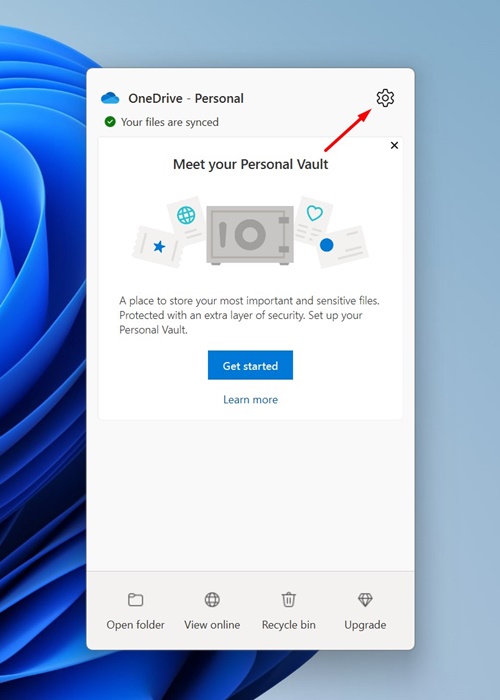
3. Switch to Sync and Backup.
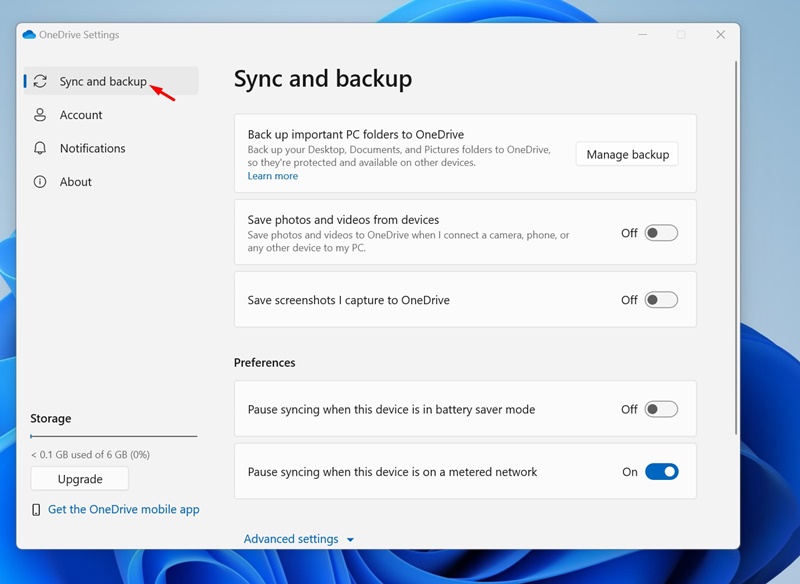
4. Enable the toggle next to Save screenshots i capture to OneDrive.
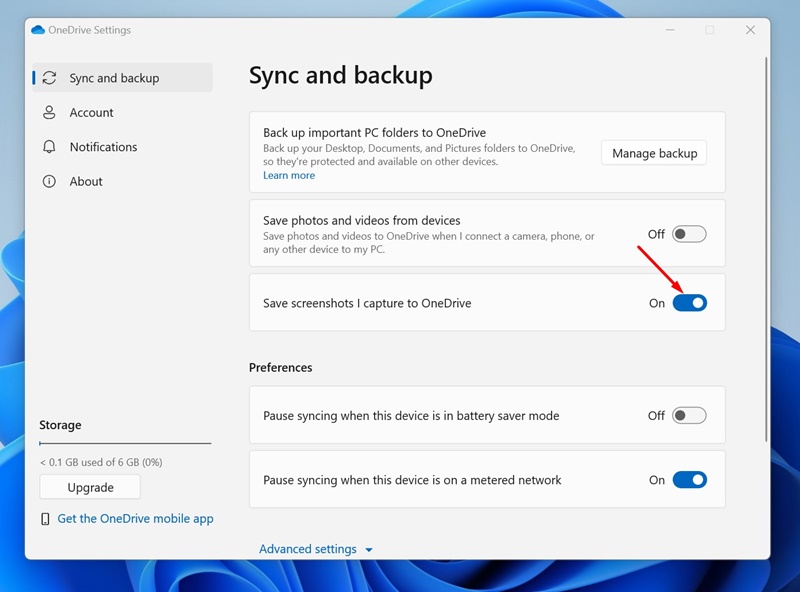
After making the change, press the Print Screen key to capture a screenshot. Once captured, the screenshot will be automatically saved to OneDrive. You can access the saved screenshots from any device.
4. Using Snipping Tool
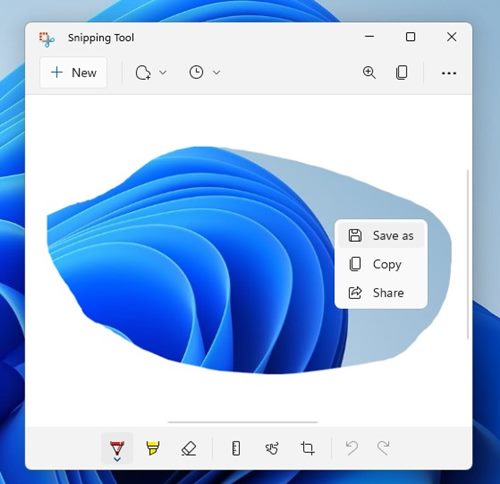
Snipping Tool is a built-in utility for taking screenshots.
1. Type Snipping Tool in the Windows search and open it.
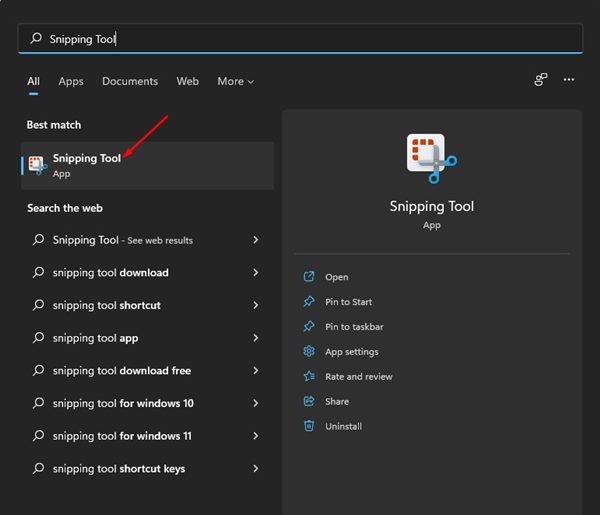
2. You can also press the Windows + Shift + S key on your keyboard to launch the Windows Snipping Tool.
3. You will find four screen capture options: Rectangular Snip, Freeform Snip, Window Snip, and Fullscreen Snip.
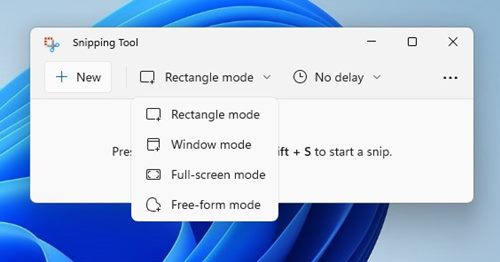
4. Depending on the type of screenshot you want to capture, select the option and capture the screen.
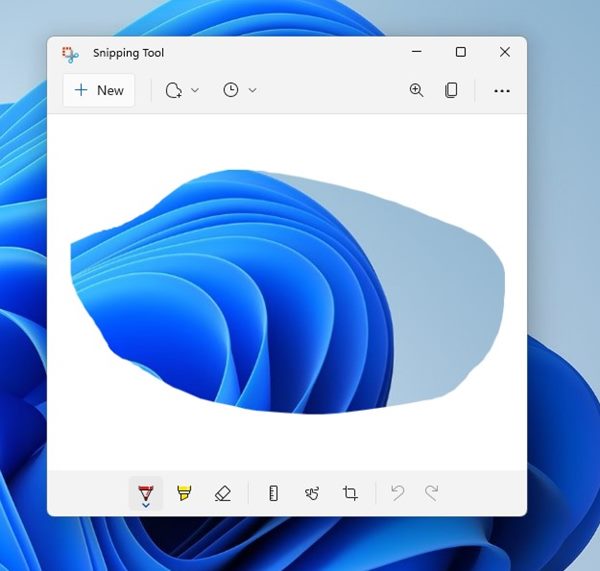
5. You can now view the screenshot. Right-click on the image and select Save as to save it on your storage device.
5. Capture a Screenshot using the Xbox Game Bar
We will use the Xbox Game Bar to take a screenshot in Windows 11.
1. Press the Windows + G key on your keyboard. This will open the Xbox Game Bar on your device.
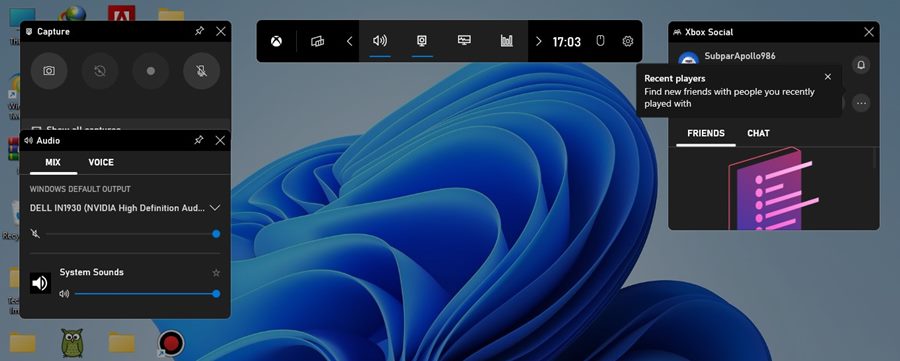
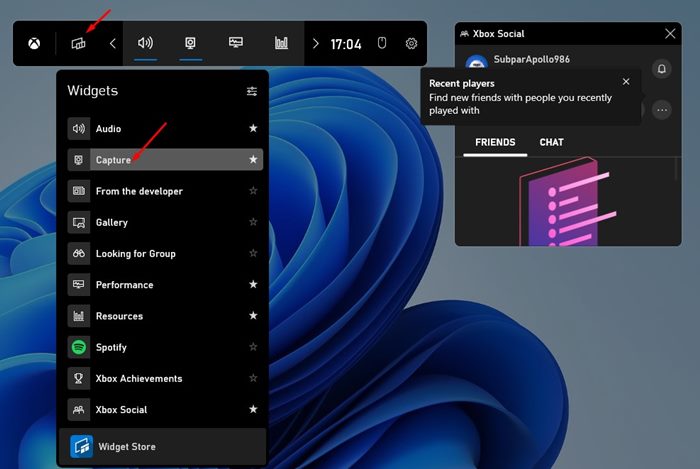
2. Click the Widgets option and select the Capture Widget.
3. Click the camera icon to capture the current app or desktop.
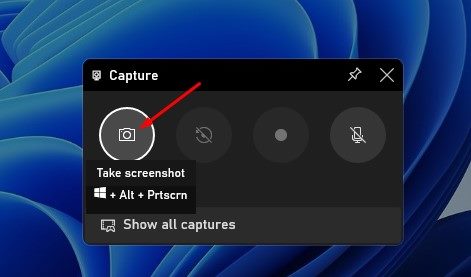
4. The captured screenshot will be saved to C:\Users\[username]\Videos\Captures folder. Browse the folder, and you will find your screenshot there.
6. Capture a screenshot using Lightshot
You can rely on the Lightshot tool to capture screenshots and annotate the images. Here’s how to use Lightshot.
1. Download & install Lightshot.

2. The Lightshot app icon will be added to the system tray.
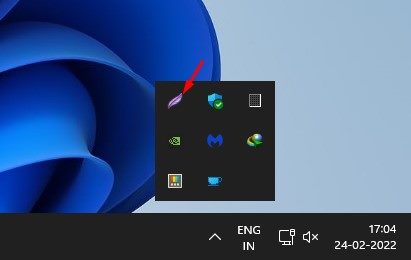
3. Click on the Lightshot icon and select the area you want to capture.
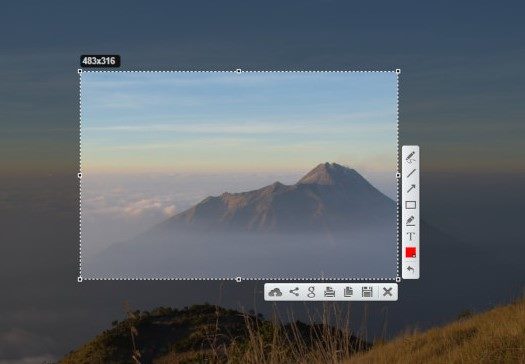
4. Once done, you can edit the image or create an instant shareable link.
7. Use Third-Party Screenshot Utilities
Lightshot is not the only third-party screenshot tool available for Windows. There are many other options. Third-party screenshot tools for Windows allow you to control your screenshots more effectively. For example, you can draw on screenshots, add texts, and more immediately after capturing them.
Also, several Windows screen recording tools let you capture screenshots. For a list of the best screenshot tools, check our guide – Best Windows Screenshot Tools.
Also Read: 10 Best Screen Recorder for Windows 11
You get plenty of ways to capture screenshots in Windows 11. You can even use other third-party screenshot tools to capture screenshots. If you have any doubts, let us know in the comment box below.
The post 7 Best Ways to Take Screenshots on Windows 11 appeared first on TechViral.
ethical hacking,hacking,bangla ethical hacking,bangla hacking tutorial,bangla tutorial,bangla hacking book,ethical hacking bangla,bangla,hacking apps,ethical hacking bangla tutorial,bangla hacking,bangla hacking pdf,bangla hacking video,bangla android hacking,bangla hacking tutorials,bangla fb hacking tutorial,bangla hacking book download,learn ethical hacking,hacking ebook,hacking tools,bangla ethical hacking course, tricks,hacking,ludo king tricks,whatsapp hacking trick 2019 tricks,wifi hacking tricks,hacking tricks: secret google tricks,simple hacking tricks,whatsapp hacking tricks,tips and tricks,wifi tricks,tech tricks,redmi tricks,hacking trick paytm cash,hacking trick helo app,hacking trick of helo app,paytm cash hacking trick,wifi password hacking,paytm cash hacking trick malayalam,hacker tricks, tips and tricks,pubg mobile tips and tricks,tricks,tips,tips and tricks for pubg mobile,100 tips and tricks,pubg tips and tricks,excel tips and tricks,google tips and tricks,kitchen tips and tricks,season 2 tips and tricks,android tips and tricks,fortnite tips and tricks,godnixon tips and tricks,free fire tips and tricks,advanced tips and tricks,whatsapp tips and tricks, facebook tricks,facebook,facebook hidden tricks,facebook tips and tricks,facebook latest tricks,facebook tips,facebook new tricks,facebook messenger tricks,facebook android app tricks,fb tricks,facebook app tricks,facebook tricks and tips,facebook tricks in hindi,tricks,facebook tutorial,new facebook tricks,cool facebook tricks,facebook tricks 2016,facebook tricks 2017,facebook secret tricks,facebook new tricks 2020,blogger blogspot seo tips and tricks,blogger tricks,blogger,blogger seo tips,blogger seo tips and tricks,seo for blogger,blogger seo in hindi,blogger seo best tips for increasing visitors,blogging tips and tricks,blogger blog seo,blogger seo in urdu,adsense approval trick,blogging tips and tricks for beginners,blogging tricks,blogger tutorial,blogger tricks 2016,blogger tricks 2017 bangla,tricks,bangla tutorial,bangla magic,bangla motivational video,bangla tricks,bangla tips,all bangla tips,magic tricks,akash bangla tricks,top 10 bangla tricks,tips and tricks,all bangla trick,bangla computer tricks,computer bangla tricks,bangla magic card tricks,ms word bangla tips and tricks,bangla computer tips,trick,psychology tricks,youtube bangla,magic tricks bangla,si trick Credit techviral


