
How to Fix ‘Google Play Authentication is Required’ Error
The ‘Google Play authentication is required’ error can pop up out of nowhere and prevent you from accessing the Google Play Store. So, if you have just encountered the error message and are looking for ways to resolve it, here’s what you should do.
1. Remove & Add Your Google Account
Many Android users claimed that fixing Google Play Authentication required error messages by removing and re-adding their Google Account. Here’s what you should do.
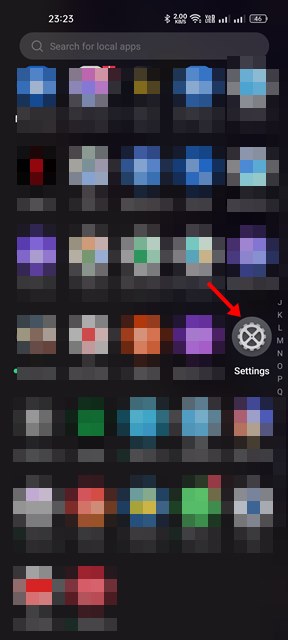
1. Open the Settings app on your Android and tap Settings.
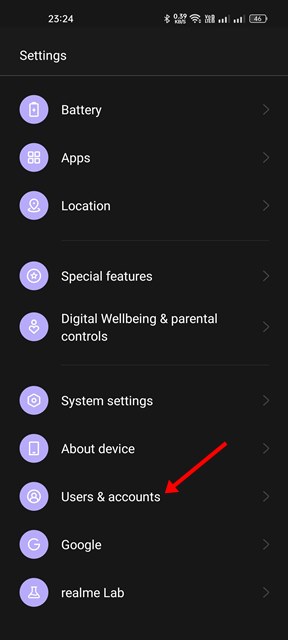
2. Tap on your Google Account.
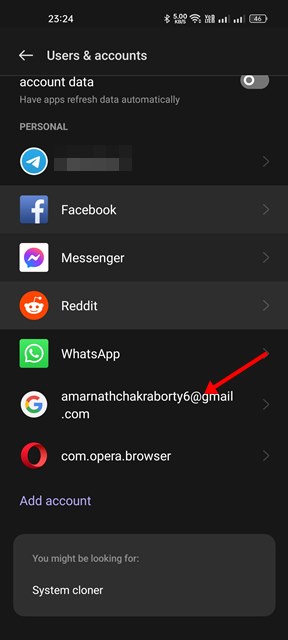
3. Tap on the Remove Account.

4. Once removed, you need to tap on the Add account option and re-add the account you have removed.
2. Manually Sync your Google Account
Interrupted sync is another reason behind the ‘Google Play Authentication is required’ error message. Hence, you need to manually sync your Google account on Android to fix the error.
1. Open the Settings app on your Android.
2. Tap on the accounts and select Google Account.
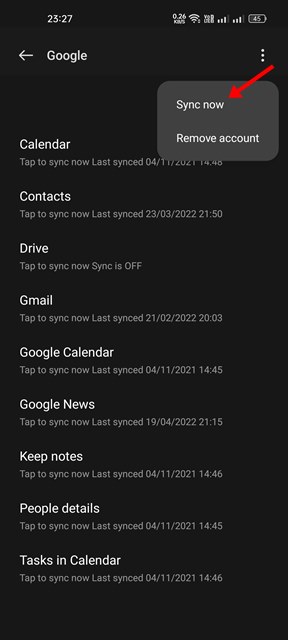
3. Tap on the Account sync option.
4. Tap on the three dots.

5. From the menu that appears, tap on Sync now.
3. Force Stop Google Play Store
If you are still getting the ‘Google Play Authentication is required’ error message while accessing the Google Play Store, you need to force stop the app itself.
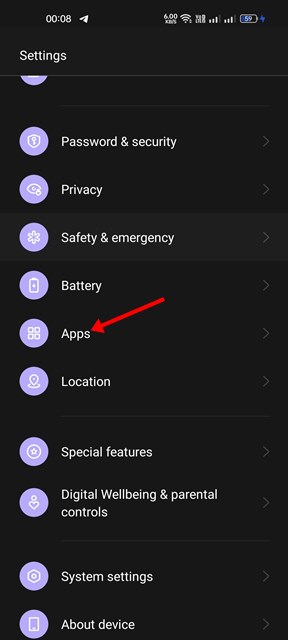
1. Open the Settings app on your Android and tap Apps.
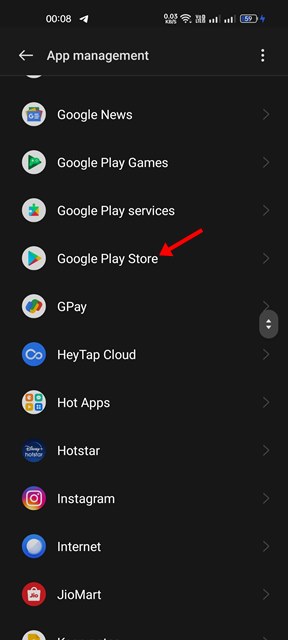
2. Now open the App list and find Google Play Store.
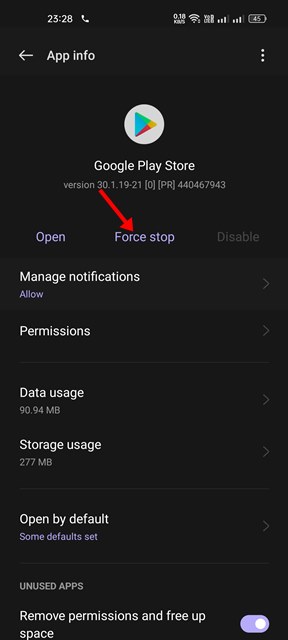
3. Tap on the Force Stop button.
4. Uninstall the Google Play Store Updates
Google Play Store installs the updates in the background. Sometimes, the ‘Google Play Authentication is required’ also appears due to faulty updates. Hence, you need to find and uninstall recent Google Play Store updates to fix the error.
1. Open the Settings app on your Android and tap on the Apps.
2. Open the App list and find Google Play Store.
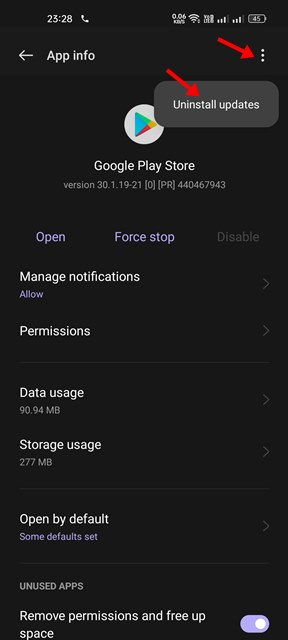
3. On the Google Play Store app info page, tap on the three dots below. From the menu that appears, tap Uninstall updates.
5. Clear Play Store’s Cache and Storage Data
The ‘Google Play Authentication is required’ error usually appears due to an outdated or corrupted cache file. So, to resolve the issue, you need to clear the cache and storage data.
1. Open the Settings app on your Android and tap on the Apps.
2. Now open the App list and find Google Play Store.
3. On the Google Play Store app info page, tap on the Storage option as shown below.
4. Tap on the Clear Cache and then the Clear Data option.
These are the best ways to fix the ‘Google Play Authentication is required’ error message on Android. If you have any doubts about this, let us know in the comment box below.
The post How to Fix ‘Google Play Authentication is Required’ Error appeared first on TechViral.
ethical hacking,hacking,bangla ethical hacking,bangla hacking tutorial,bangla tutorial,bangla hacking book,ethical hacking bangla,bangla,hacking apps,ethical hacking bangla tutorial,bangla hacking,bangla hacking pdf,bangla hacking video,bangla android hacking,bangla hacking tutorials,bangla fb hacking tutorial,bangla hacking book download,learn ethical hacking,hacking ebook,hacking tools,bangla ethical hacking course, tricks,hacking,ludo king tricks,whatsapp hacking trick 2019 tricks,wifi hacking tricks,hacking tricks: secret google tricks,simple hacking tricks,whatsapp hacking tricks,tips and tricks,wifi tricks,tech tricks,redmi tricks,hacking trick paytm cash,hacking trick helo app,hacking trick of helo app,paytm cash hacking trick,wifi password hacking,paytm cash hacking trick malayalam,hacker tricks, tips and tricks,pubg mobile tips and tricks,tricks,tips,tips and tricks for pubg mobile,100 tips and tricks,pubg tips and tricks,excel tips and tricks,google tips and tricks,kitchen tips and tricks,season 2 tips and tricks,android tips and tricks,fortnite tips and tricks,godnixon tips and tricks,free fire tips and tricks,advanced tips and tricks,whatsapp tips and tricks, facebook tricks,facebook,facebook hidden tricks,facebook tips and tricks,facebook latest tricks,facebook tips,facebook new tricks,facebook messenger tricks,facebook android app tricks,fb tricks,facebook app tricks,facebook tricks and tips,facebook tricks in hindi,tricks,facebook tutorial,new facebook tricks,cool facebook tricks,facebook tricks 2016,facebook tricks 2017,facebook secret tricks,facebook new tricks 2020,blogger blogspot seo tips and tricks,blogger tricks,blogger,blogger seo tips,blogger seo tips and tricks,seo for blogger,blogger seo in hindi,blogger seo best tips for increasing visitors,blogging tips and tricks,blogger blog seo,blogger seo in urdu,adsense approval trick,blogging tips and tricks for beginners,blogging tricks,blogger tutorial,blogger tricks 2016,blogger tricks 2017 bangla,tricks,bangla tutorial,bangla magic,bangla motivational video,bangla tricks,bangla tips,all bangla tips,magic tricks,akash bangla tricks,top 10 bangla tricks,tips and tricks,all bangla trick,bangla computer tricks,computer bangla tricks,bangla magic card tricks,ms word bangla tips and tricks,bangla computer tips,trick,psychology tricks,youtube bangla,magic tricks bangla,si trick Credit techviral


