
How to Take Scrolling Screenshots on iPhone
On iOS, you can capture full-page screenshots, basically the same as scrolling screenshots, and save such screenshots as regular images in the Photos app. Here’s how you can do it.
How to Take Scrolling Screenshots on iPhone
1. Open the webpage you want to capture. Press the side button + Volume Up button simultaneously.

2. This will take a normal screenshot and show you a preview in the bottom left corner.
3. Tap the screenshot preview. On the screenshot preview, switch to the Full Page tab.
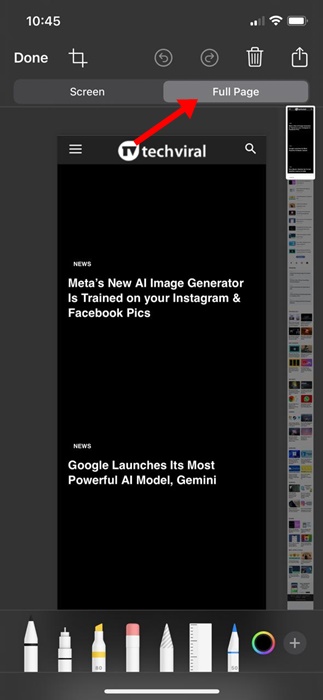
4. You will now see the scrolling screenshot preview. Using the slider at the right, you can scroll through the page.
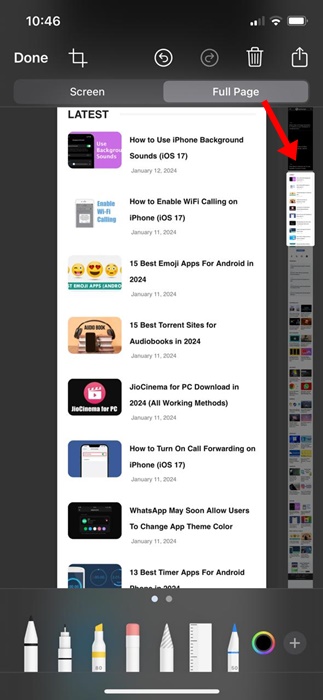
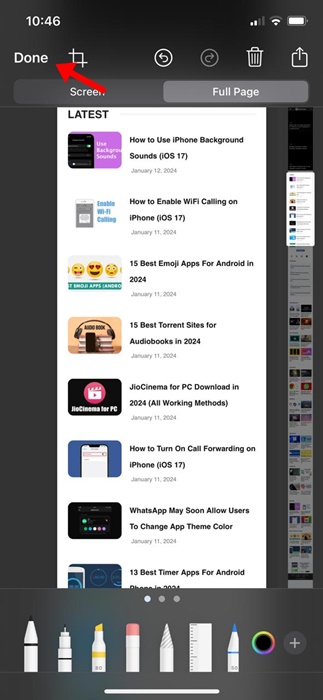
5. Tap the Done button.
6. Select Save to Photos.
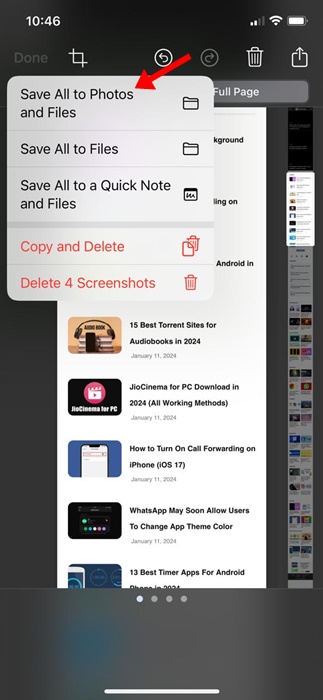
7. The scrolling screenshot will be saved as an image in the Photos app.
How to View the Scrolling Screenshots on iPhone?
The scrolling screenshots you capture will be saved as images on your iPhone. They will appear in a different folder on the Photos app.
1. Open the Photos app.
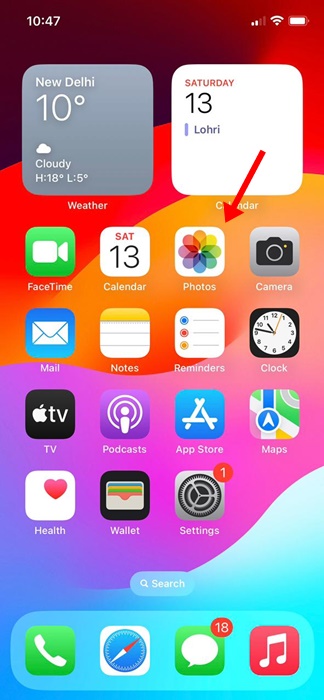
2. Switch to the Albums tab.
3. On the Albums, find and tap on Panoramas. If there’s no Panorama, tap on the Screenshots.
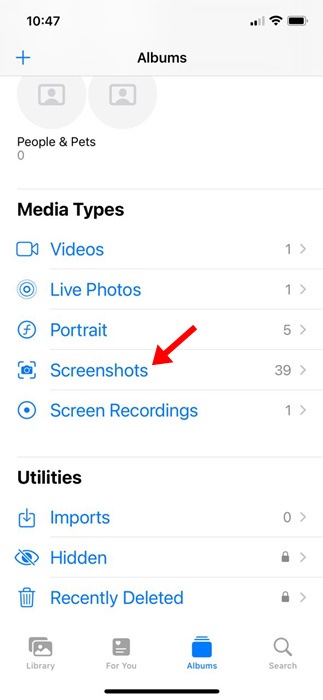
4. You will find all your scrolling screenshots. Tap on the Scrolling Screenshot tile to view it.

Use a Third-Party App to Capture Scrolling Screenshots on iPhone
If you want more control over the scrolling screenshot you want to capture, you need to use a third-party app. Below are the three best iPhone apps to capture scrolling screenshots.
1. Picsew
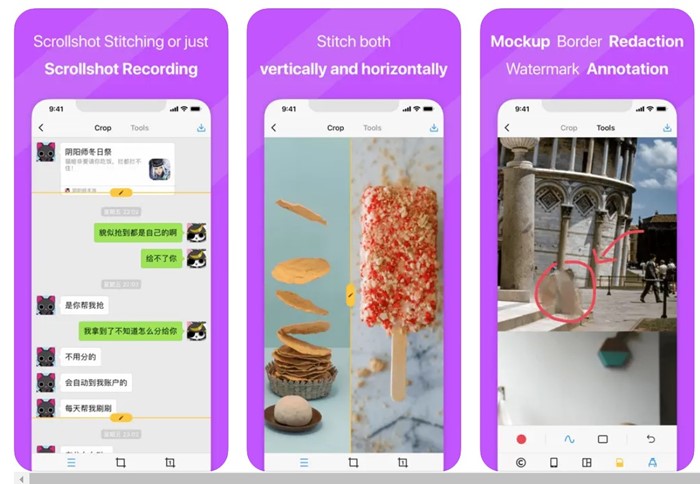
Picsew is an iPhone screenshot app that merges existing screenshots to create a scrolling shot. This one has a scroll shot feature but relies on screen recording.
Basically, you record a screen, then use the Scrollshot utility to turn the recording into a scrolling screenshot.
The scrollshot of Picsew requires a paid purchase. For free, the app allows you to stitch screenshots manually; for stitching, the app supports both vertical & horizontal.
2. Tailor
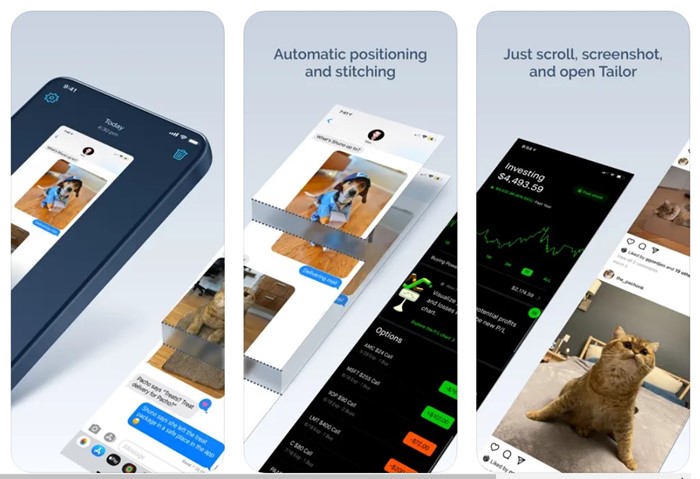
Tailor is very similar to the Picsew app listed above. The iPhone app lets you stitch your screenshots into one long image.
This one is less complicated than Picsew because it isn’t bloated with unnecessary features. You can use the Tailor iPhone app to stitch conversations, recipes & instructions, articles, comment threads, directions, leaderboards, etc.
3. Zeta Stitch
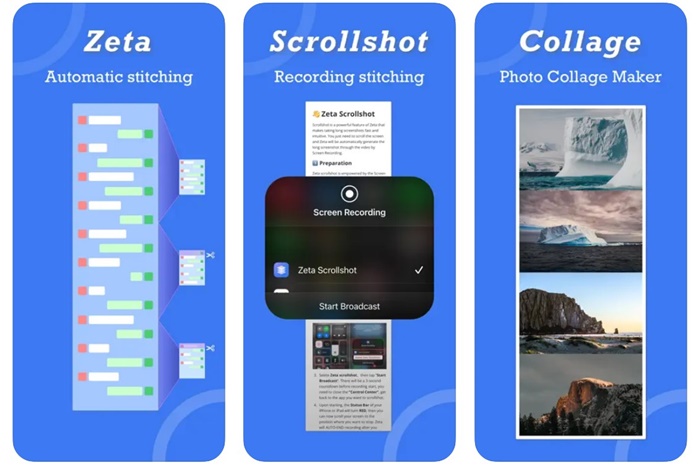
Zeta Stitch is a manual screenshot app for iPhone that’s easy to use. To capture a scrolling screenshot, you need to take a step-by-step screenshot of the screen you want, open the Zeta app, and it will automatically stitch them.
The app tries to maintain 100% quality while stitching screenshots. It also supports horizontal and vertical multi-image stitching.
This article explains how to take scrolling screenshots on an iPhone. If you need more help on this topic, let us know in the comments.
The post How to Take Scrolling Screenshots on iPhone appeared first on TechViral.
ethical hacking,hacking,bangla ethical hacking,bangla hacking tutorial,bangla tutorial,bangla hacking book,ethical hacking bangla,bangla,hacking apps,ethical hacking bangla tutorial,bangla hacking,bangla hacking pdf,bangla hacking video,bangla android hacking,bangla hacking tutorials,bangla fb hacking tutorial,bangla hacking book download,learn ethical hacking,hacking ebook,hacking tools,bangla ethical hacking course, tricks,hacking,ludo king tricks,whatsapp hacking trick 2019 tricks,wifi hacking tricks,hacking tricks: secret google tricks,simple hacking tricks,whatsapp hacking tricks,tips and tricks,wifi tricks,tech tricks,redmi tricks,hacking trick paytm cash,hacking trick helo app,hacking trick of helo app,paytm cash hacking trick,wifi password hacking,paytm cash hacking trick malayalam,hacker tricks, tips and tricks,pubg mobile tips and tricks,tricks,tips,tips and tricks for pubg mobile,100 tips and tricks,pubg tips and tricks,excel tips and tricks,google tips and tricks,kitchen tips and tricks,season 2 tips and tricks,android tips and tricks,fortnite tips and tricks,godnixon tips and tricks,free fire tips and tricks,advanced tips and tricks,whatsapp tips and tricks, facebook tricks,facebook,facebook hidden tricks,facebook tips and tricks,facebook latest tricks,facebook tips,facebook new tricks,facebook messenger tricks,facebook android app tricks,fb tricks,facebook app tricks,facebook tricks and tips,facebook tricks in hindi,tricks,facebook tutorial,new facebook tricks,cool facebook tricks,facebook tricks 2016,facebook tricks 2017,facebook secret tricks,facebook new tricks 2020,blogger blogspot seo tips and tricks,blogger tricks,blogger,blogger seo tips,blogger seo tips and tricks,seo for blogger,blogger seo in hindi,blogger seo best tips for increasing visitors,blogging tips and tricks,blogger blog seo,blogger seo in urdu,adsense approval trick,blogging tips and tricks for beginners,blogging tricks,blogger tutorial,blogger tricks 2016,blogger tricks 2017 bangla,tricks,bangla tutorial,bangla magic,bangla motivational video,bangla tricks,bangla tips,all bangla tips,magic tricks,akash bangla tricks,top 10 bangla tricks,tips and tricks,all bangla trick,bangla computer tricks,computer bangla tricks,bangla magic card tricks,ms word bangla tips and tricks,bangla computer tips,trick,psychology tricks,youtube bangla,magic tricks bangla,si trick Credit techviral


