
How to Fix ‘Error Occurred While Troubleshooting’ on Windows 11
Many Windows 11 users have recently encountered an ‘An error occurred while troubleshooting’ error even while launching a troubleshooter. If you are one of them, here’s what you should do.
1. Restart your PC

Since you don’t know the actual reason for the ‘An error occurred while troubleshooting’ error, it’s important to restart your Windows 11 device.
Restarting the Windows 11 PC will close all processes and eliminate the bugs & glitches. Click on the Windows 11 Power Menu and select Restart.
2. Run the Troubleshooter from Windows 11 Settings
You can launch the built-in troubleshooters from the RUN dialog box, but it’s recommended to run the troubleshooters from the Windows 11 Settings.
1. Click on the Windows 11 Start button and select Settings.

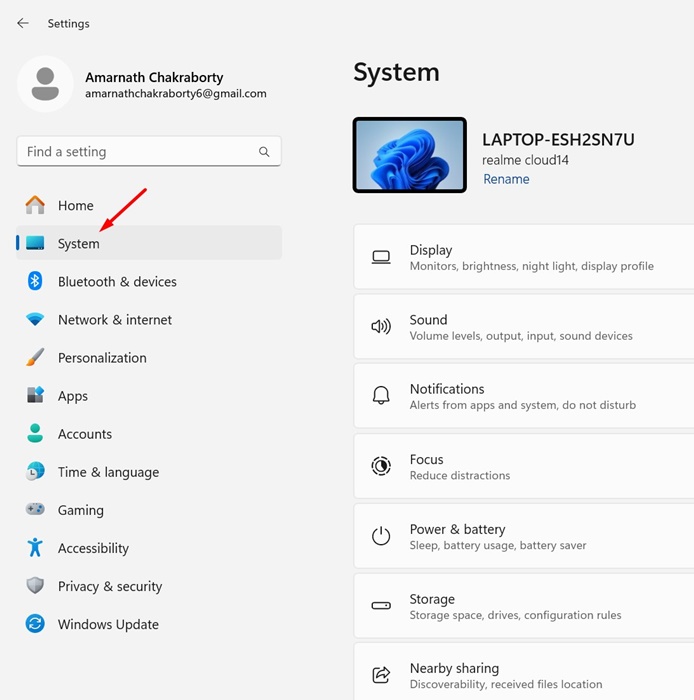
2. Switch to System.
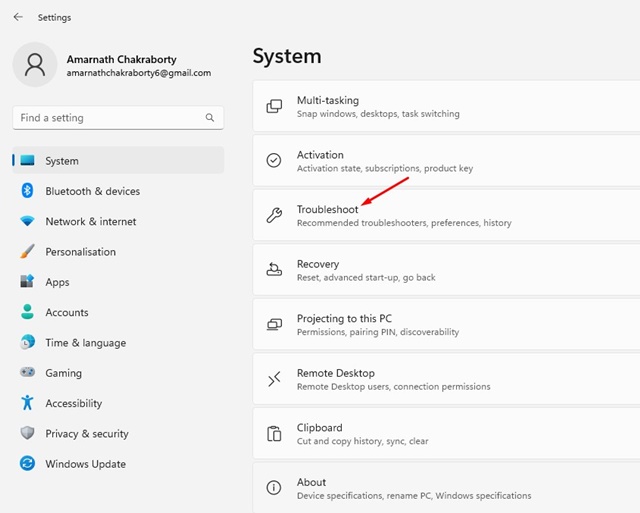
3. Click Troubleshoot.
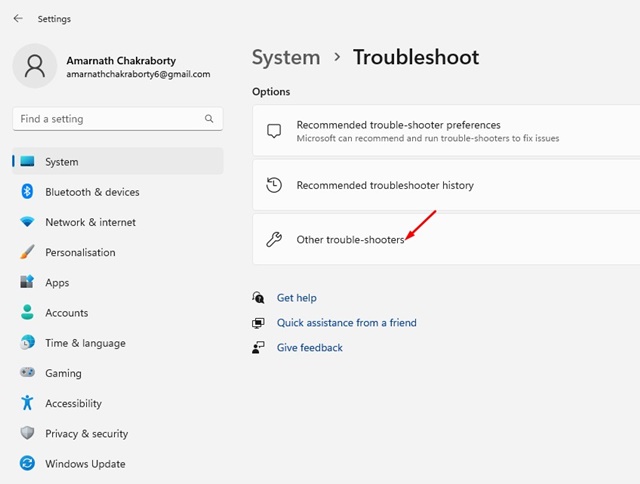
4. Click on Other Troubleshooter.
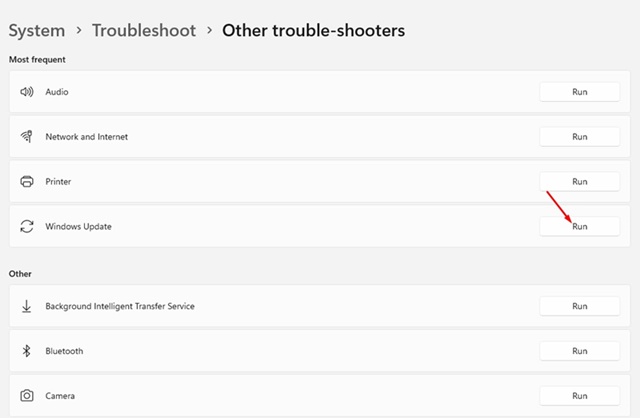
5. You will find all built-in troubleshooters. Click the Run button next to the Troubleshooter you want to run.
3. Restart these Windows Services
The troubleshooter that Windows 11 offers depends on specific Windows Services to function. So, if one of the required Windows Services isn’t functioning as it should, you will get an error message while running the Troubleshooters.
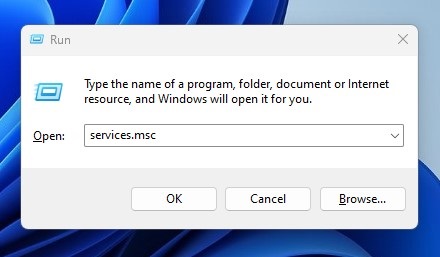
1. Press the Windows Key + R button on your keyboard. This will open the RUN dialog box.
2. Type services.msc and press Enter.
3. Find Background Intelligent Transfer Service.
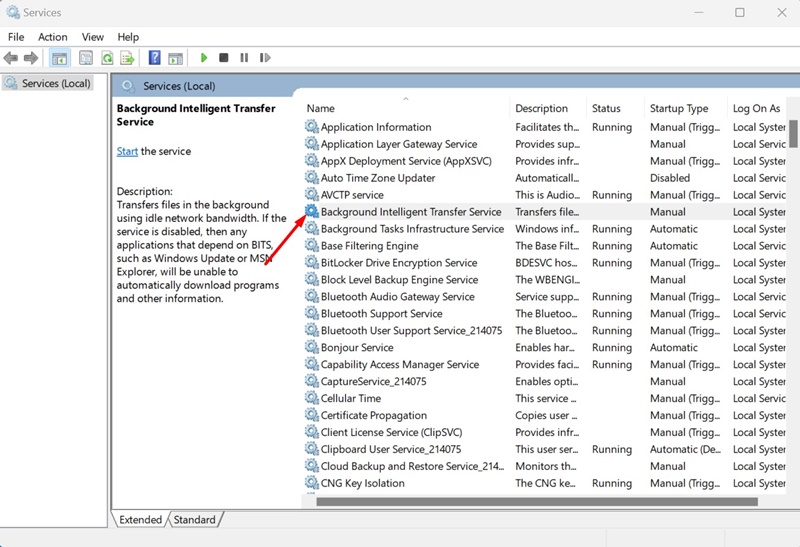
4. Right-click on it and select Restart.
5. Right-click on the Cryptographic Services and select Restart.
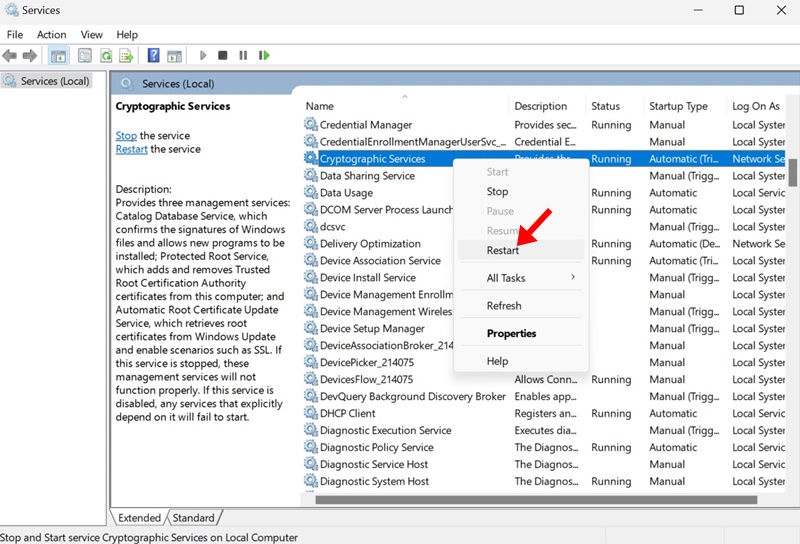
After making the changes, close the Services app and launch the built-in troubleshooter again.
4. Run the SFC/DISM Scan
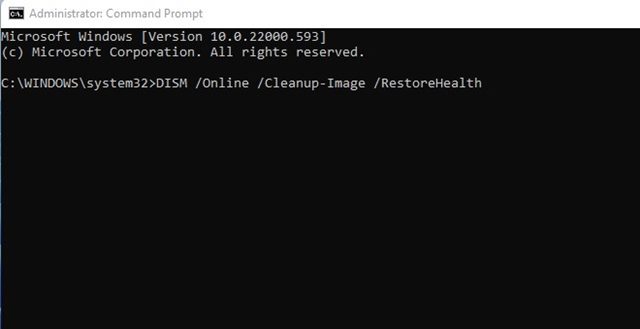
Corrupted system files are another common reason why the Troubleshooter does not work on Windows 11. You can find & replace corrupted system files by running the SFC and DISM scans via the Command Prompt.
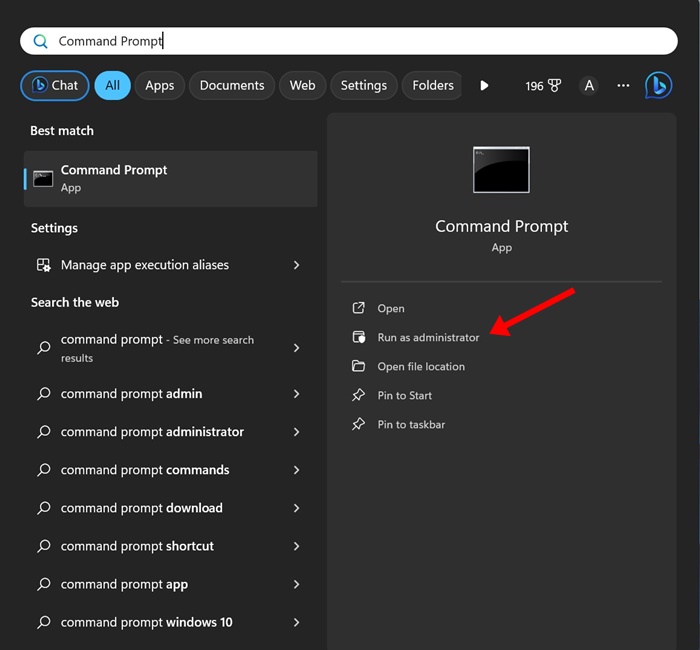
1. Type in Command Prompt on the Windows 11 Search. Next, right-click on the Command Prompt and select Run as administrator.
2. Execute this command:
DISM.exe /Online /Cleanup-image /Restorehealth
3. Type in this command and press Enter:
sfc /scannow
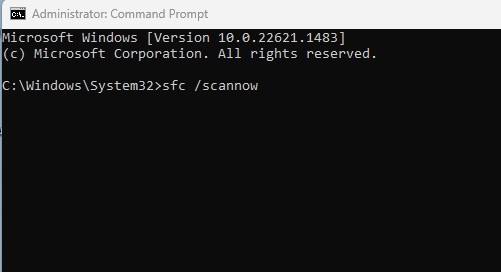
After executing both commands on the Command Prompt, restart your Windows 11 PC. After the restart, launch the Troubleshooter again.
5. Run the Troubleshooter in Safe Mode
If you’re still unable to run a specific troubleshooter, it’s recommended to run the troubleshooter in Safe mode. To boot your Windows 11 PC into safe mode, head to Settings > System > Recovery. On the Recovery screen, click the Restart Now button in the Advanced Startup section.
When your PC reboots, navigate to Troubleshoot > Advanced Options. On Advanced Options, select Startup Settings and select Restart.
Your PC will restart and show you various options; choose the number for safe mode. Once in Safe mode, try running the Troubleshooter from the Windows 11 Settings.
6. Reset Windows 11
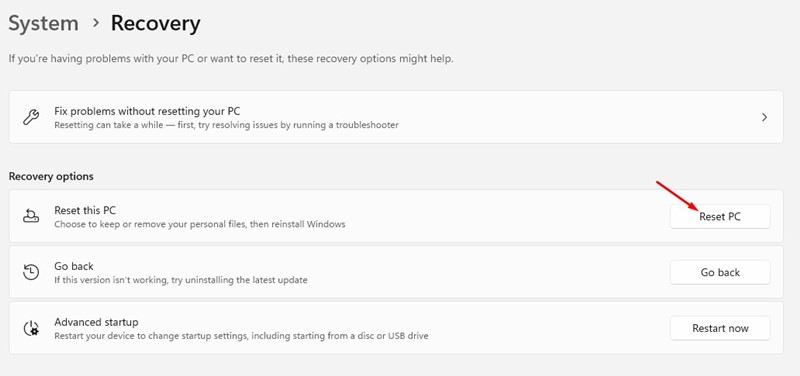
If nothing worked in your favor, it’s time to reset your Windows 11 PC. Resetting will roll back your PC settings to their default state.
You will also lose a few pieces of data stored on your system installation drive. So, make sure to create a proper backup before you reset Windows 11.
You can follow the steps we have shared in our guide – How to Reset Windows 11 via Settings. Make sure to follow the steps carefully to avoid any errors.
These are some of the best methods to fix ‘An Error Occurred while troubleshooting error’ on Windows 11 PC/Laptop. Let us know in the comments below if you need more help on this topic.
The post How to Fix ‘Error Occurred While Troubleshooting’ on Windows 11 appeared first on TechViral.
ethical hacking,hacking,bangla ethical hacking,bangla hacking tutorial,bangla tutorial,bangla hacking book,ethical hacking bangla,bangla,hacking apps,ethical hacking bangla tutorial,bangla hacking,bangla hacking pdf,bangla hacking video,bangla android hacking,bangla hacking tutorials,bangla fb hacking tutorial,bangla hacking book download,learn ethical hacking,hacking ebook,hacking tools,bangla ethical hacking course, tricks,hacking,ludo king tricks,whatsapp hacking trick 2019 tricks,wifi hacking tricks,hacking tricks: secret google tricks,simple hacking tricks,whatsapp hacking tricks,tips and tricks,wifi tricks,tech tricks,redmi tricks,hacking trick paytm cash,hacking trick helo app,hacking trick of helo app,paytm cash hacking trick,wifi password hacking,paytm cash hacking trick malayalam,hacker tricks, tips and tricks,pubg mobile tips and tricks,tricks,tips,tips and tricks for pubg mobile,100 tips and tricks,pubg tips and tricks,excel tips and tricks,google tips and tricks,kitchen tips and tricks,season 2 tips and tricks,android tips and tricks,fortnite tips and tricks,godnixon tips and tricks,free fire tips and tricks,advanced tips and tricks,whatsapp tips and tricks, facebook tricks,facebook,facebook hidden tricks,facebook tips and tricks,facebook latest tricks,facebook tips,facebook new tricks,facebook messenger tricks,facebook android app tricks,fb tricks,facebook app tricks,facebook tricks and tips,facebook tricks in hindi,tricks,facebook tutorial,new facebook tricks,cool facebook tricks,facebook tricks 2016,facebook tricks 2017,facebook secret tricks,facebook new tricks 2020,blogger blogspot seo tips and tricks,blogger tricks,blogger,blogger seo tips,blogger seo tips and tricks,seo for blogger,blogger seo in hindi,blogger seo best tips for increasing visitors,blogging tips and tricks,blogger blog seo,blogger seo in urdu,adsense approval trick,blogging tips and tricks for beginners,blogging tricks,blogger tutorial,blogger tricks 2016,blogger tricks 2017 bangla,tricks,bangla tutorial,bangla magic,bangla motivational video,bangla tricks,bangla tips,all bangla tips,magic tricks,akash bangla tricks,top 10 bangla tricks,tips and tricks,all bangla trick,bangla computer tricks,computer bangla tricks,bangla magic card tricks,ms word bangla tips and tricks,bangla computer tips,trick,psychology tricks,youtube bangla,magic tricks bangla,si trick Credit techviral


