
How to Fix Screen Going Black when Playing Online Videos
It’s pretty difficult to pinpoint a specific reason for the screen going black when playing online videos, as it can vary. But the good thing is that if you’re experiencing this in Chrome, it’s usually a software-side problem. Follow these troubleshooting steps to fix the problem.
1. Make sure the Screen Resolution is Correct
Incorrect screen resolution selection is usually the leading cause of the screen going back while watching videos. You should ensure that your display selects the correct screen resolution.
1. Launch Settings.

2. Switch to System.
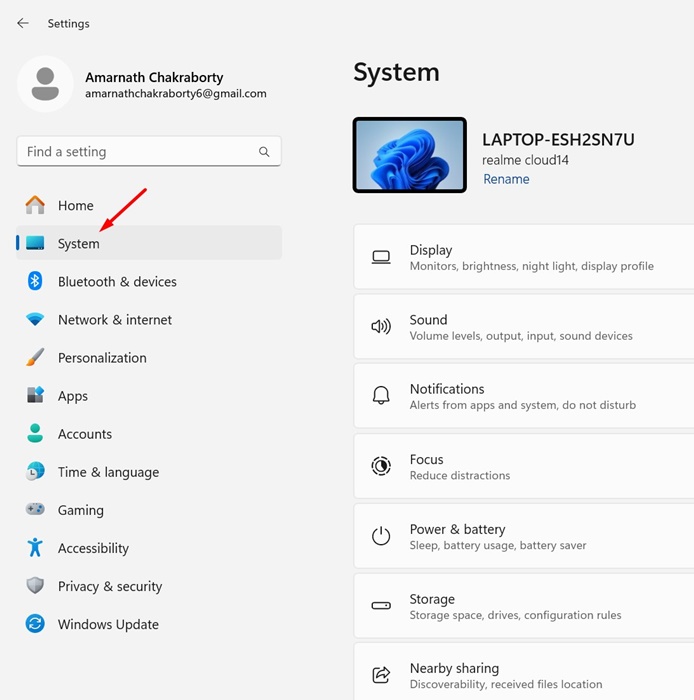
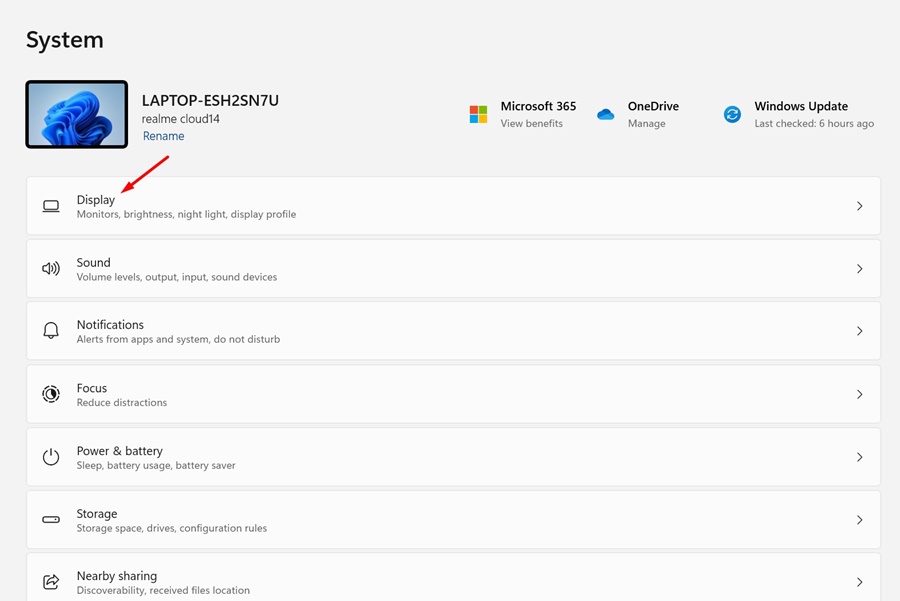
3. Click Display.
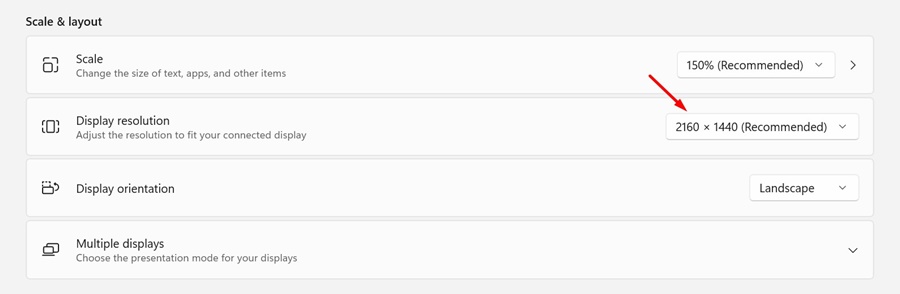
4. Move to the Scale & layout section.
5. Click on the drop-down next to Display resolution and set the recommended one.
After making the changes, restart your PC and try playing an online video. Check whether the screen still goes black as you watch the video.
2. Disable the Hardware Acceleration on Chrome
Using a dedicated GPU, you can utilize the web browser’s hardware acceleration feature to improve video playback. However, sometimes, it’s best to turn off the feature because it can trigger issues like a black screen while watching online videos.
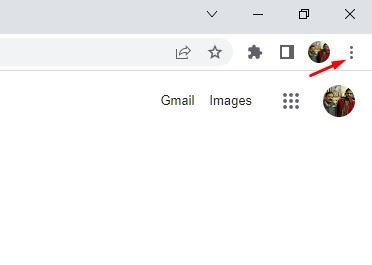
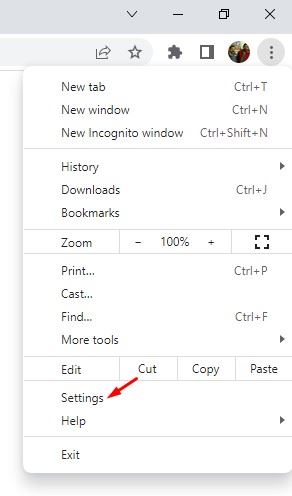
1. Launch the Google Chrome browser and click on the three dots.
2. Select Settings.
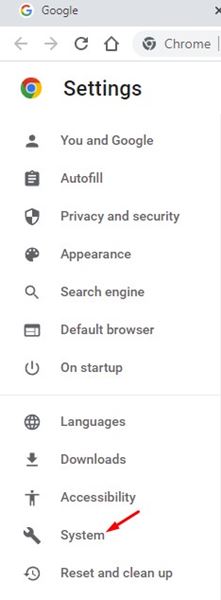
3. Switch to System.
4. Turn off the toggle for ‘Use hardware acceleration when available’ and then click the Relaunch button next to it.
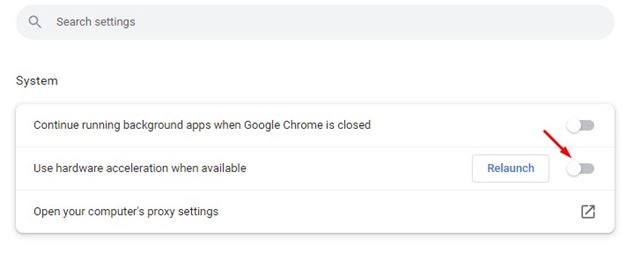
Your web browser will restart, and the hardware acceleration feature will be disabled.
3. Remove the Recently Installed Extension
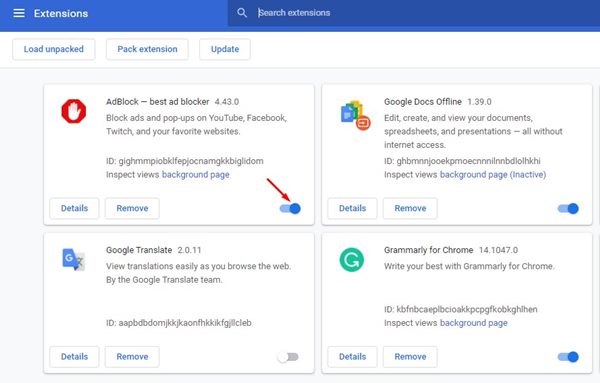
If you’re facing the Black screen issue on Chrome after installing an extension, it’s time to disable or remove it. If you cannot recall any extensions, you can manually turn off extensions one by one until you find the one triggering the problem.
To review your Chrome extensions, click the three dots at the top right and navigate to Extensions > Manage Extensions.
4. Update your Display Drivers
Outdated or corrupted display drivers are another reason for the browser showing a black screen while watching online videos. Update your display drivers to fix such issues.
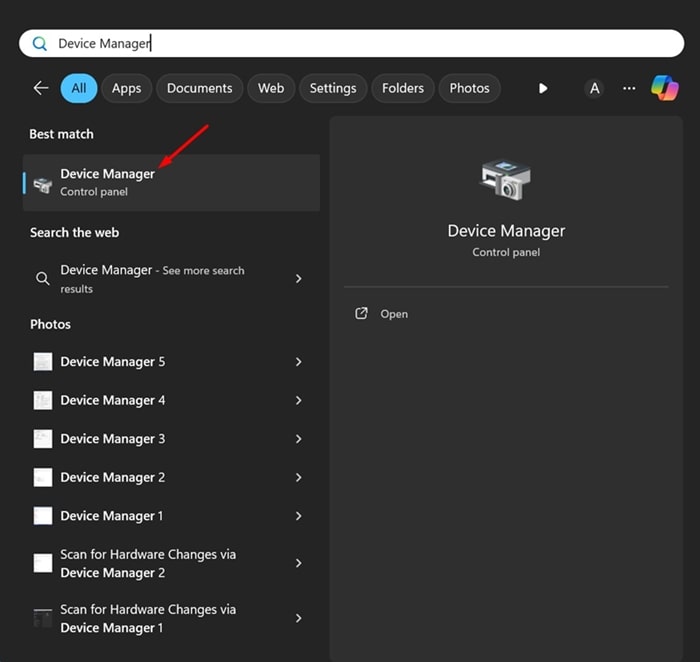
1. Open Device Manager from the Windows Search.
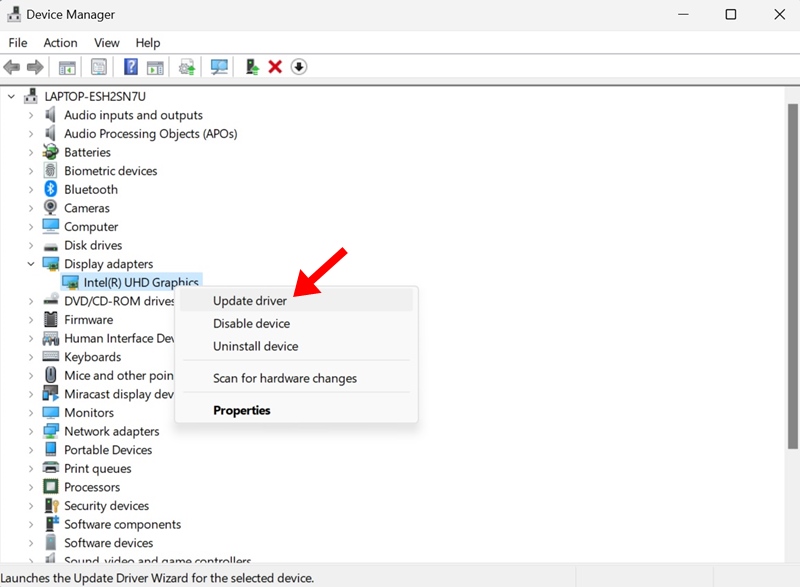
2. Expand the Display adapters, right-click on your display adapter, and select Update driver.
3. On the How do you want to search for drivers screen, select Search automatically for drivers.
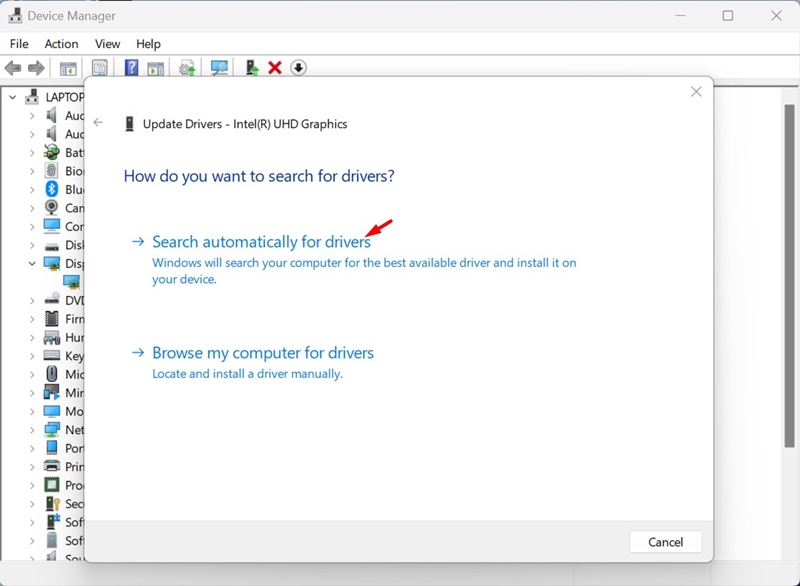
The driver update tool will automatically download and install the required display drivers on your device. After making the change, make sure to restart your PC.
5. Update your Chrome Browser
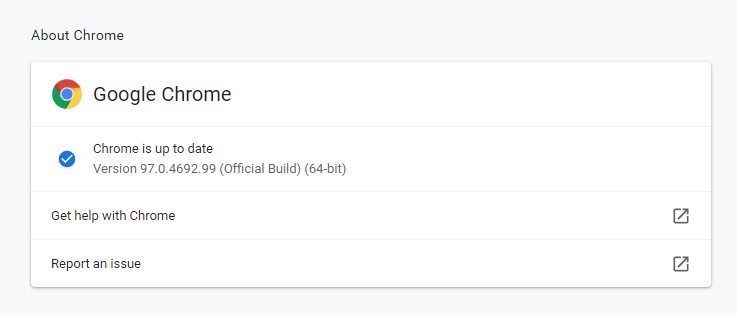
An outdated version of Google Chrome can have bugs & glitches that can ruin your video-watching experience. You can try updating your Google Chrome to the latest version to see if it helps. Also, it’s a good security practice to keep the web browser up to date to eliminate security and privacy risks.
To update your Google Chrome browser, click on the three dots at the top right corner and select Help > About Google Chrome.
6. Check if there’s a problem with the website
If the problem is still not fixed, you need to check whether there’s a problem with the website where you’re watching the video.
To confirm this, you can try watching videos on different websites. If the problem appears only on a specific website, it’s not your problem.
You can try contacting the website’s webmaster and asking them to resolve the issue. Alternatively, you can watch the video on a different website.
These are some working methods to fix the screen going black while watching online videos on Chrome. Let us know if you need more help on this topic in the comments.
The post How to Fix Screen Going Black when Playing Online Videos appeared first on TechViral.
ethical hacking,hacking,bangla ethical hacking,bangla hacking tutorial,bangla tutorial,bangla hacking book,ethical hacking bangla,bangla,hacking apps,ethical hacking bangla tutorial,bangla hacking,bangla hacking pdf,bangla hacking video,bangla android hacking,bangla hacking tutorials,bangla fb hacking tutorial,bangla hacking book download,learn ethical hacking,hacking ebook,hacking tools,bangla ethical hacking course, tricks,hacking,ludo king tricks,whatsapp hacking trick 2019 tricks,wifi hacking tricks,hacking tricks: secret google tricks,simple hacking tricks,whatsapp hacking tricks,tips and tricks,wifi tricks,tech tricks,redmi tricks,hacking trick paytm cash,hacking trick helo app,hacking trick of helo app,paytm cash hacking trick,wifi password hacking,paytm cash hacking trick malayalam,hacker tricks, tips and tricks,pubg mobile tips and tricks,tricks,tips,tips and tricks for pubg mobile,100 tips and tricks,pubg tips and tricks,excel tips and tricks,google tips and tricks,kitchen tips and tricks,season 2 tips and tricks,android tips and tricks,fortnite tips and tricks,godnixon tips and tricks,free fire tips and tricks,advanced tips and tricks,whatsapp tips and tricks, facebook tricks,facebook,facebook hidden tricks,facebook tips and tricks,facebook latest tricks,facebook tips,facebook new tricks,facebook messenger tricks,facebook android app tricks,fb tricks,facebook app tricks,facebook tricks and tips,facebook tricks in hindi,tricks,facebook tutorial,new facebook tricks,cool facebook tricks,facebook tricks 2016,facebook tricks 2017,facebook secret tricks,facebook new tricks 2020,blogger blogspot seo tips and tricks,blogger tricks,blogger,blogger seo tips,blogger seo tips and tricks,seo for blogger,blogger seo in hindi,blogger seo best tips for increasing visitors,blogging tips and tricks,blogger blog seo,blogger seo in urdu,adsense approval trick,blogging tips and tricks for beginners,blogging tricks,blogger tutorial,blogger tricks 2016,blogger tricks 2017 bangla,tricks,bangla tutorial,bangla magic,bangla motivational video,bangla tricks,bangla tips,all bangla tips,magic tricks,akash bangla tricks,top 10 bangla tricks,tips and tricks,all bangla trick,bangla computer tricks,computer bangla tricks,bangla magic card tricks,ms word bangla tips and tricks,bangla computer tips,trick,psychology tricks,youtube bangla,magic tricks bangla,si trick Credit techviral


