
Blank Icons in Windows 11 Taskbar? Try these 4 Fixes
While using Windows 11, users often encounter an unusual problem. The icons that sit on the Taskbar sometimes go missing. The apps pinned to the Taskbar remain accessible, but their icons disappear.
This makes it difficult to differentiate between apps. If you’ve been facing the problem recently, here’s what you should do.
1. Check for problems with the app
For example, if you’ve pinned Google Chrome to the Taskbar, but its icon isn’t appearing there, you should check for problems with the Chrome browser.
You may have uninstalled Google Chrome from your computer. But due to some glitch, it still sits on the taskbar.
Check whether you already have the program installed on your device. If it’s not, simply unpin the blank icon from the taskbar and install Chrome again.
2. Clear the Icon DB Cache
This method has helped many Reddit users fix blank Taskbar icons. You can try doing it as well. Here’s what you should do.
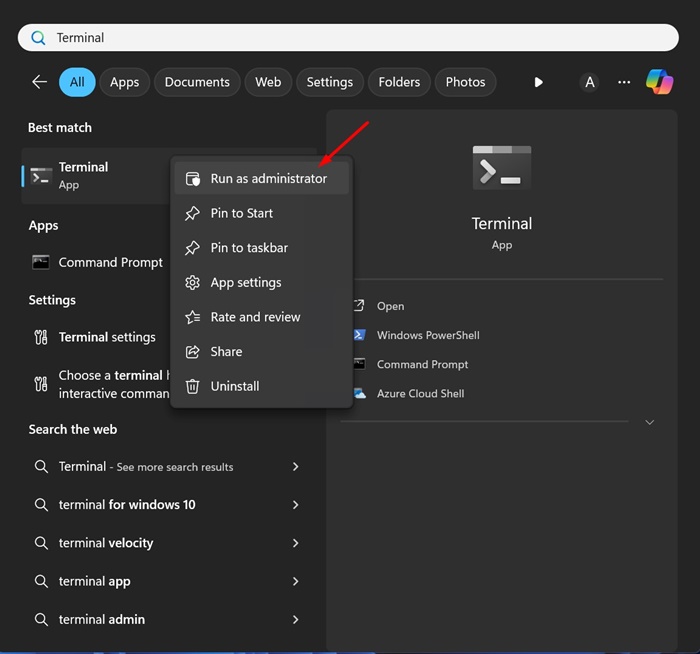
1. Type CMD in the Windows Search. Right click on it and select ‘Run as administrator’.
2. Next, run these commands one by one:
- ie4uinit.exe -show
- taskkill /IM explorer.exe /F
- DEL /A /F /Q “%localappdata%\IconCache.db”
- DEL /A /F /Q “%localappdata%\Microsoft\Windows\Explorer\iconcache*”
- explorer.exe
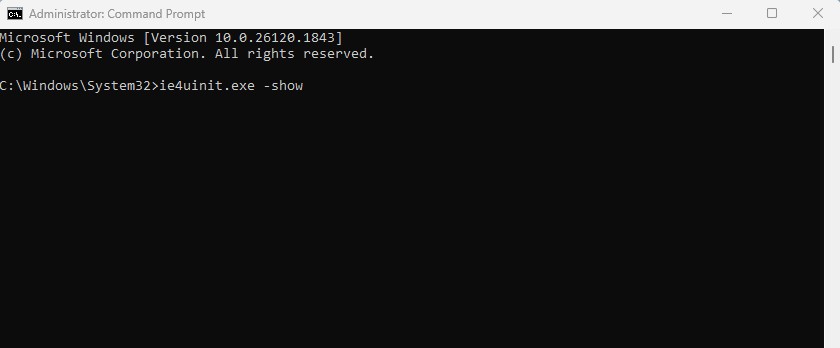
The above commands will kill the Windows Explorer process, delete the Icon DB cache, and then restart the explorer.exe process. This should fix the problem.
3. Register Shell Experience Host
If application shortcuts on the desktop, start menu, and taskbar still show blank icons, you should register the Shell Experience Host.
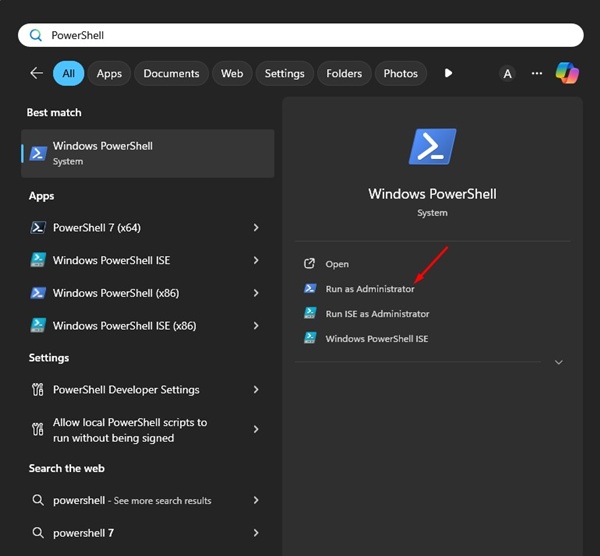
1. Type PowerShell in the Windows Search. Right click on it and select Run as Administrator.
2. When Windows PowerShell opens, execute this command:
Get-AppXPackage -AllUsers | Where-Object {$_.InstallLocation -like “*ShellExperienceHost*”} | Foreach {Add-AppxPackage -DisableDevelopmentMode -Register “$($_.InstallLocation)\AppXManifest.xml”}
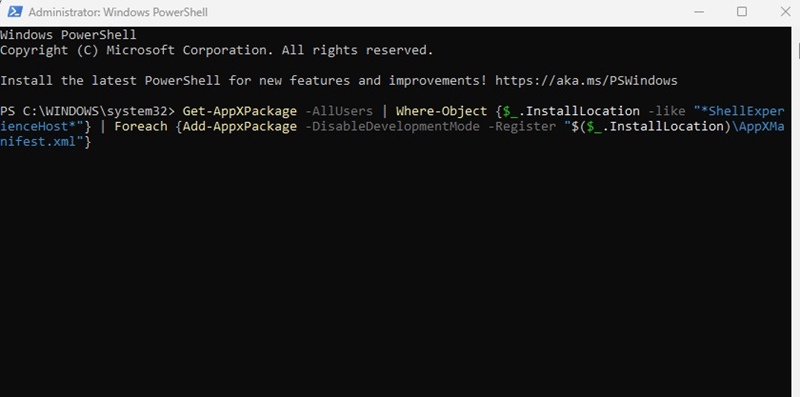
3. Then, restart your computer to apply the changes.
4. Install the Pending Windows Updates
Sometimes, bugs and glitches in the Windows 11 build can trigger such problems. The best way to eliminate such glitches is by installing all pending Windows 11 Updates. Here’s how you can update Windows 11.
1. Open the Settings app from the Windows 11 Search.
2. Next, switch to Windows Update.
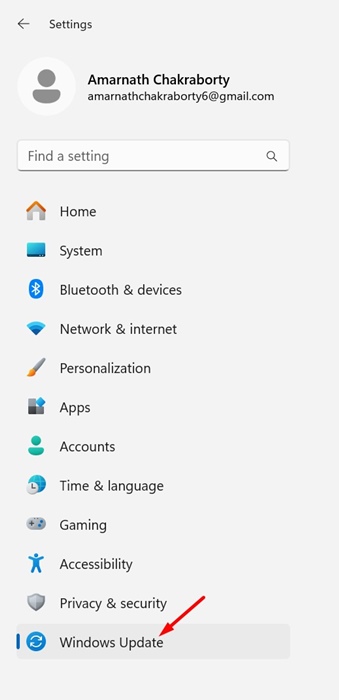
3. On the right side, click on Check for Updates.

4. If any updates are available, download and install them.
5. After updating Windows 11, restart the device.
These are the best ways to fix app shortcuts showing blank icons on the Taskbar. We hope one of these methods helped resolve the issue. If you need more help fixing blank icons on the Windows 11 taskbar, let us know in the comments.
The post Blank Icons in Windows 11 Taskbar? Try these 4 Fixes appeared first on TechViral.
ethical hacking,hacking,bangla ethical hacking,bangla hacking tutorial,bangla tutorial,bangla hacking book,ethical hacking bangla,bangla,hacking apps,ethical hacking bangla tutorial,bangla hacking,bangla hacking pdf,bangla hacking video,bangla android hacking,bangla hacking tutorials,bangla fb hacking tutorial,bangla hacking book download,learn ethical hacking,hacking ebook,hacking tools,bangla ethical hacking course, tricks,hacking,ludo king tricks,whatsapp hacking trick 2019 tricks,wifi hacking tricks,hacking tricks: secret google tricks,simple hacking tricks,whatsapp hacking tricks,tips and tricks,wifi tricks,tech tricks,redmi tricks,hacking trick paytm cash,hacking trick helo app,hacking trick of helo app,paytm cash hacking trick,wifi password hacking,paytm cash hacking trick malayalam,hacker tricks, tips and tricks,pubg mobile tips and tricks,tricks,tips,tips and tricks for pubg mobile,100 tips and tricks,pubg tips and tricks,excel tips and tricks,google tips and tricks,kitchen tips and tricks,season 2 tips and tricks,android tips and tricks,fortnite tips and tricks,godnixon tips and tricks,free fire tips and tricks,advanced tips and tricks,whatsapp tips and tricks, facebook tricks,facebook,facebook hidden tricks,facebook tips and tricks,facebook latest tricks,facebook tips,facebook new tricks,facebook messenger tricks,facebook android app tricks,fb tricks,facebook app tricks,facebook tricks and tips,facebook tricks in hindi,tricks,facebook tutorial,new facebook tricks,cool facebook tricks,facebook tricks 2016,facebook tricks 2017,facebook secret tricks,facebook new tricks 2020,blogger blogspot seo tips and tricks,blogger tricks,blogger,blogger seo tips,blogger seo tips and tricks,seo for blogger,blogger seo in hindi,blogger seo best tips for increasing visitors,blogging tips and tricks,blogger blog seo,blogger seo in urdu,adsense approval trick,blogging tips and tricks for beginners,blogging tricks,blogger tutorial,blogger tricks 2016,blogger tricks 2017 bangla,tricks,bangla tutorial,bangla magic,bangla motivational video,bangla tricks,bangla tips,all bangla tips,magic tricks,akash bangla tricks,top 10 bangla tricks,tips and tricks,all bangla trick,bangla computer tricks,computer bangla tricks,bangla magic card tricks,ms word bangla tips and tricks,bangla computer tips,trick,psychology tricks,youtube bangla,magic tricks bangla,si trick Credit techviral


