
5 Best Ways to View Your Windows Product Key
If you already have an activated Windows, you will have to know the product key to perform a clean installation of Windows. Knowing the Windows Product Key will also be helpful if you want to transfer your copy of Windows to a new machine. Here are various ways to view the Windows Product Key.
1. View the Product Key on a new PC running Windows
If you just purchased a new PC or laptop, the product key is already preinstalled. The key is on the Certificate of Authenticity (COA) attached to the PC. You need to look for a label or card inside the PC or laptop box.
2. View Windows Product Key Using the Command Prompt
Command Prompt is an excellent utility for viewing the Windows Product Key.
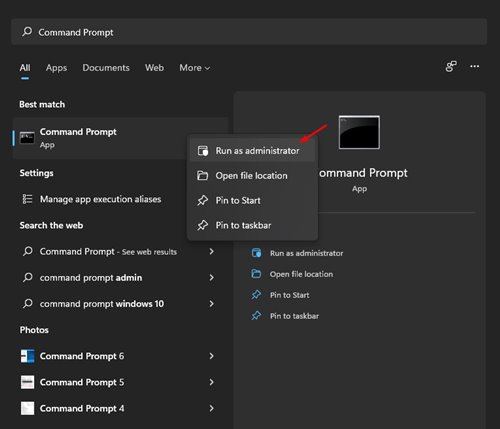
1. Type Command Prompt in the Windows Search. Right-click on Command Prompt and select Run as administrator.
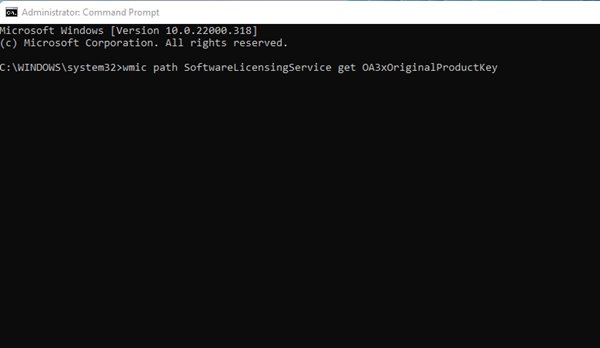
2. Execute the command and press Enter.
wmic path softwareLicensingService get OA3xOriginalProductKey
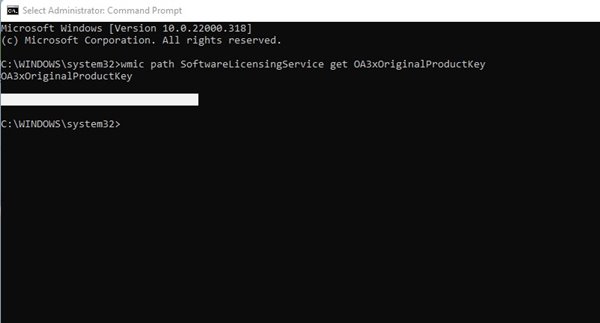
3. The Command Prompt will list the product key.
3. View Windows Product Key from the Registry Editor
You can use the Registry Editor to view the Windows Product key.
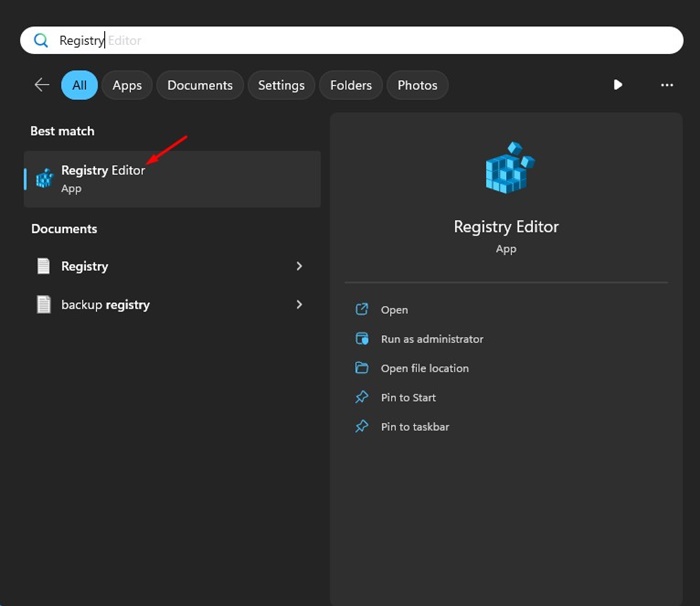
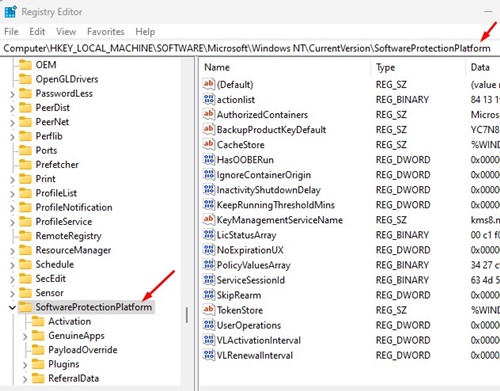
1. Open Registry Editor from the Windows Search.
2. Navigate to the following path:
HKEY_LOCAL_MACHINE > SOFTWARE > Microsoft > Windows NT > CurrentVersion > SoftwareProtectionPlatform
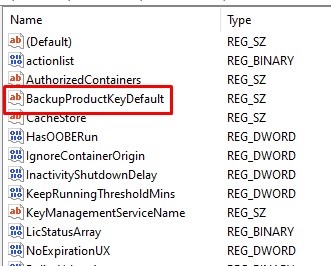
3. Find the BackupProductKeyDefault.
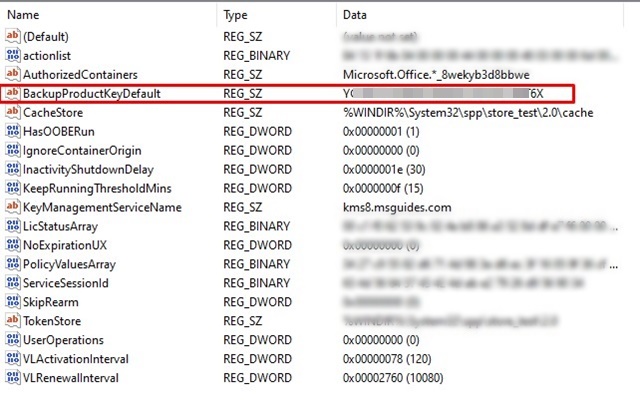
4. Look at the Data column to view the Windows activation key.
4. View Windows Product Key using KeyFinder
KeyFinder is third-party software that finds and shows the key used to activate your version of Windows.
1. Download & install the KeyFinder tool on your Windows PC.
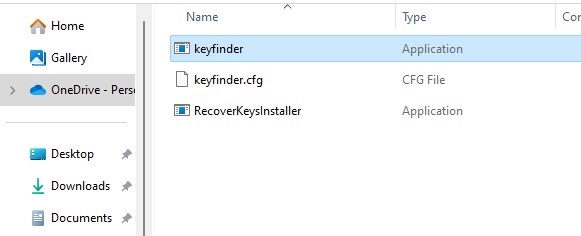
2. Once installed, type Keyfinder in the Windows Search. Open the Keyfinder app from the list of best match results.
3. When the application opens, it will scan your operating system files. On the right pane, it will show you the product key.
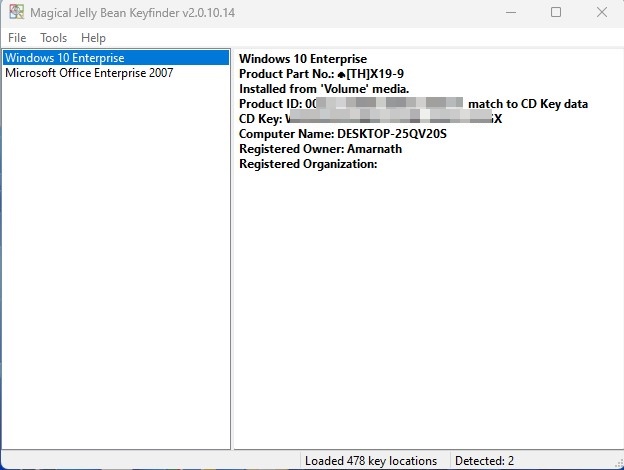
5. View Windows Product Key using ShowKeyPlus
ShowKeyPlus is another third-party tool for Windows that can display the Windows Product Key.
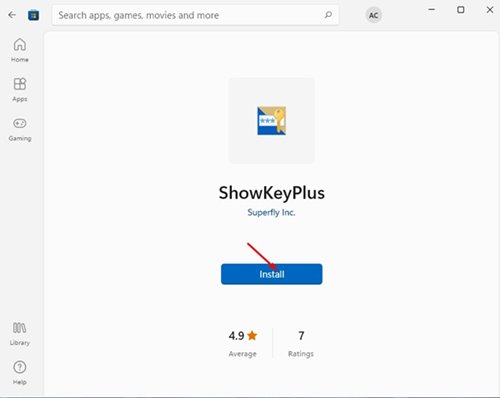
1. Open this link on your computer. Click on the Install button to install the application.
2. Open it, and it will straight away show you Windows Product information. This includes the operating system, product ID, build version, Installed Key, OEM Key, etc.
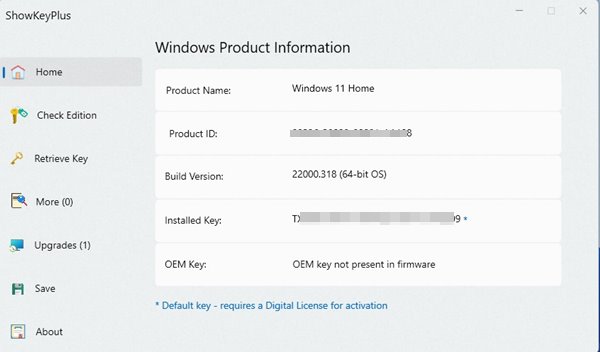
4. You need to note the Product ID & Installed Key row.
These are the best and easiest methods for viewing your Windows Product Key. Once you have the Key, you can perform a clean installation of Windows on your machine or transfer your copy of Windows to a new machine.
The post 5 Best Ways to View Your Windows Product Key appeared first on TechViral.
ethical hacking,hacking,bangla ethical hacking,bangla hacking tutorial,bangla tutorial,bangla hacking book,ethical hacking bangla,bangla,hacking apps,ethical hacking bangla tutorial,bangla hacking,bangla hacking pdf,bangla hacking video,bangla android hacking,bangla hacking tutorials,bangla fb hacking tutorial,bangla hacking book download,learn ethical hacking,hacking ebook,hacking tools,bangla ethical hacking course, tricks,hacking,ludo king tricks,whatsapp hacking trick 2019 tricks,wifi hacking tricks,hacking tricks: secret google tricks,simple hacking tricks,whatsapp hacking tricks,tips and tricks,wifi tricks,tech tricks,redmi tricks,hacking trick paytm cash,hacking trick helo app,hacking trick of helo app,paytm cash hacking trick,wifi password hacking,paytm cash hacking trick malayalam,hacker tricks, tips and tricks,pubg mobile tips and tricks,tricks,tips,tips and tricks for pubg mobile,100 tips and tricks,pubg tips and tricks,excel tips and tricks,google tips and tricks,kitchen tips and tricks,season 2 tips and tricks,android tips and tricks,fortnite tips and tricks,godnixon tips and tricks,free fire tips and tricks,advanced tips and tricks,whatsapp tips and tricks, facebook tricks,facebook,facebook hidden tricks,facebook tips and tricks,facebook latest tricks,facebook tips,facebook new tricks,facebook messenger tricks,facebook android app tricks,fb tricks,facebook app tricks,facebook tricks and tips,facebook tricks in hindi,tricks,facebook tutorial,new facebook tricks,cool facebook tricks,facebook tricks 2016,facebook tricks 2017,facebook secret tricks,facebook new tricks 2020,blogger blogspot seo tips and tricks,blogger tricks,blogger,blogger seo tips,blogger seo tips and tricks,seo for blogger,blogger seo in hindi,blogger seo best tips for increasing visitors,blogging tips and tricks,blogger blog seo,blogger seo in urdu,adsense approval trick,blogging tips and tricks for beginners,blogging tricks,blogger tutorial,blogger tricks 2016,blogger tricks 2017 bangla,tricks,bangla tutorial,bangla magic,bangla motivational video,bangla tricks,bangla tips,all bangla tips,magic tricks,akash bangla tricks,top 10 bangla tricks,tips and tricks,all bangla trick,bangla computer tricks,computer bangla tricks,bangla magic card tricks,ms word bangla tips and tricks,bangla computer tips,trick,psychology tricks,youtube bangla,magic tricks bangla,si trick Credit techviral


