
How to Fix ‘DRIVER_VERIFIER_DMA_VIOLATION’ BSOD Error
Recently, many Windows 11 users were found getting a ‘DRIVER VERIFIER DMA VIOLATION’ BSOD error. The error mainly appears due to driver problems; here’s how you can fix it.
1. Update your Windows 11
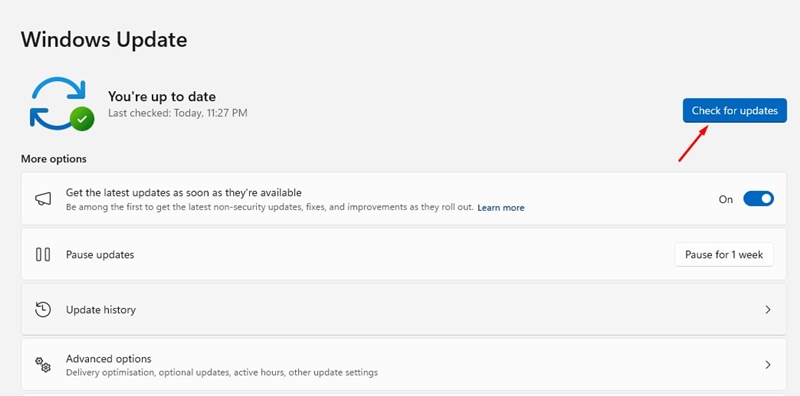
The ‘DRIVER_VERIFIER_DMA_VIOLATION’ is usually a result of an operating system bug. Microsoft has already removed the bug by releasing an update.
So, if you are using an outdated version of Windows, you need to update Windows 11 to fix the issue. To update your Windows 11 PC, go to Settings > Windows Update > Check for Updates.
2. Update Windows with the Optional Update
If updating Windows 11 didn’t help, you need to update Windows with Optional updates.
1. Click on the Windows 11 Start button and select Settings.
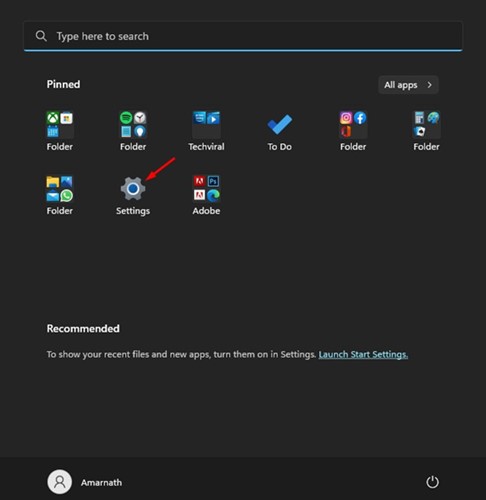
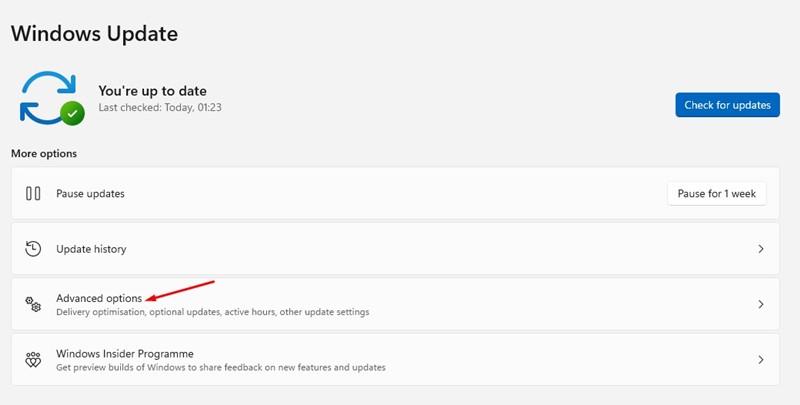
2. Navigate to Windows Update > Advanced Options.
3. Click on Optional Updates.
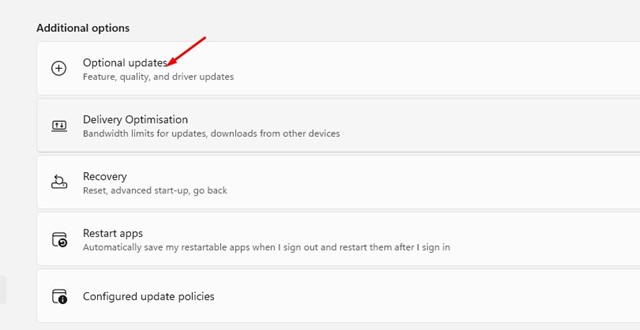
4. Install any available Optional update.
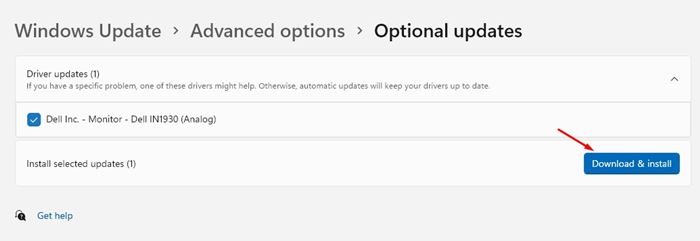
This will download & install all available optional updates. After installing the optional updates, restart your Windows 11 PC to fix the BSOD error.
3. Disable the Driver Verifier
Disabling the Driver Verifier has helped many Windows 11 users fix the error. You can try disabling it as well.
1. Open Windows 11 search and type Verifier.
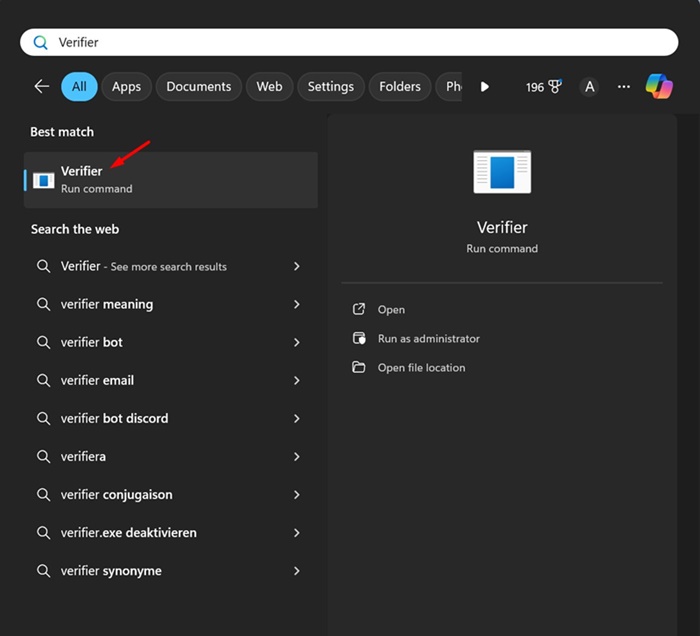
2. Right-click on the Verifier and select Run as administrator.
3. Select the Delete existing settings radio button and click Finish.
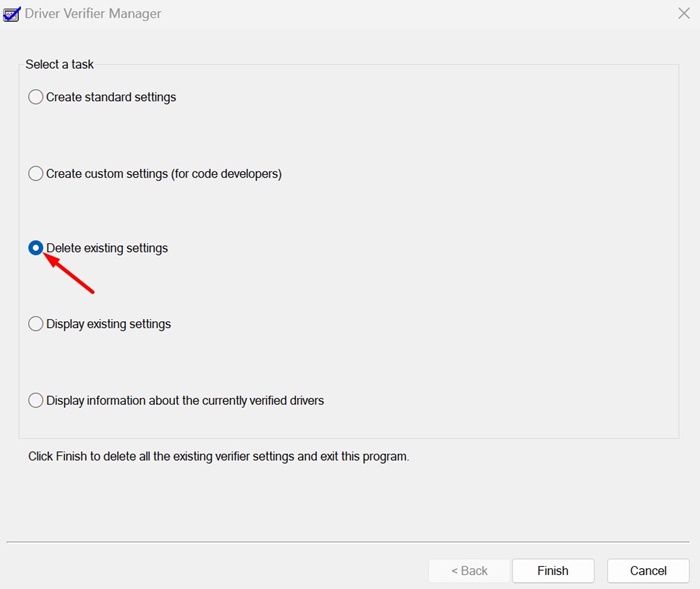
Make sure to restart your Windows 11 PC after making the change.
4. Run the SFC/DISM Scan
If you are getting the BSOD error because of system file corruption, you can fix it by running these two commands via the command prompt.
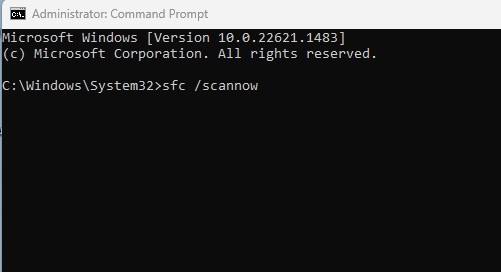
1. Type in CMD in the Windows 11 Search. Next, right-click on the Command Prompt and select Run as administrator.
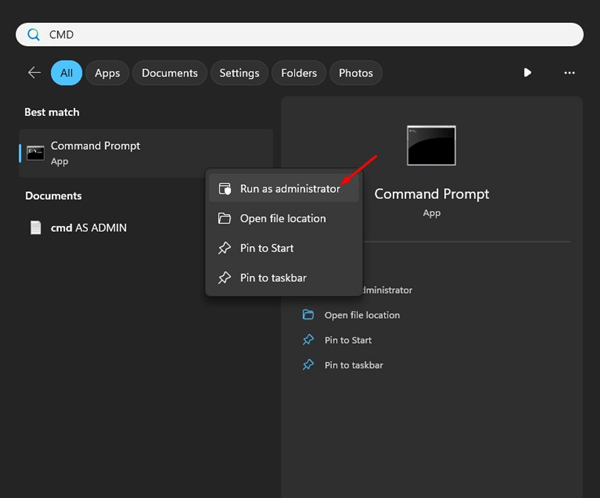
2. Execute this command:
sfc /scannow
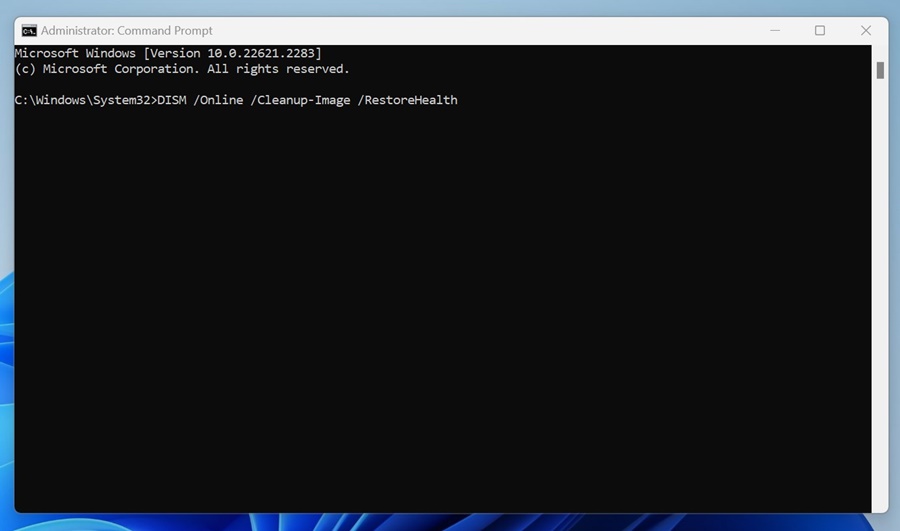
3. If the SFC command returns with an error, execute these commands one by one:
DISM /Online /Cleanup-Image /CheckHealth
DISM /Online /Cleanup-Image /ScanHealth
DISM /Online /Cleanup-Image /RestoreHealth
4. Once done, type exit in the Command Prompt and press Enter.
After executing these commands, restart your Windows 11 PC. This will possibly fix the BSOD error.
5. Run the CHKDSK utility
Bad sectors in the hard drive often lead to this BSOD error. So, you should run the CHKDSK utility to resolve the issue.
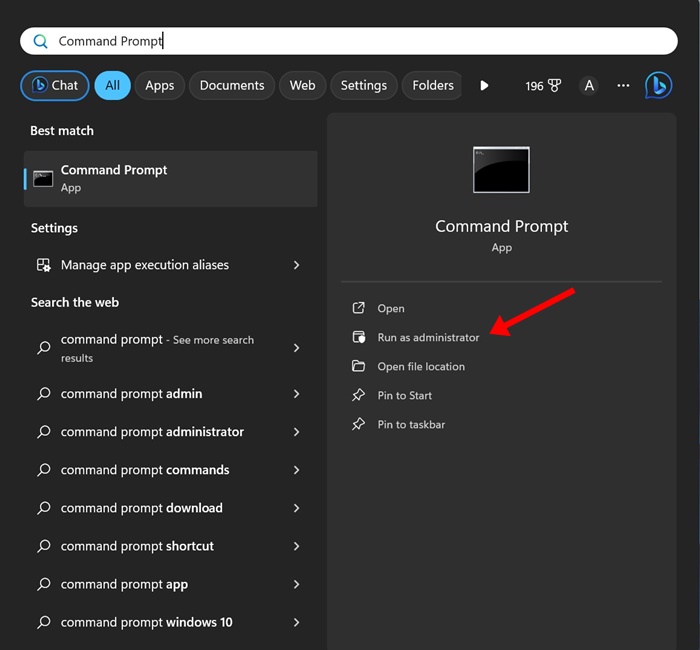
1. Type in Command Prompt in the Windows 11 Search. Next, right-click on the CMD and select Run as administrator.
2. Execute this command:
chkdsk /r /f
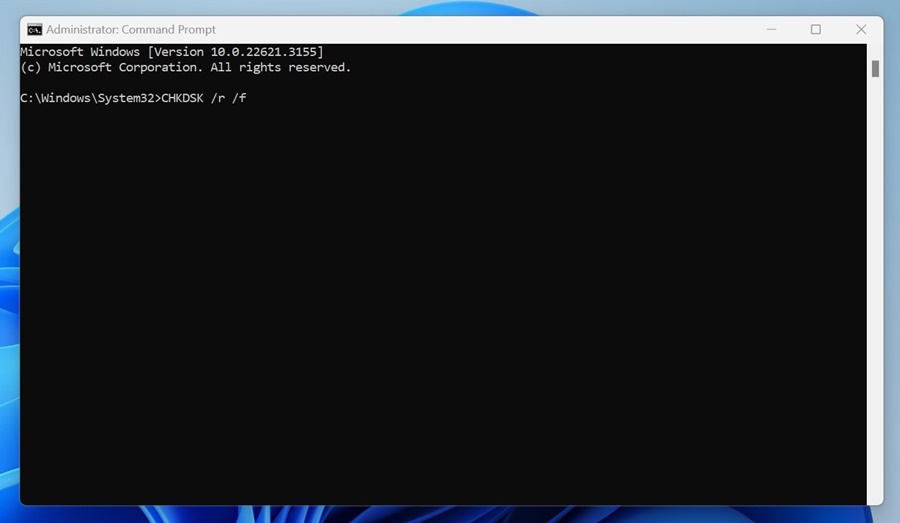
3. After executing the command, type Y and press Enter.
You need to wait until the scan is complete. Once the scan is completed, restart your PC.
6. Check the Faulty Hardware
Hardware devices like printers, scanners, etc., have their own drivers, which can interfere with the existing drivers installed on your system.
This conflict often triggers a BSOD on Windows 11. Therefore, you should disconnect all hardware you’ve recently connected to your device. You can also reconnect the peripherals from your system individually to detect the problematic ones.
7. Perform a System Restore
If you still get the ‘DRIVER_VERIFIER_DMA_VIOLATION’ BSOD error, it’s time to revert your system to a previously created restore point.
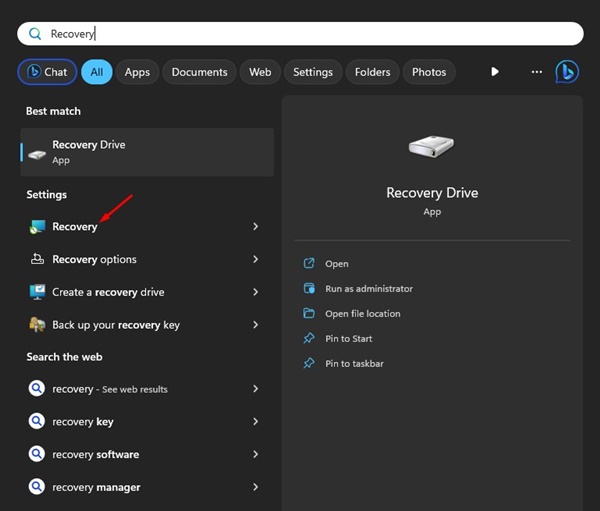
1. Open the Recovery app.
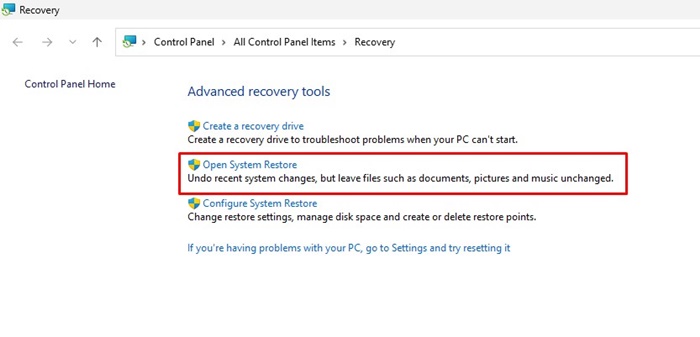
2. Click on Open System Restore.
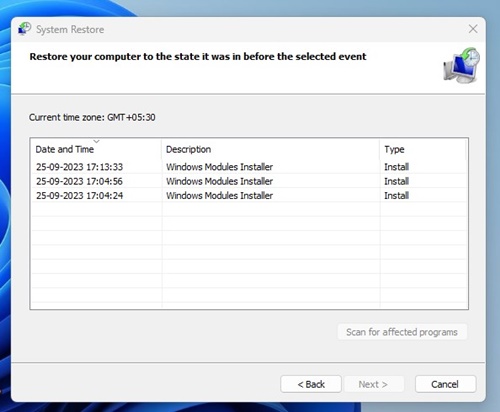
3. Select a restore point of your choice.
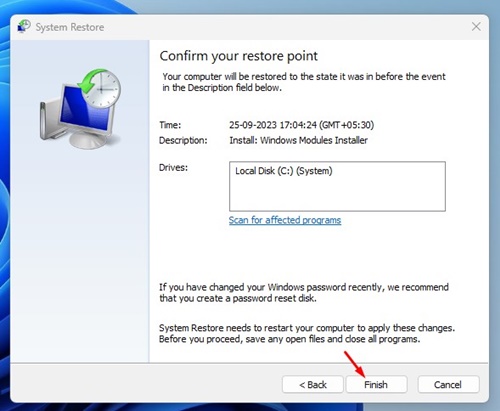
4. Click on the Finish to confirm your restore point.
8. Reset Windows
If nothing worked in your favor, the only remaining option is to perform a system restore. Make sure to back up your important data before you do so.
1. Click on the Windows 11 Start button and select Settings.
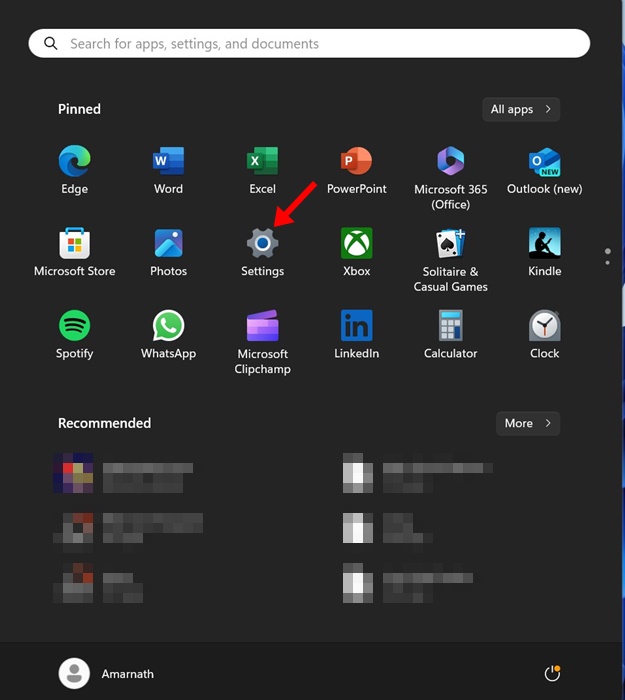
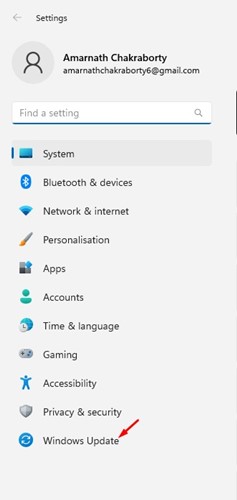
2. Click on Update & Security.
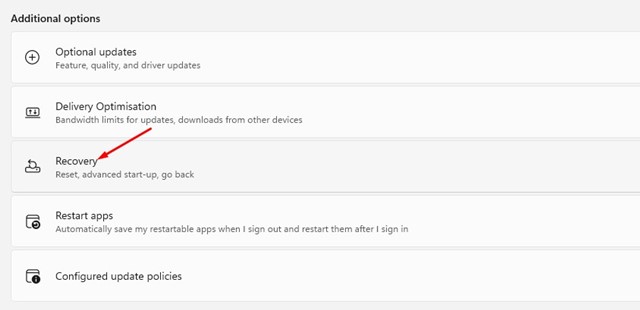
3. Click on Recovery.
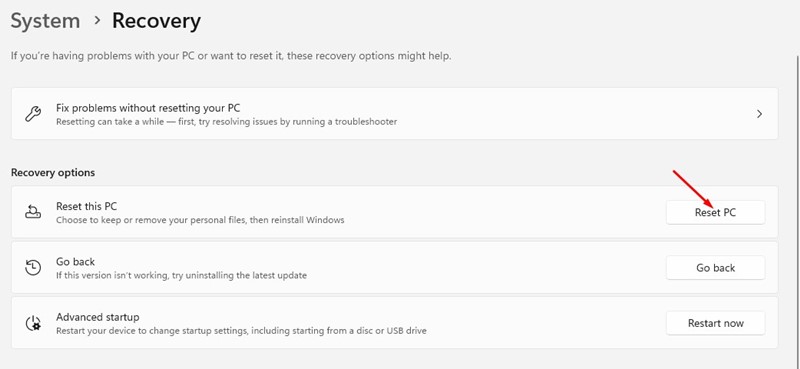
4. Click the Reset PC button in the Reset this PC section.
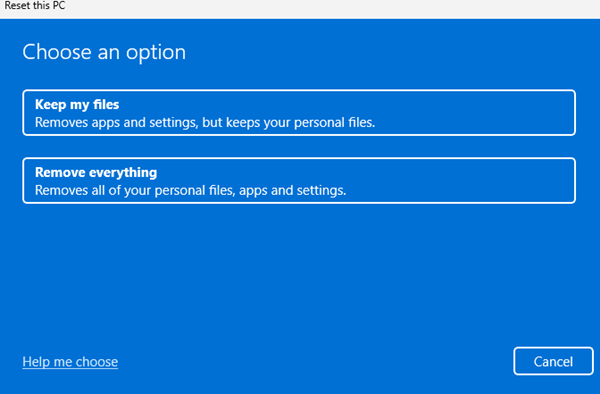
5. On the Choose an Option screen, select Keep my files.
6. Select Cloud download.
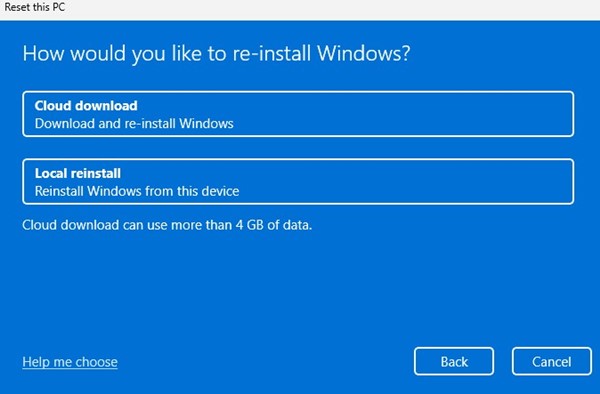
Click the Reset button to reset your Windows 11 settings to their default value. You need to wait for the reset process to complete. Once completed, use your device normally; you won’t get the BSOD error anymore.
These are some of the best working methods to fix the ‘DRIVER_VERIFIER_DMA_VIOLATION’ BSOD error on Windows 11. Let us know if you need more help resolving the Windows BSOD error.
The post How to Fix ‘DRIVER_VERIFIER_DMA_VIOLATION’ BSOD Error appeared first on TechViral.
ethical hacking,hacking,bangla ethical hacking,bangla hacking tutorial,bangla tutorial,bangla hacking book,ethical hacking bangla,bangla,hacking apps,ethical hacking bangla tutorial,bangla hacking,bangla hacking pdf,bangla hacking video,bangla android hacking,bangla hacking tutorials,bangla fb hacking tutorial,bangla hacking book download,learn ethical hacking,hacking ebook,hacking tools,bangla ethical hacking course, tricks,hacking,ludo king tricks,whatsapp hacking trick 2019 tricks,wifi hacking tricks,hacking tricks: secret google tricks,simple hacking tricks,whatsapp hacking tricks,tips and tricks,wifi tricks,tech tricks,redmi tricks,hacking trick paytm cash,hacking trick helo app,hacking trick of helo app,paytm cash hacking trick,wifi password hacking,paytm cash hacking trick malayalam,hacker tricks, tips and tricks,pubg mobile tips and tricks,tricks,tips,tips and tricks for pubg mobile,100 tips and tricks,pubg tips and tricks,excel tips and tricks,google tips and tricks,kitchen tips and tricks,season 2 tips and tricks,android tips and tricks,fortnite tips and tricks,godnixon tips and tricks,free fire tips and tricks,advanced tips and tricks,whatsapp tips and tricks, facebook tricks,facebook,facebook hidden tricks,facebook tips and tricks,facebook latest tricks,facebook tips,facebook new tricks,facebook messenger tricks,facebook android app tricks,fb tricks,facebook app tricks,facebook tricks and tips,facebook tricks in hindi,tricks,facebook tutorial,new facebook tricks,cool facebook tricks,facebook tricks 2016,facebook tricks 2017,facebook secret tricks,facebook new tricks 2020,blogger blogspot seo tips and tricks,blogger tricks,blogger,blogger seo tips,blogger seo tips and tricks,seo for blogger,blogger seo in hindi,blogger seo best tips for increasing visitors,blogging tips and tricks,blogger blog seo,blogger seo in urdu,adsense approval trick,blogging tips and tricks for beginners,blogging tricks,blogger tutorial,blogger tricks 2016,blogger tricks 2017 bangla,tricks,bangla tutorial,bangla magic,bangla motivational video,bangla tricks,bangla tips,all bangla tips,magic tricks,akash bangla tricks,top 10 bangla tricks,tips and tricks,all bangla trick,bangla computer tricks,computer bangla tricks,bangla magic card tricks,ms word bangla tips and tricks,bangla computer tips,trick,psychology tricks,youtube bangla,magic tricks bangla,si trick Credit techviral


