
How to Change Account Lockout Duration in Windows 11
When Account Lockout policies are set on Windows 11, the operating system prevents others from entering the password after several wrong login attempts and blocks the user account for 10 minutes. After 10 minutes of lockout, the counter is automatically reset, giving users another 10 chances to enter the password or PIN. You can modify that 10-minute duration in easy steps.
Below, we have shared a step-by-step guide on changing account lockout duration in Windows 11. Let’s check it out.
1. Change Account Lockout Duration via Local Group Policy
This method will show you how to change account lockout duration via Local Group Policy Editor.
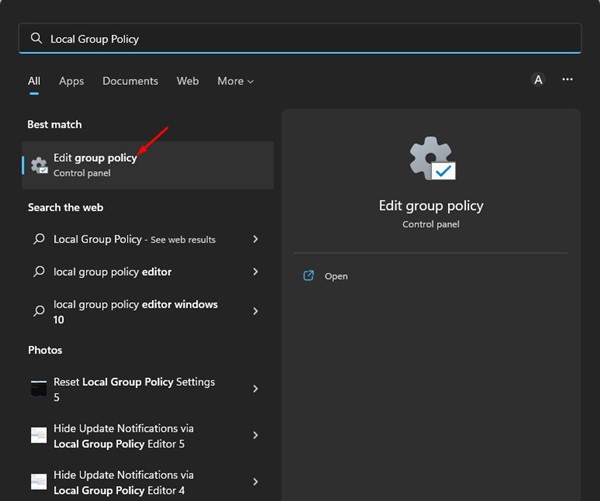
1. Open the Group Policy Editor from Windows Search.
2. In the Local Group Policy Editor, navigate to the following path:
Computer Configuration > Windows Settings > Security Settings > Account Policies > Account Lockout Policy
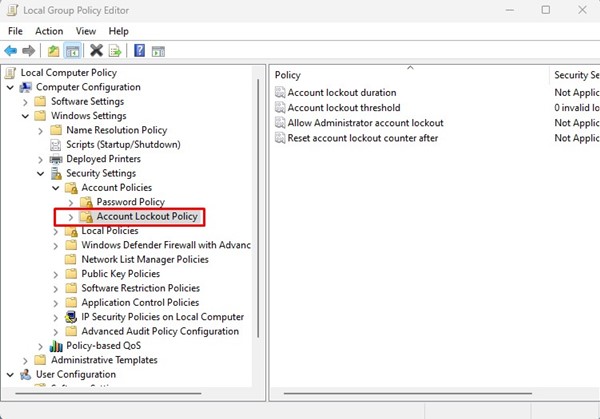
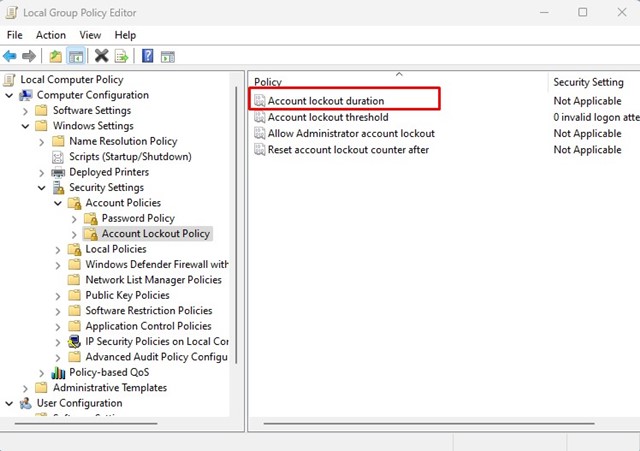
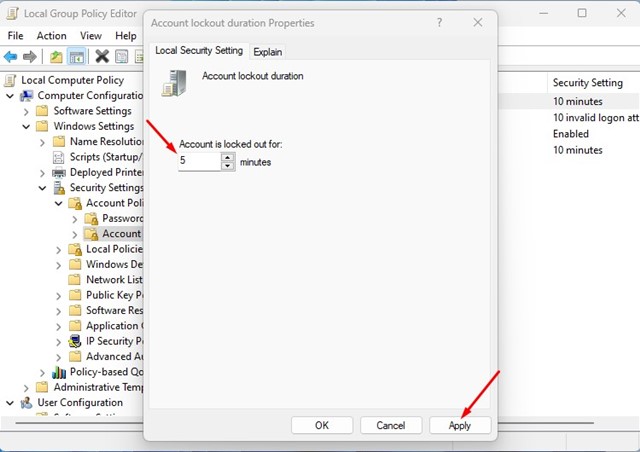
3. You will find a few policies in the Account Lockout Policy folder. You need to double-click the Account lockout duration policy on the right.
4. In the Account lockout duration properties, switch to the Local Security Settings tab.
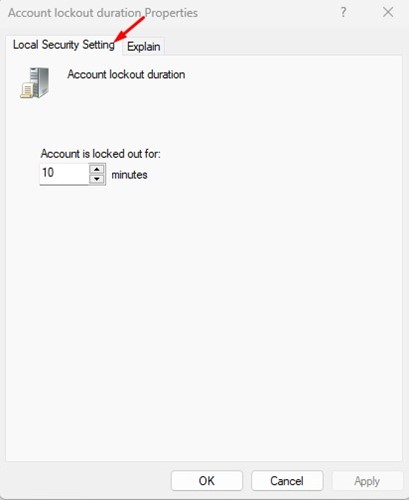
5. Set the time (in minutes) for the account lockout. Once done, click on the Apply button and then Ok.
2. Change the Account Lockout Duration via Command Prompt
You can even use the Command Prompt utility to change the account lockout duration.
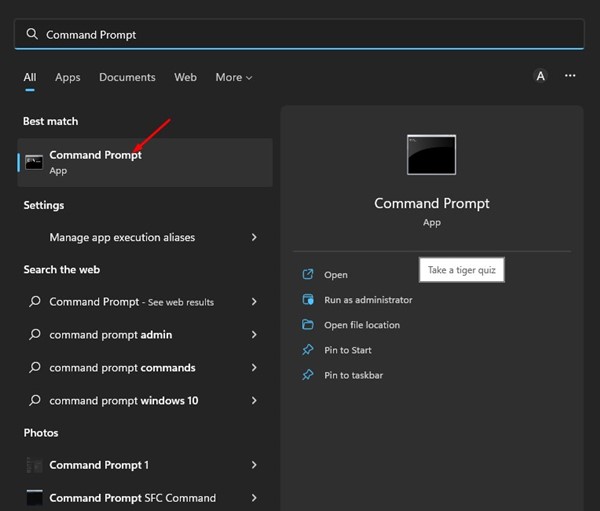
1. Click on the Windows 11 search and type in Command Prompt. Next, open the Command Prompt utility from the list of matching results.
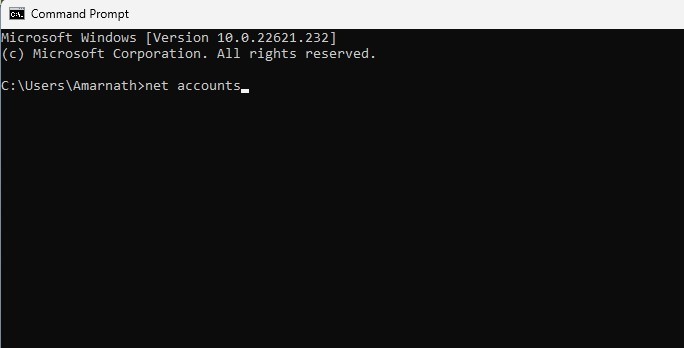
2. In Command Prompt, type in net accounts and press Enter.
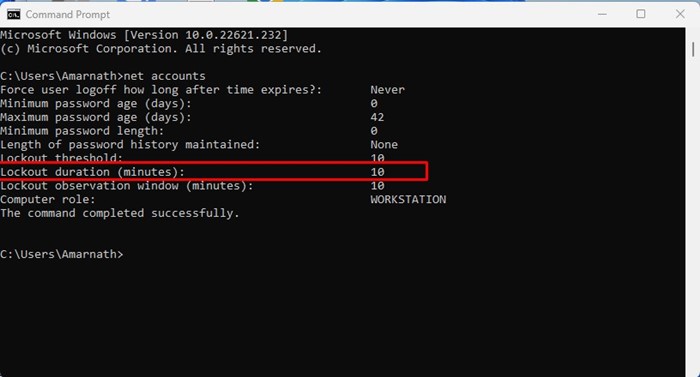
3. This will reveal the Account Lockout policy. You need to check the Lockout duration (minutes): to check the current account lockout time.
4. If you want to increase or decrease the Account Lockout duration, enter the following command:
net accounts /lockoutduration:<number>
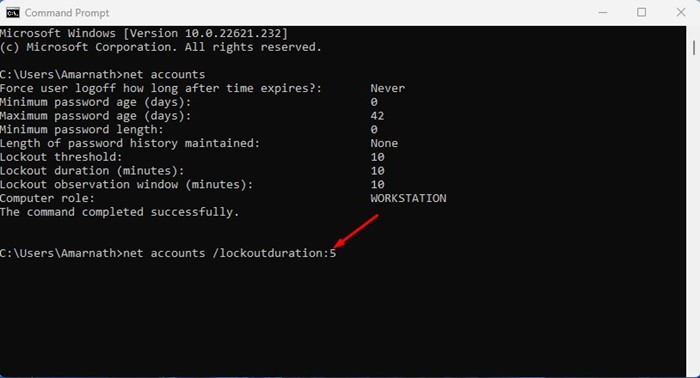
Important: Make sure to replace<number> with the time you want to set. You can set the time between 0 and 99999 minutes. Setting it to 0 will disable the account lockout.
Also Read: How to Format a Hard Drive or SSD in Windows 11
That’s all about changing the account lockout duration in Windows 11. You can follow these two methods to modify the time limit for account lockout. If you need more help with the Account lockout duration policy, let us know in the comments below.
The post How to Change Account Lockout Duration in Windows 11 appeared first on TechViral.
ethical hacking,hacking,bangla ethical hacking,bangla hacking tutorial,bangla tutorial,bangla hacking book,ethical hacking bangla,bangla,hacking apps,ethical hacking bangla tutorial,bangla hacking,bangla hacking pdf,bangla hacking video,bangla android hacking,bangla hacking tutorials,bangla fb hacking tutorial,bangla hacking book download,learn ethical hacking,hacking ebook,hacking tools,bangla ethical hacking course, tricks,hacking,ludo king tricks,whatsapp hacking trick 2019 tricks,wifi hacking tricks,hacking tricks: secret google tricks,simple hacking tricks,whatsapp hacking tricks,tips and tricks,wifi tricks,tech tricks,redmi tricks,hacking trick paytm cash,hacking trick helo app,hacking trick of helo app,paytm cash hacking trick,wifi password hacking,paytm cash hacking trick malayalam,hacker tricks, tips and tricks,pubg mobile tips and tricks,tricks,tips,tips and tricks for pubg mobile,100 tips and tricks,pubg tips and tricks,excel tips and tricks,google tips and tricks,kitchen tips and tricks,season 2 tips and tricks,android tips and tricks,fortnite tips and tricks,godnixon tips and tricks,free fire tips and tricks,advanced tips and tricks,whatsapp tips and tricks, facebook tricks,facebook,facebook hidden tricks,facebook tips and tricks,facebook latest tricks,facebook tips,facebook new tricks,facebook messenger tricks,facebook android app tricks,fb tricks,facebook app tricks,facebook tricks and tips,facebook tricks in hindi,tricks,facebook tutorial,new facebook tricks,cool facebook tricks,facebook tricks 2016,facebook tricks 2017,facebook secret tricks,facebook new tricks 2020,blogger blogspot seo tips and tricks,blogger tricks,blogger,blogger seo tips,blogger seo tips and tricks,seo for blogger,blogger seo in hindi,blogger seo best tips for increasing visitors,blogging tips and tricks,blogger blog seo,blogger seo in urdu,adsense approval trick,blogging tips and tricks for beginners,blogging tricks,blogger tutorial,blogger tricks 2016,blogger tricks 2017 bangla,tricks,bangla tutorial,bangla magic,bangla motivational video,bangla tricks,bangla tips,all bangla tips,magic tricks,akash bangla tricks,top 10 bangla tricks,tips and tricks,all bangla trick,bangla computer tricks,computer bangla tricks,bangla magic card tricks,ms word bangla tips and tricks,bangla computer tips,trick,psychology tricks,youtube bangla,magic tricks bangla,si trick Credit techviral


