
How to Disable Microsoft Verified Apps in Windows 11
If you aren’t a fan of Microsoft’s Verified apps and are willing to take all risks into your hands, you can turn off the feature by following these methods.
1. Make Changes to the Advanced App Settings
One of the easiest ways to avoid the Microsoft Verified Apps warning is to change the Advanced App Settings.
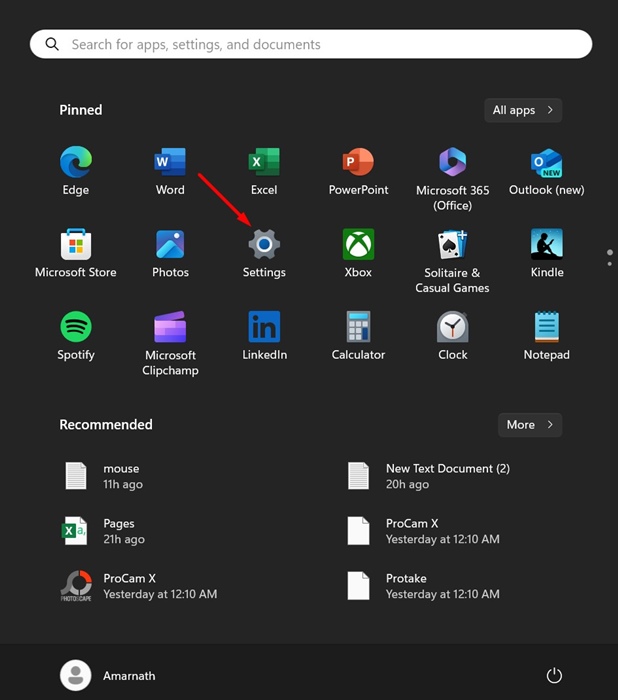
1. Launch the Settings app.
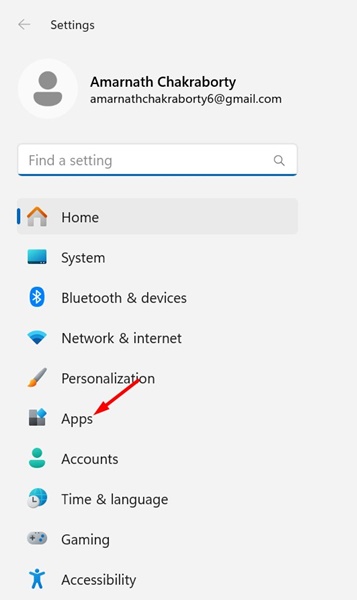
2. Switch to Apps.
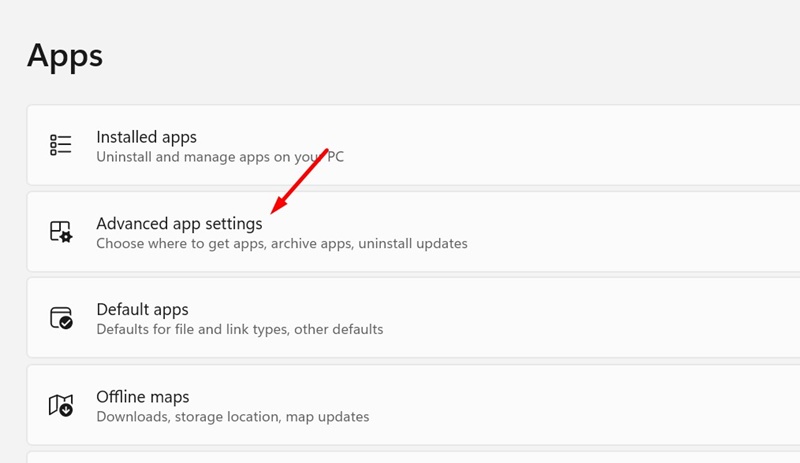
3. Click on Advanced App Settings.
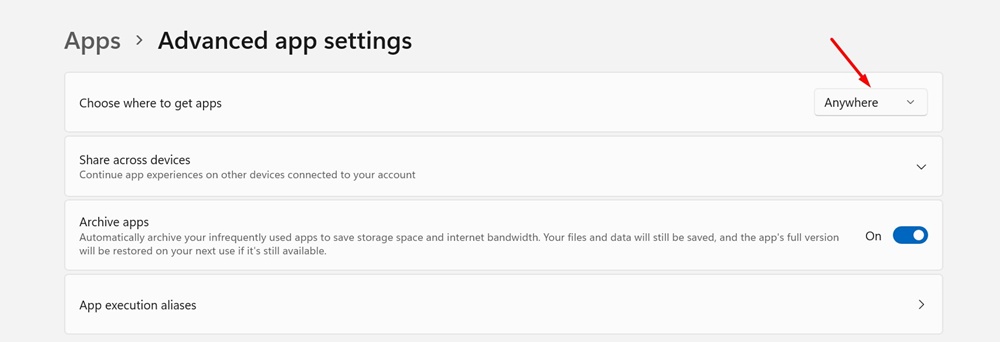
4. Click on the drop-down next to Choose where to get apps and select Anywhere.
2. Disable Microsoft Verified Apps By Modifying the Registry
You can also make a few changes to the Registry Editor to disable the Microsoft Verified Apps feature.
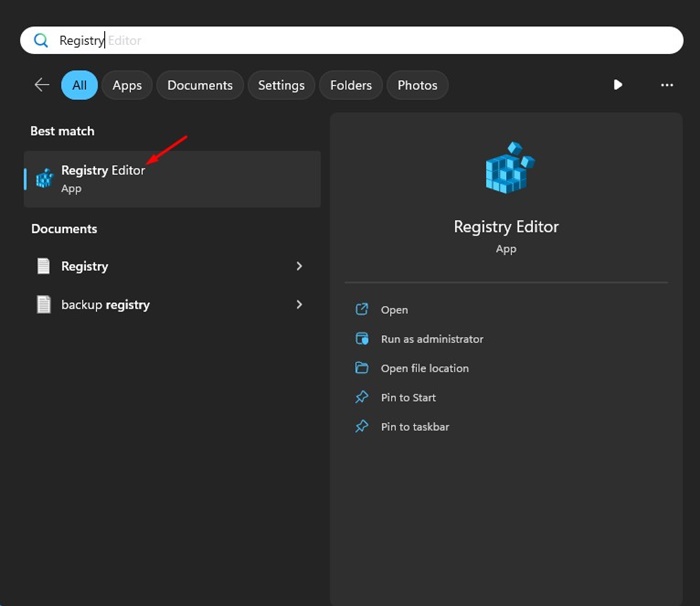
1. Open Registry Editor from the Windows Search.
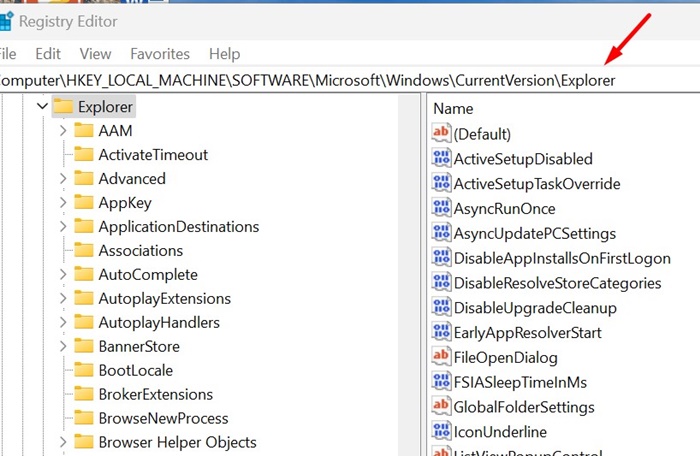
2. Navigate to this path:
Computer\HKEY_LOCAL_MACHINE\SOFTWARE\Microsoft\Windows\CurrentVersion\Explorer
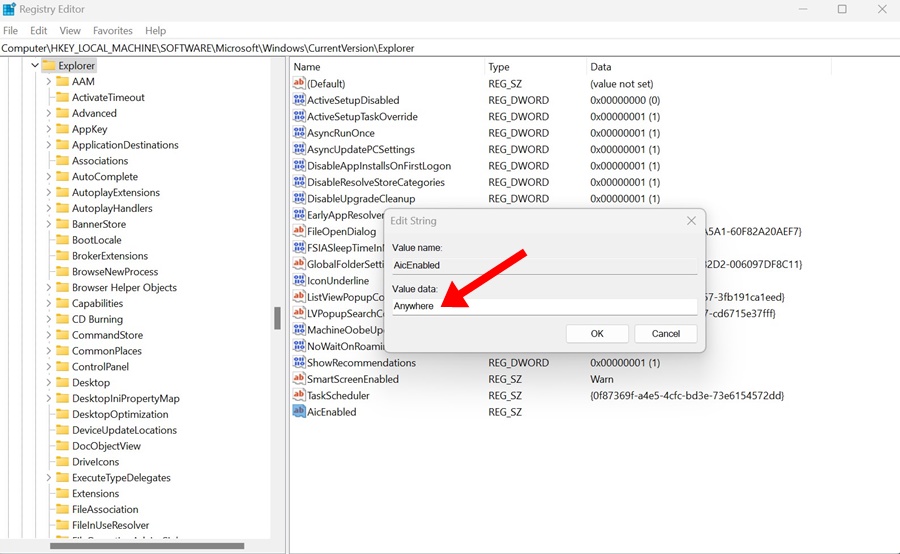
3. On the right side, find and double-click on AicEnabled.
4. Type Anywhere and click OK.
5. After making the changes, close the Registry Editor and restart your PC.
3. Turn Off Microsoft Verified Apps from the Group Policy Editor
In the Group Policy Editor, you can make a few changes to turn off the Microsoft Verified apps.
- Press the Windows Key + R to open the RUN dialog box.
- Type gpedit.msc and press Enter.
- In the Local Group Policy editor, navigate to this path:
Computer Configuration > Administrative Templates > Windows Components > Windows Defender SmartScreen > Explorer
- On the right side, double-click on Configure App Install Control.
- On the Configure App Install Control Prompt, select Disable and click OK.
After making the change, make sure to restart your Windows 11 PC. This should turn off every Microsoft Verified Apps warning you get.
4. Turn off Microsoft Verified Apps using Command Prompt
In the Command Prompt utility, you can execute a few commands to allow non-verified apps on Windows 11.
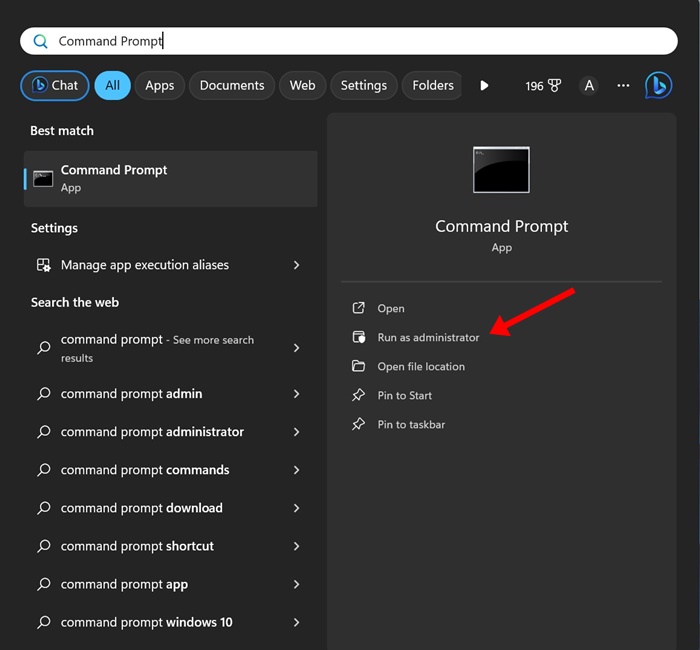
1. Type Command Prompt in the Windows 11 Search. Right-click on Command Prompt and select Run as administrator.
2. Copy & paste the command shared below and press Enter.
reg add HKEY_LOCAL_MACHINE\SOFTWARE\Microsoft\Windows\CurrentVersion\Explorer /v AicEnabled /t REG_SZ /d Anywhere
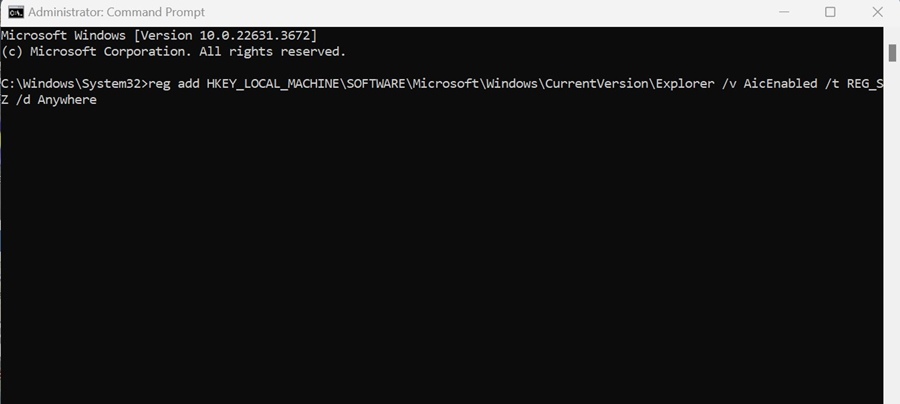
3. After executing the command, close the Command Prompt and restart your PC.
These are a few simple methods that should help you avoid the Microsoft Verified Apps warning. If you need more help with this topic, let us know in the comments.
The post How to Disable Microsoft Verified Apps in Windows 11 appeared first on TechViral.
ethical hacking,hacking,bangla ethical hacking,bangla hacking tutorial,bangla tutorial,bangla hacking book,ethical hacking bangla,bangla,hacking apps,ethical hacking bangla tutorial,bangla hacking,bangla hacking pdf,bangla hacking video,bangla android hacking,bangla hacking tutorials,bangla fb hacking tutorial,bangla hacking book download,learn ethical hacking,hacking ebook,hacking tools,bangla ethical hacking course, tricks,hacking,ludo king tricks,whatsapp hacking trick 2019 tricks,wifi hacking tricks,hacking tricks: secret google tricks,simple hacking tricks,whatsapp hacking tricks,tips and tricks,wifi tricks,tech tricks,redmi tricks,hacking trick paytm cash,hacking trick helo app,hacking trick of helo app,paytm cash hacking trick,wifi password hacking,paytm cash hacking trick malayalam,hacker tricks, tips and tricks,pubg mobile tips and tricks,tricks,tips,tips and tricks for pubg mobile,100 tips and tricks,pubg tips and tricks,excel tips and tricks,google tips and tricks,kitchen tips and tricks,season 2 tips and tricks,android tips and tricks,fortnite tips and tricks,godnixon tips and tricks,free fire tips and tricks,advanced tips and tricks,whatsapp tips and tricks, facebook tricks,facebook,facebook hidden tricks,facebook tips and tricks,facebook latest tricks,facebook tips,facebook new tricks,facebook messenger tricks,facebook android app tricks,fb tricks,facebook app tricks,facebook tricks and tips,facebook tricks in hindi,tricks,facebook tutorial,new facebook tricks,cool facebook tricks,facebook tricks 2016,facebook tricks 2017,facebook secret tricks,facebook new tricks 2020,blogger blogspot seo tips and tricks,blogger tricks,blogger,blogger seo tips,blogger seo tips and tricks,seo for blogger,blogger seo in hindi,blogger seo best tips for increasing visitors,blogging tips and tricks,blogger blog seo,blogger seo in urdu,adsense approval trick,blogging tips and tricks for beginners,blogging tricks,blogger tutorial,blogger tricks 2016,blogger tricks 2017 bangla,tricks,bangla tutorial,bangla magic,bangla motivational video,bangla tricks,bangla tips,all bangla tips,magic tricks,akash bangla tricks,top 10 bangla tricks,tips and tricks,all bangla trick,bangla computer tricks,computer bangla tricks,bangla magic card tricks,ms word bangla tips and tricks,bangla computer tips,trick,psychology tricks,youtube bangla,magic tricks bangla,si trick Credit techviral


