
How to Create Netflix Profile on Desktop & Mobile
Netflix is now the most popular video streaming service in the world. The video streaming service offers you a wide range of TV shows, Movies, Documentaries, all in different languages. With a monthly or yearly subscription to Netflix, you can watch all video content on the site without any ads.
If you are an active Netflix user, you might know that the video service asks you to select a profile every time you launch Netflix or open the Netflix app on your Android/iOS.
Netflix profiles allow members of your household to have their own personalized Netflix experience. Each of the Netflix profiles will have different settings & recommendations. In general, you can create up to 5 profiles on a single Netflix account.
Each Profile on Netflix will have its own:
- Language preference
- Maturity level
- Specific viewing restrictions
- Profile lock
- Viewing activity log
- Game saves
- Subtitle appearance
- Playback settings
- Personalized TV show and movie suggestions
- My List*
- Ratings*
- Email (for notification emails, and only profiles with All Maturity ratings)
How to Create Netflix Profile on Desktop & Mobile
So, if you are looking for ways to create a Netflix profile, you are reading the right guide. In this article, we will share a step-by-step guide on how to create a Netflix profile on Desktop & Mobile. Let’s check out.
Create Netflix Profile on Desktop
If you use Netflix from your desktop and wish to create a profile from the web or desktop version of Netflix, you need to follow this method. Here’s how to create a new Netflix profile on a desktop.
1. First of all, open Netflix on your Desktop or web and select the profile.
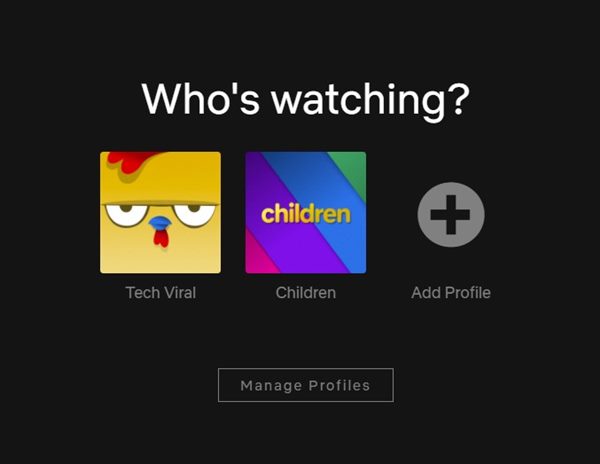
2. Now click on your profile icon as shown below.
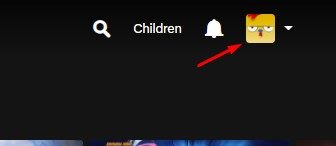
3. From the drop-down list, click on the Manage Profile option.
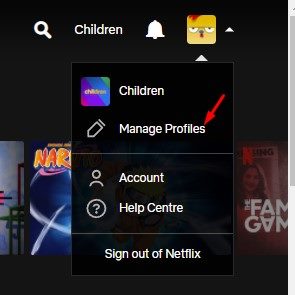
4. On the Who’s watching? Screen, click on the Add Profile button as shown below.
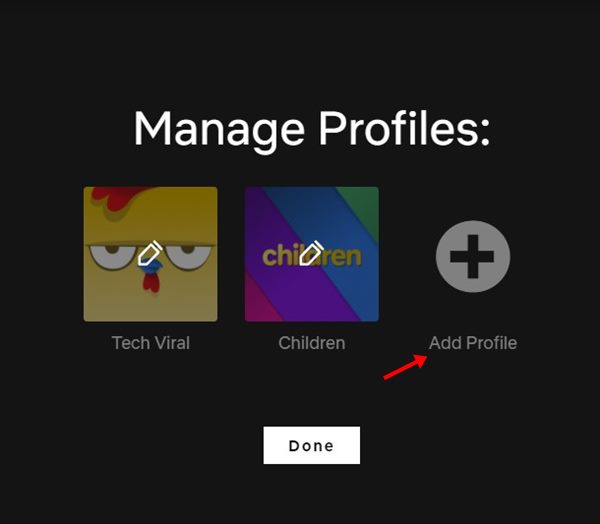
5. Now, name the new profile and click on the Continue button.
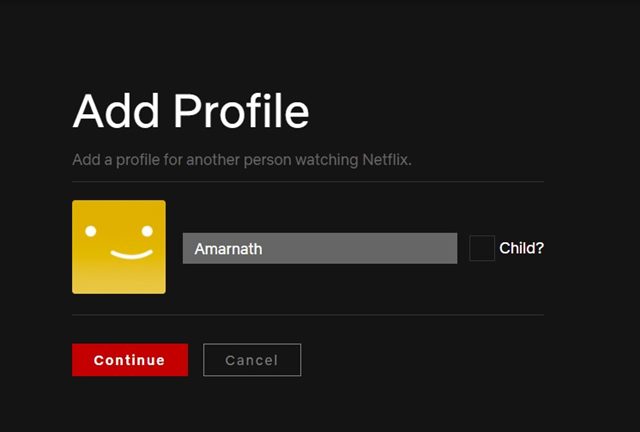
6. The profile will be created. Just click on the Profile and set the Language.
That’s it! You are done. This is how you can create Netflix Profile on your desktop.
Create Netflix Profile on Android
If you use Netflix from your Android and wish to create a profile from your Android, you need to follow this method. Here’s how to create a new Netflix profile on Android.
1. First of all, open the Netflix app on your Android smartphone.
2. Now, you will be asked to select your profile.
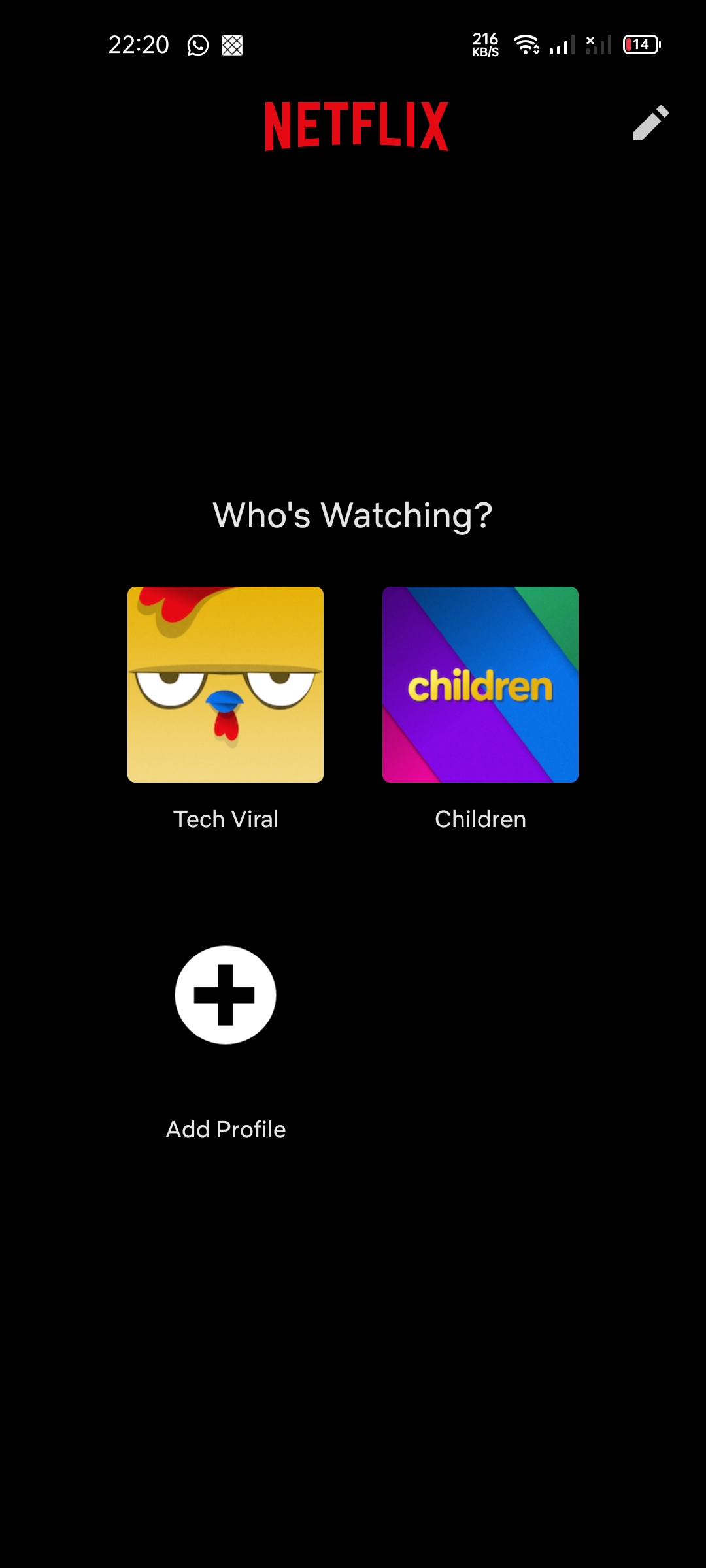
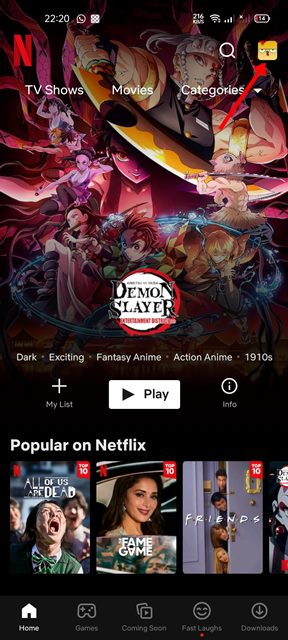
3. Now, you will see the main interface of Netflix. You need to tap on the profile icon, as shown below.
4. From the list of options, tap on the Manage profiles.
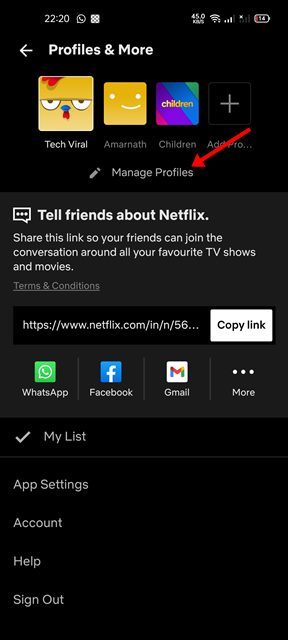
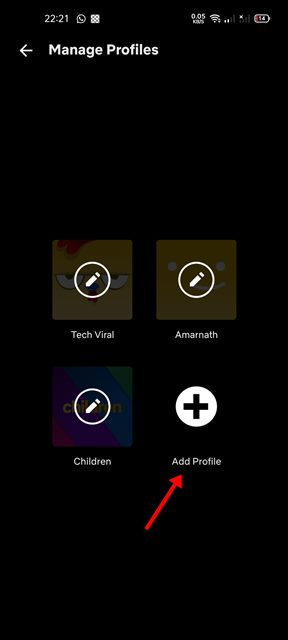
5. On the next screen, tap on the Add profile button.
6. Now, name the profile as per your wish. If you wish to enable the Netflix Kids experience, enable the toggle behind ‘For Children’. Once done, tap on the Save button.
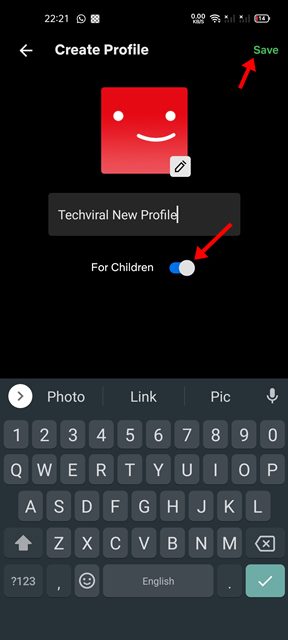
That’s it! You are done. This will create a new profile on your Netflix account.
It’s pretty easy to create profiles on Netflix. You can use the web version, desktop client, or the Netflix mobile apps to create up to 5 profiles. I hope this article helped you! Please share it with your friends also. If you have any doubts related to this, let us know in the comment box below.
The post How to Create Netflix Profile on Desktop & Mobile appeared first on TechViral.
ethical hacking,hacking,bangla ethical hacking,bangla hacking tutorial,bangla tutorial,bangla hacking book,ethical hacking bangla,bangla,hacking apps,ethical hacking bangla tutorial,bangla hacking,bangla hacking pdf,bangla hacking video,bangla android hacking,bangla hacking tutorials,bangla fb hacking tutorial,bangla hacking book download,learn ethical hacking,hacking ebook,hacking tools,bangla ethical hacking course, tricks,hacking,ludo king tricks,whatsapp hacking trick 2019 tricks,wifi hacking tricks,hacking tricks: secret google tricks,simple hacking tricks,whatsapp hacking tricks,tips and tricks,wifi tricks,tech tricks,redmi tricks,hacking trick paytm cash,hacking trick helo app,hacking trick of helo app,paytm cash hacking trick,wifi password hacking,paytm cash hacking trick malayalam,hacker tricks, tips and tricks,pubg mobile tips and tricks,tricks,tips,tips and tricks for pubg mobile,100 tips and tricks,pubg tips and tricks,excel tips and tricks,google tips and tricks,kitchen tips and tricks,season 2 tips and tricks,android tips and tricks,fortnite tips and tricks,godnixon tips and tricks,free fire tips and tricks,advanced tips and tricks,whatsapp tips and tricks, facebook tricks,facebook,facebook hidden tricks,facebook tips and tricks,facebook latest tricks,facebook tips,facebook new tricks,facebook messenger tricks,facebook android app tricks,fb tricks,facebook app tricks,facebook tricks and tips,facebook tricks in hindi,tricks,facebook tutorial,new facebook tricks,cool facebook tricks,facebook tricks 2016,facebook tricks 2017,facebook secret tricks,facebook new tricks 2020,blogger blogspot seo tips and tricks,blogger tricks,blogger,blogger seo tips,blogger seo tips and tricks,seo for blogger,blogger seo in hindi,blogger seo best tips for increasing visitors,blogging tips and tricks,blogger blog seo,blogger seo in urdu,adsense approval trick,blogging tips and tricks for beginners,blogging tricks,blogger tutorial,blogger tricks 2016,blogger tricks 2017 bangla,tricks,bangla tutorial,bangla magic,bangla motivational video,bangla tricks,bangla tips,all bangla tips,magic tricks,akash bangla tricks,top 10 bangla tricks,tips and tricks,all bangla trick,bangla computer tricks,computer bangla tricks,bangla magic card tricks,ms word bangla tips and tricks,bangla computer tips,trick,psychology tricks,youtube bangla,magic tricks bangla,si trick Credit techviral


