
iPhone Display Keeps Dimming? 6 Ways to Fix it
One of an iPhone’s most useful features is adjusting the screen brightness based on the environment or battery levels. The iPhone display keeps dimming automatically is a feature, but many users mistake it for a fault. Anyway, if you aren’t a fan of this feature, here’s how you can turn it off.
1. Disable the Auto Brightness Feature
Auto brightness is the feature responsible for the iPhone display dimming issue. Hence, if you don’t want your iPhone’s display to darken automatically, you must turn off the auto-brightness feature.
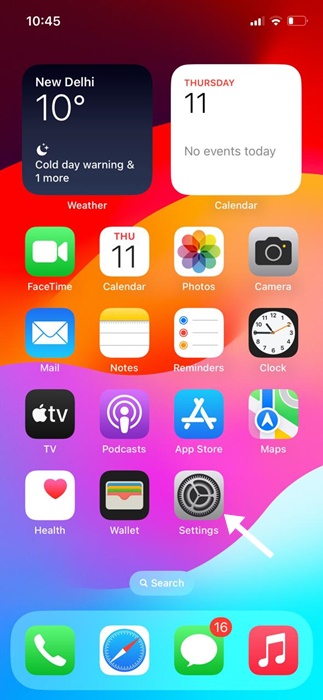
1. Launch Settings.
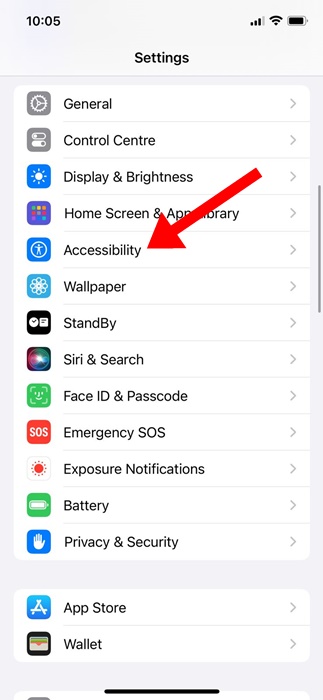
2. Scroll down and tap Accessibility.
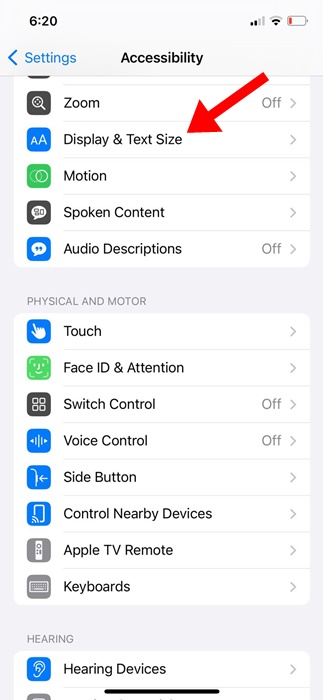
3. Tap Display & Text Size.
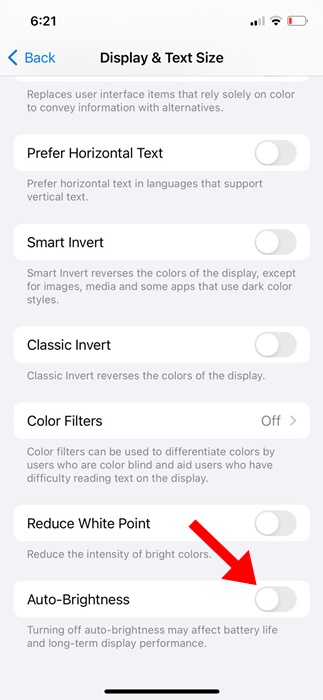
4. Turn off the toggle for Auto Brightness.
2. Manually Adjust the Screen Brightness
After disabling the auto brightness feature, you will need to adjust the screen brightness. The brightness level you set here will remain unchanged until you enable Auto-Brightness or adjust it again.
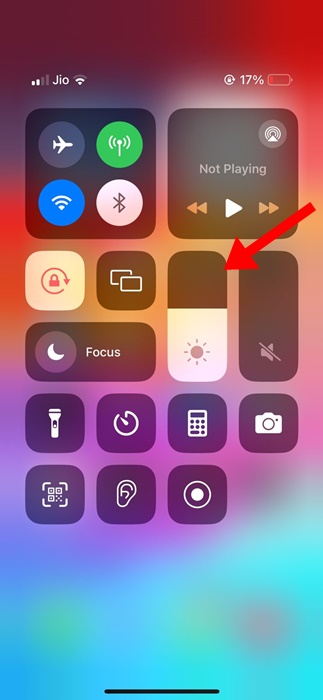
To manually adjust the screen brightness on your iPhone, open the Control Center. To open the Control Center, swipe down from the top right corner. On the Control Center, find the brightness slider and adjust it as needed.
3. Turn Off Attention-Aware Features
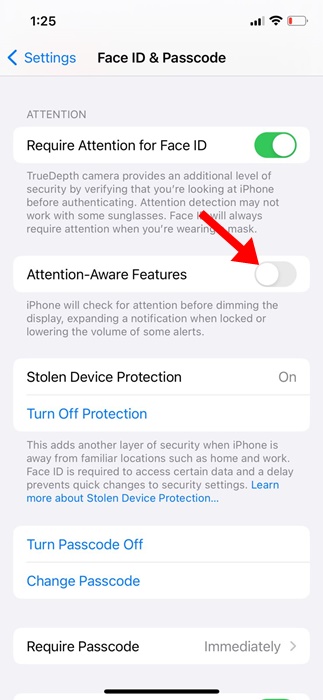
Attention Aware Features are another reason for the iPhone dimming the display automatically. You should turn off this feature as well.
1. Launch Settings.
2. Tap Accessibility.
3. Tap Face ID & Attention.
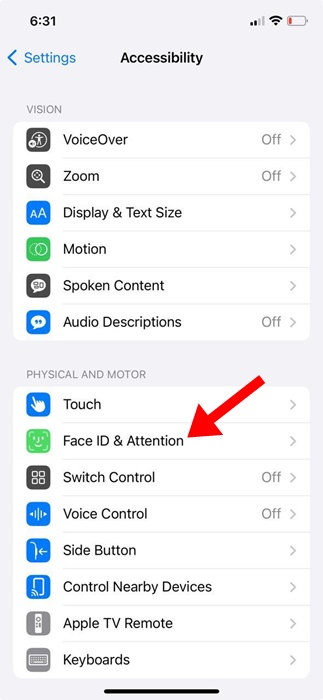
4. Turn off the toggle for Attention Aware Features.
.
4. Disable the True Tone Feature
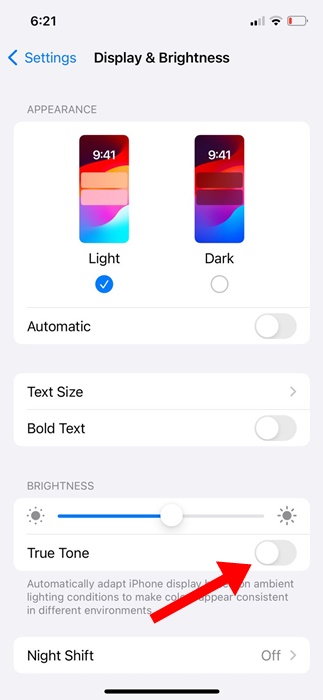
True Tone is a feature that automatically adjusts the display color and intensity based on the environment’s lighting conditions. If you don’t want your iPhone to adjust the display automatically, you should disable True Tone.
1. Launch Settings.
2. Tap Display & Brightness.
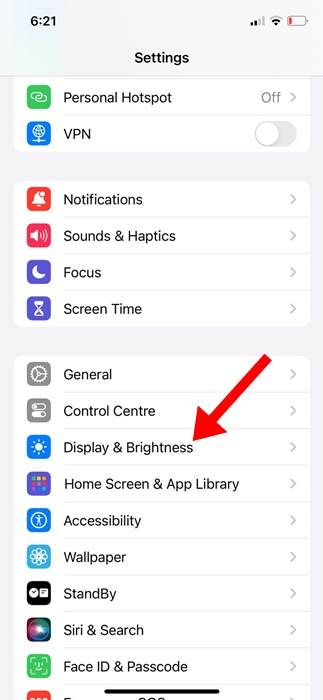
3. Turn off the toggle for True Tone.
5. Turn Off the Night Shift
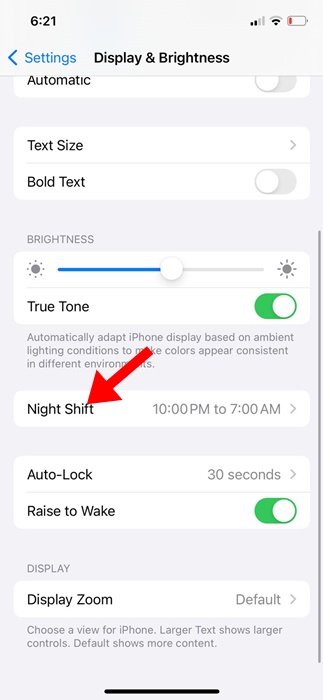
Although the Night Shift doesn’t dim the screen, it automatically shifts your display’s colors to the warmer end of the color spectrum after dark. This feature is supposed to help you get a better night’s sleep, but you can turn it off if you don’t like it.
1. Launch Settings.
2. Tap Display & Brightness.
3. Tap Night Shift.
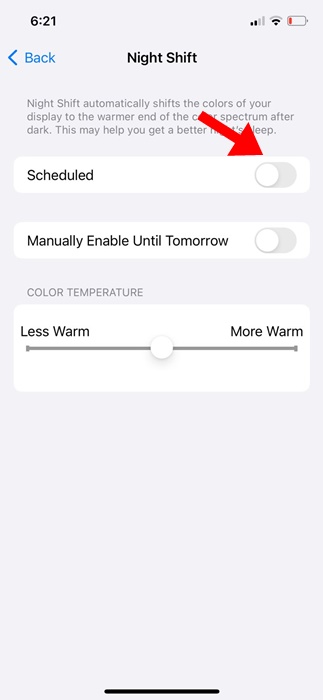
4. Turn off the toggle beside Scheduled.
6. Disable the Auto Lock feature
Auto lock is another feature that dims your iPhone screen. While we don’t recommend turning off the auto-lock feature, we will still share the steps to make you aware of it.
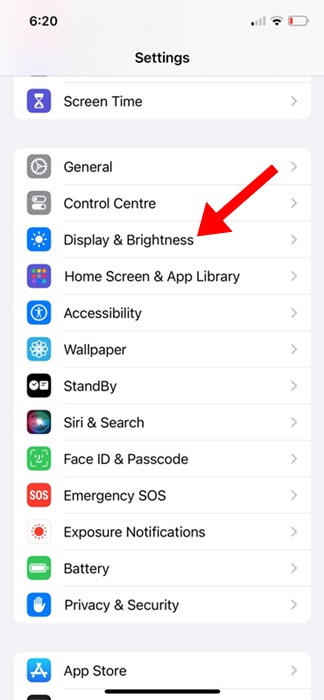
1. Launch Settings.
2. Tap Display & Brightness.
3. On the Display & Brightness, tap on Auto-Lock.
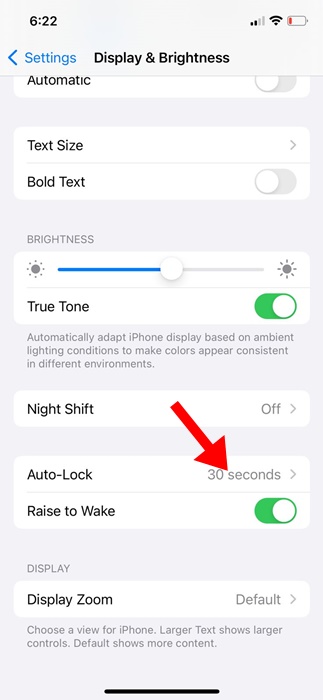
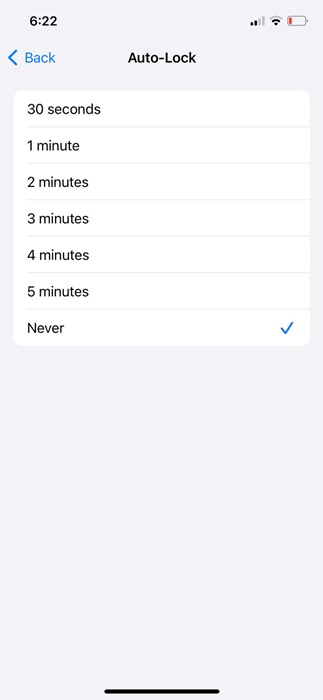
4. Select the Auto-Lock to Never.
These are some of the best working methods to fix the iPhone Display Keeps dimming issue. If you need more help on this topic, let us know in the comments.
The post iPhone Display Keeps Dimming? 6 Ways to Fix it appeared first on TechViral.
ethical hacking,hacking,bangla ethical hacking,bangla hacking tutorial,bangla tutorial,bangla hacking book,ethical hacking bangla,bangla,hacking apps,ethical hacking bangla tutorial,bangla hacking,bangla hacking pdf,bangla hacking video,bangla android hacking,bangla hacking tutorials,bangla fb hacking tutorial,bangla hacking book download,learn ethical hacking,hacking ebook,hacking tools,bangla ethical hacking course, tricks,hacking,ludo king tricks,whatsapp hacking trick 2019 tricks,wifi hacking tricks,hacking tricks: secret google tricks,simple hacking tricks,whatsapp hacking tricks,tips and tricks,wifi tricks,tech tricks,redmi tricks,hacking trick paytm cash,hacking trick helo app,hacking trick of helo app,paytm cash hacking trick,wifi password hacking,paytm cash hacking trick malayalam,hacker tricks, tips and tricks,pubg mobile tips and tricks,tricks,tips,tips and tricks for pubg mobile,100 tips and tricks,pubg tips and tricks,excel tips and tricks,google tips and tricks,kitchen tips and tricks,season 2 tips and tricks,android tips and tricks,fortnite tips and tricks,godnixon tips and tricks,free fire tips and tricks,advanced tips and tricks,whatsapp tips and tricks, facebook tricks,facebook,facebook hidden tricks,facebook tips and tricks,facebook latest tricks,facebook tips,facebook new tricks,facebook messenger tricks,facebook android app tricks,fb tricks,facebook app tricks,facebook tricks and tips,facebook tricks in hindi,tricks,facebook tutorial,new facebook tricks,cool facebook tricks,facebook tricks 2016,facebook tricks 2017,facebook secret tricks,facebook new tricks 2020,blogger blogspot seo tips and tricks,blogger tricks,blogger,blogger seo tips,blogger seo tips and tricks,seo for blogger,blogger seo in hindi,blogger seo best tips for increasing visitors,blogging tips and tricks,blogger blog seo,blogger seo in urdu,adsense approval trick,blogging tips and tricks for beginners,blogging tricks,blogger tutorial,blogger tricks 2016,blogger tricks 2017 bangla,tricks,bangla tutorial,bangla magic,bangla motivational video,bangla tricks,bangla tips,all bangla tips,magic tricks,akash bangla tricks,top 10 bangla tricks,tips and tricks,all bangla trick,bangla computer tricks,computer bangla tricks,bangla magic card tricks,ms word bangla tips and tricks,bangla computer tips,trick,psychology tricks,youtube bangla,magic tricks bangla,si trick Credit techviral


