
Secure Frame Server Helper High CPU Usage: How to Fix it
The Secure Frame Server Helper, also known as fslso.exe, is a process that runs when the facial recognition feature is used with Secure Biometrics Windows Services. What this process does is still questionable because it’s not clear yet, but it’s related to the facial recognition feature. This process can sometimes raise your CPU usage. If it’s currently doing so, here’s what you should do.
1. Restart your PC

It’s possible that Windows downloaded some updates in the background, but the installation is pending a restart.
When this happens, the process may get stuck in the background due to some conflicts. So, it’s best to restart your computer.
Restarting will also remove the bugs and glitches that may be preventing the Secure Frame Server Helper process from functioning properly.
2. Disable Windows Hello for Sign-in Options
Disabling the Windows Hello sign-in option has helped many users fix the Secure Frame Server Helper high CPU usage problem.
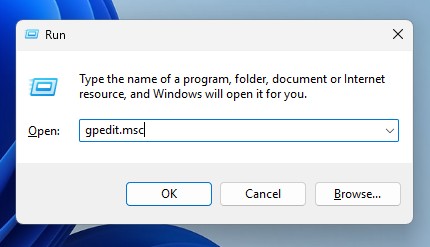
1. Press the Windows Key + R button on your keyboard.
2. Type gpedit.msc and press Enter.
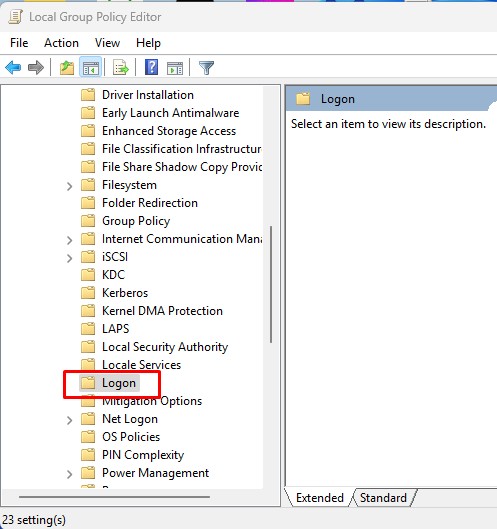
3. Navigate to this path:
Computer Configuration -> Administrative Templates -> System -> Logon.
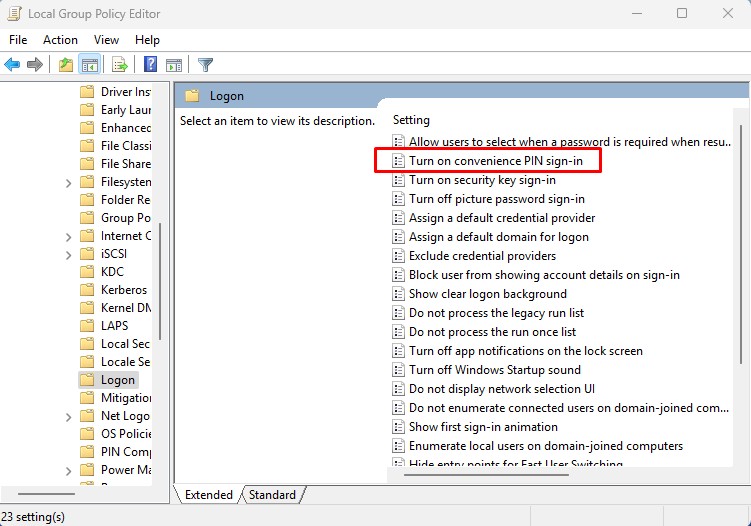
4. Double-click on Turn on convenience PIN sign-in.
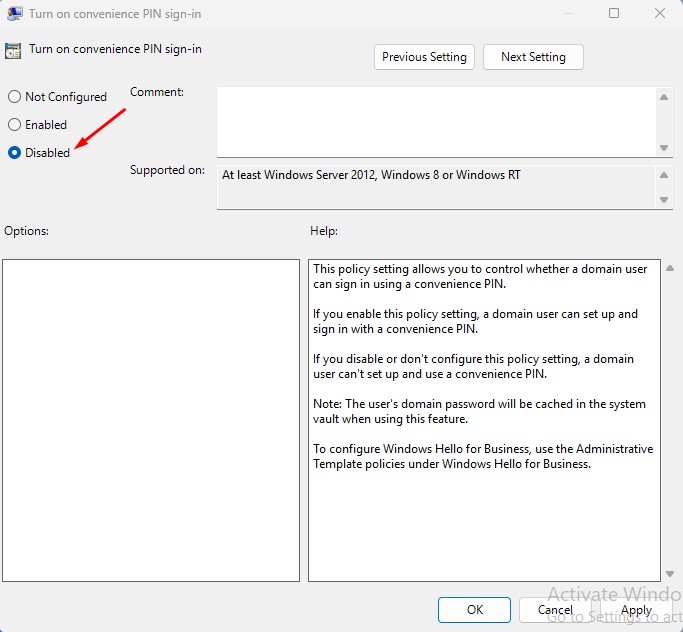
5. Select Disabled.
6. You also need to disable the other Windows Hello Options in the Logon folder of Local Group Policy Editor.
3. Run a Microsoft Defender Offline Scan
Malicious programs can affect the secure frame server helper process, causing it to use too many CPU resources. To reduce the possibility of a malware attack, you need to run the Microsoft Defender Offline Scan.
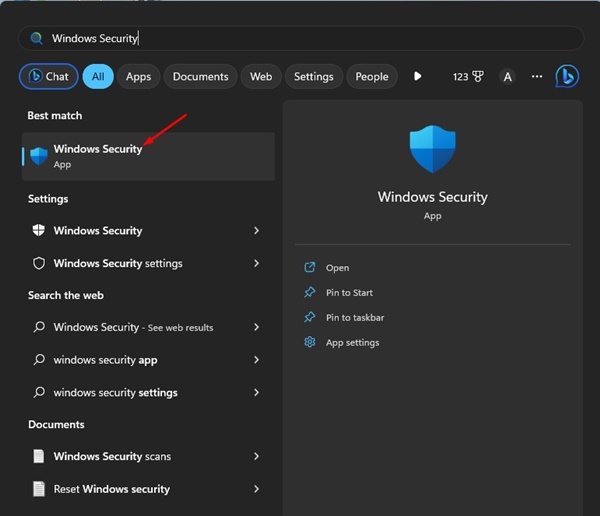
1. Open the Windows Security app from the Windows Search.
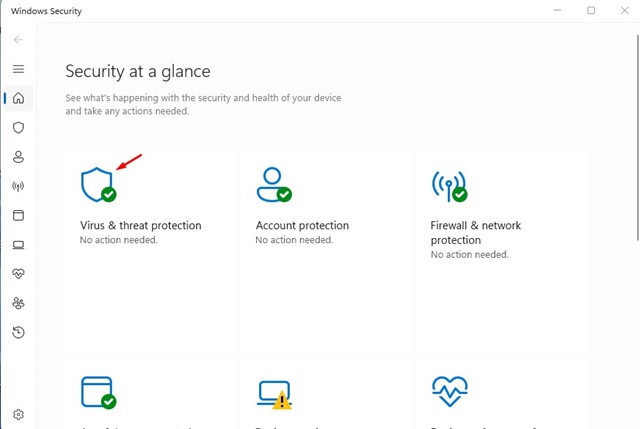
2. Switch to Virus & threat protection.
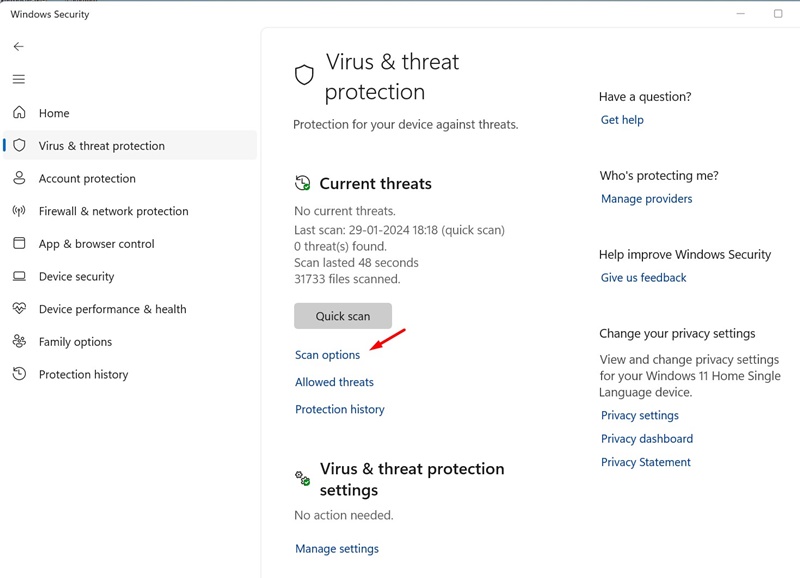
3. Click Scan options.
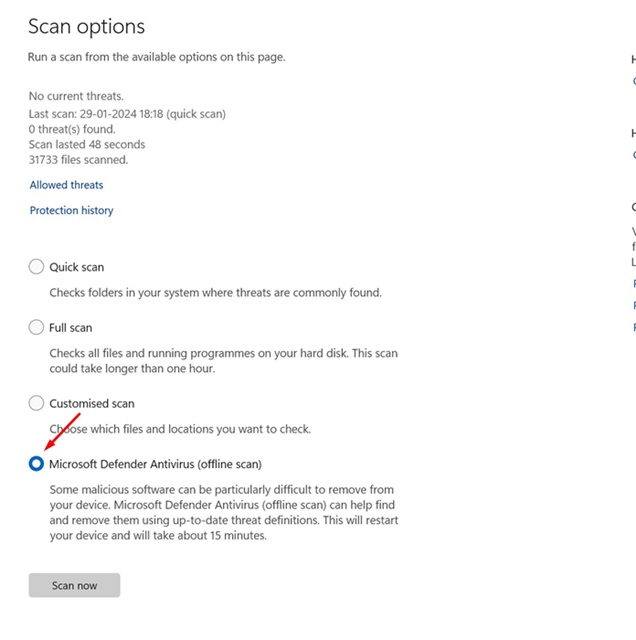
4. Select Microsoft Defender Antivirus (Offline Scan) and click Scan Now.
5. On the Save your work confirmation prompt, click Scan.
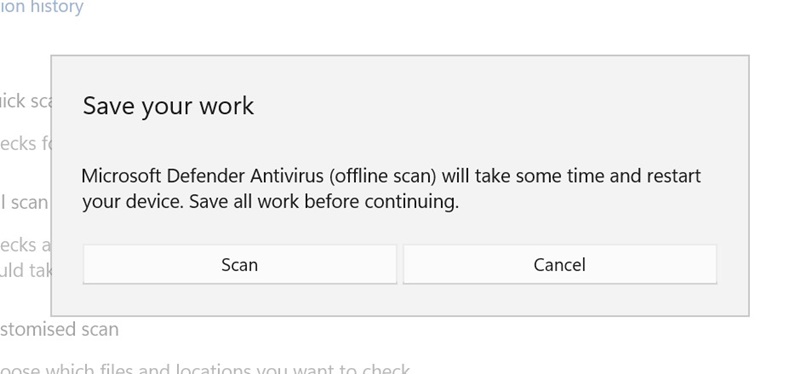
Your device will restart into WinRE, and the offline scan will run. The scan will take around 15 minutes to complete.
4. Turn Off the AVG Antivirus
The Secure Frame Server Helper problem is mainly faced by users who are using AVG antivirus. The problem is usually linked to the use of AVG antivirus, and disabling it would free up resource consumption.
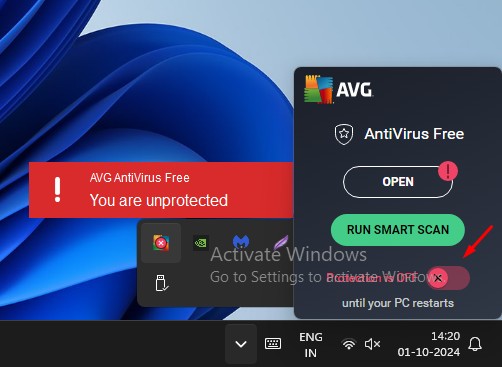
To disable AVG Antivirus, right-click on the icon in the system tray. On the right-click menu, turn off the toggle next to Protection.
5. Uninstall the AVG Antivirus
If disabling the AVG Antivirus didn’t fix the problem of Secure Frame Server Helper (fslso.exe) causing high CPU usage, you need to uninstall it.
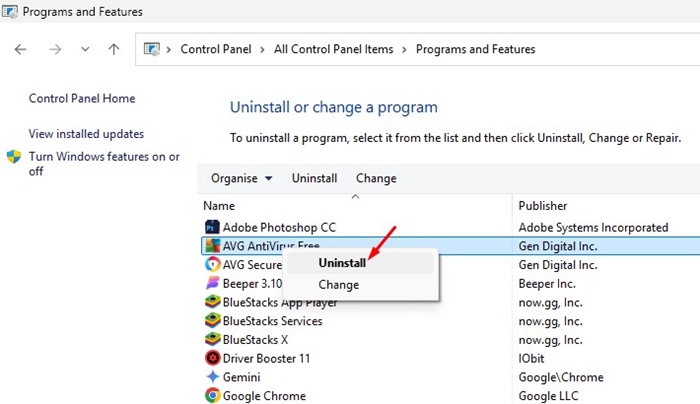
Simply head to the Control Panel, right-click on AVG Antivirus, and select Uninstall. After uninstalling, restart your computer and check whether the fslso.exe process still causes extremely high CPU usage.
These are a few simple ways to fix Secure Frame Server Helper (fslso.exe) high CPU usage on Windows. If you need more help on this topic, let us know in the comments.
The post Secure Frame Server Helper High CPU Usage: How to Fix it appeared first on TechViral.
ethical hacking,hacking,bangla ethical hacking,bangla hacking tutorial,bangla tutorial,bangla hacking book,ethical hacking bangla,bangla,hacking apps,ethical hacking bangla tutorial,bangla hacking,bangla hacking pdf,bangla hacking video,bangla android hacking,bangla hacking tutorials,bangla fb hacking tutorial,bangla hacking book download,learn ethical hacking,hacking ebook,hacking tools,bangla ethical hacking course, tricks,hacking,ludo king tricks,whatsapp hacking trick 2019 tricks,wifi hacking tricks,hacking tricks: secret google tricks,simple hacking tricks,whatsapp hacking tricks,tips and tricks,wifi tricks,tech tricks,redmi tricks,hacking trick paytm cash,hacking trick helo app,hacking trick of helo app,paytm cash hacking trick,wifi password hacking,paytm cash hacking trick malayalam,hacker tricks, tips and tricks,pubg mobile tips and tricks,tricks,tips,tips and tricks for pubg mobile,100 tips and tricks,pubg tips and tricks,excel tips and tricks,google tips and tricks,kitchen tips and tricks,season 2 tips and tricks,android tips and tricks,fortnite tips and tricks,godnixon tips and tricks,free fire tips and tricks,advanced tips and tricks,whatsapp tips and tricks, facebook tricks,facebook,facebook hidden tricks,facebook tips and tricks,facebook latest tricks,facebook tips,facebook new tricks,facebook messenger tricks,facebook android app tricks,fb tricks,facebook app tricks,facebook tricks and tips,facebook tricks in hindi,tricks,facebook tutorial,new facebook tricks,cool facebook tricks,facebook tricks 2016,facebook tricks 2017,facebook secret tricks,facebook new tricks 2020,blogger blogspot seo tips and tricks,blogger tricks,blogger,blogger seo tips,blogger seo tips and tricks,seo for blogger,blogger seo in hindi,blogger seo best tips for increasing visitors,blogging tips and tricks,blogger blog seo,blogger seo in urdu,adsense approval trick,blogging tips and tricks for beginners,blogging tricks,blogger tutorial,blogger tricks 2016,blogger tricks 2017 bangla,tricks,bangla tutorial,bangla magic,bangla motivational video,bangla tricks,bangla tips,all bangla tips,magic tricks,akash bangla tricks,top 10 bangla tricks,tips and tricks,all bangla trick,bangla computer tricks,computer bangla tricks,bangla magic card tricks,ms word bangla tips and tricks,bangla computer tips,trick,psychology tricks,youtube bangla,magic tricks bangla,si trick Credit techviral


