
How to Delete Downloaded and Pending Updates in Windows 11
Windows 11 updates are essential, but sometimes we don’t have enough space on our system to install them. Also, the fear of losing system stability after installing an update can’t be ruled out. Therefore, if you don’t prefer installing Windows 11 updates even when they are downloaded, here’s how you can delete them.
1. Delete Windows 11 Downloaded Updates
You can manually delete the downloaded updates that are pending installation.
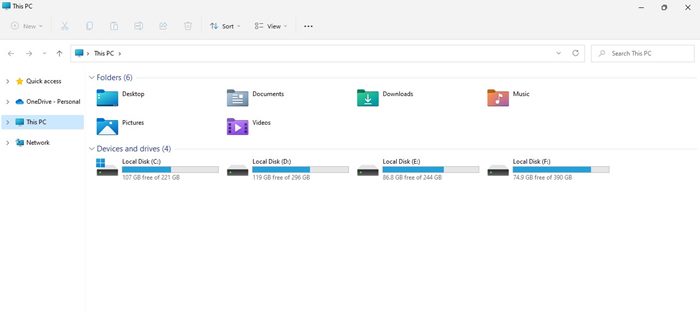
1. Open the File Explorer on your PC.
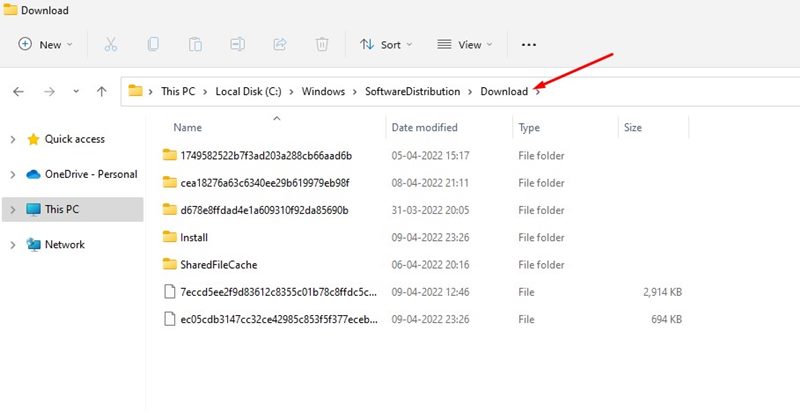
2. Navigate to the C:\Windows\SoftwareDistribution\Download
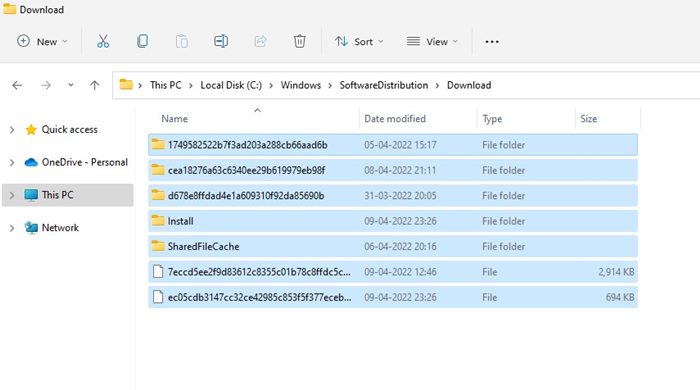
3. Press the CTRL + A button to select all files.
4. Right-click on any files and select Delete.
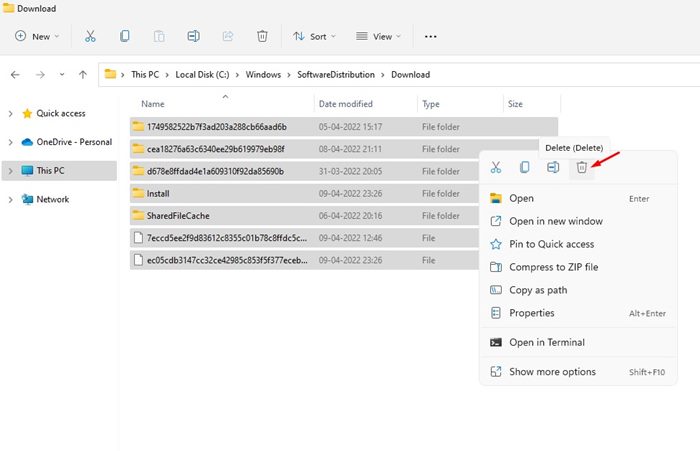
5. On the confirmation prompt, click on the Delete button again.
2. Delete the Software Distribution Folder
Sometimes, deleting the software distribution folder isn’t enough. In that case, you need to delete the entire software distribution folder to get rid of all pending Windows updates.
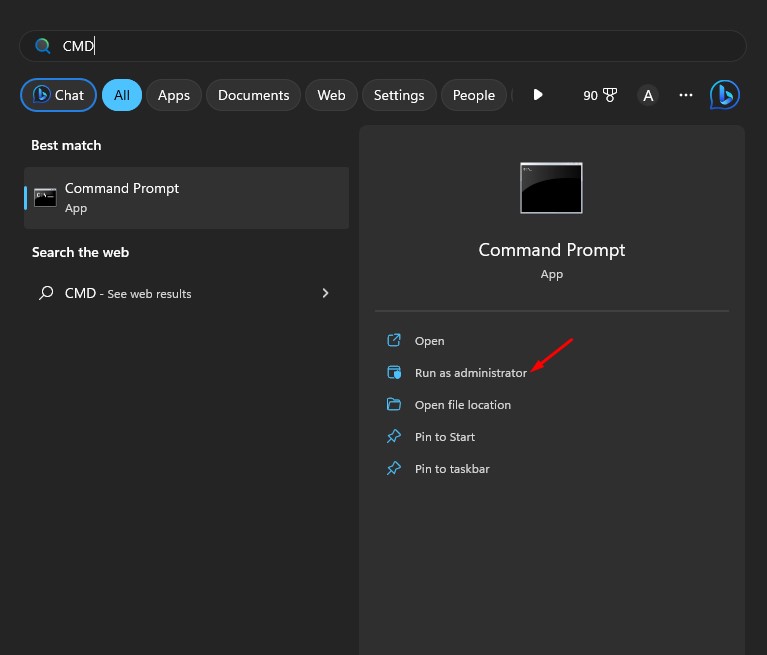
1. Search for Command Prompt on the Windows search. Right-click on the Command Prompt and select Run as administrator.
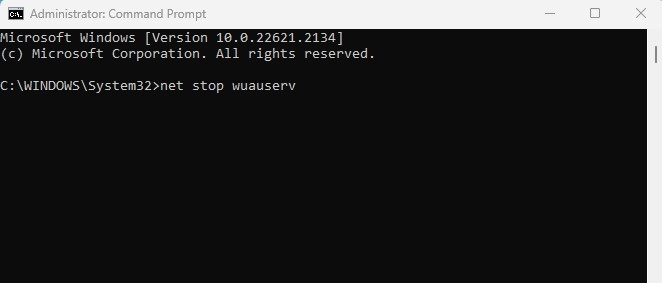
2. Execute these commands one by one.
- net stop wuauserv
- net stop bits
3. Open your file explorer and move to this location C:\Windows\SoftwareDistribution.
4. Delete all files & folders available on the SoftwareDistribution Folder.

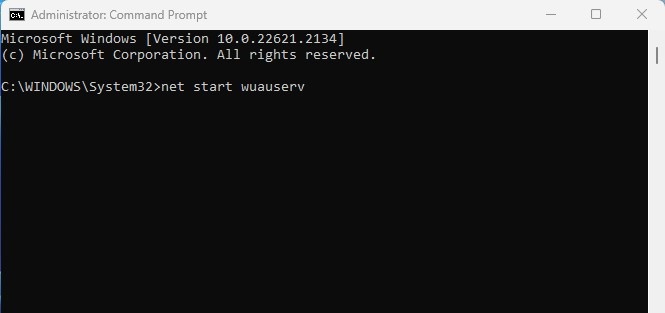
5. Open Command Prompt again and execute these commands one by one:
- net start wuauserv
- net start bits
3. Delete the files stored in the Temporary Folder
The temporary folder has no link with the Windows 11 updates, but you still need to delete the temp files to ensure all downloaded files have been deleted and have no trace left.
1. Press the Windows Key + R button on your Keyboard. This will open the RUN dialog box.
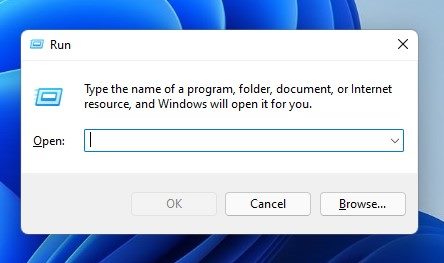
2. Type in %temp% and hit the Enter button.
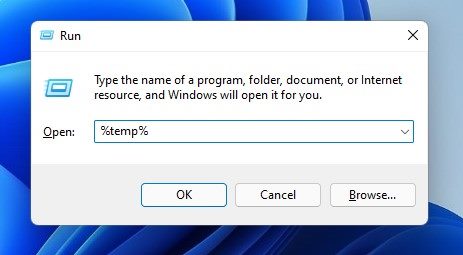
3. This will open your PC’s temp folder. Now press CTRL + A to select all files.
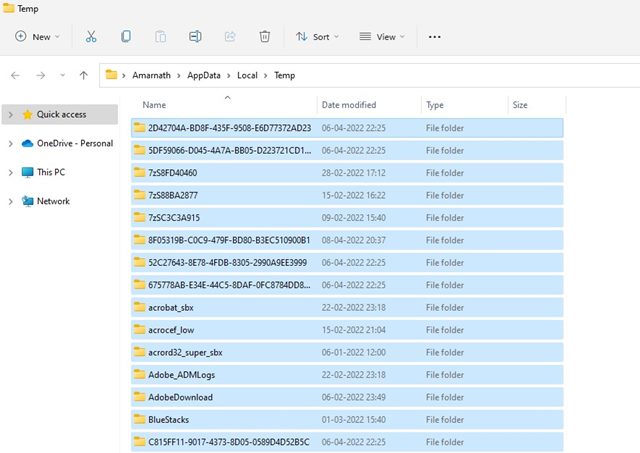
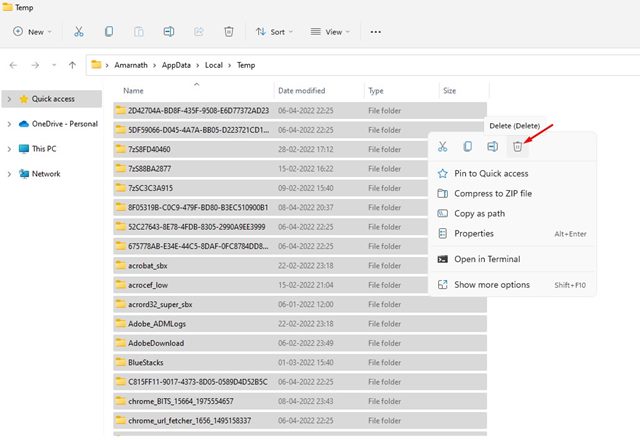
4. Right-click on any selected files and click Delete.
4. Remove the Pending.xml File
The Pending.xml file is automatically created when you download an update and choose another time for installation. Due to this file, Windows 11 asks you to select another time for the update installation; you should delete this file.
1. Open the File Explorer on your Windows 11 PC.
2. Navigate to the C:\Windows\WinSxS
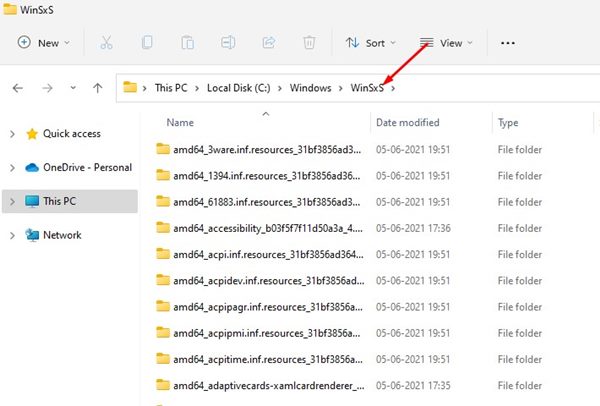
3. In the WinSxS folder, scroll down to the end. You will find a Pending.xml file.
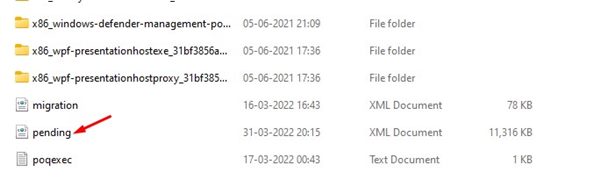
4. Right-click on the Pending.xml file and select Delete.
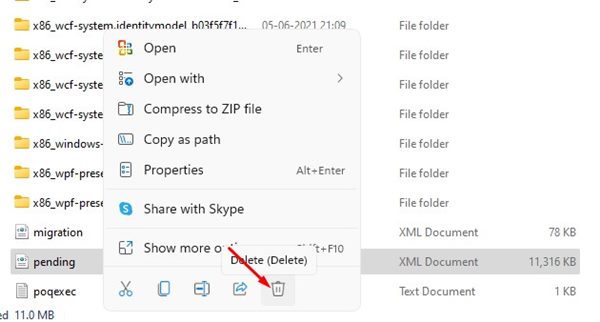
These are the best ways to delete downloaded, failed, or pending Windows 11 updates. If you have any doubts, let us know in the comment box below.
The post How to Delete Downloaded and Pending Updates in Windows 11 appeared first on TechViral.
ethical hacking,hacking,bangla ethical hacking,bangla hacking tutorial,bangla tutorial,bangla hacking book,ethical hacking bangla,bangla,hacking apps,ethical hacking bangla tutorial,bangla hacking,bangla hacking pdf,bangla hacking video,bangla android hacking,bangla hacking tutorials,bangla fb hacking tutorial,bangla hacking book download,learn ethical hacking,hacking ebook,hacking tools,bangla ethical hacking course, tricks,hacking,ludo king tricks,whatsapp hacking trick 2019 tricks,wifi hacking tricks,hacking tricks: secret google tricks,simple hacking tricks,whatsapp hacking tricks,tips and tricks,wifi tricks,tech tricks,redmi tricks,hacking trick paytm cash,hacking trick helo app,hacking trick of helo app,paytm cash hacking trick,wifi password hacking,paytm cash hacking trick malayalam,hacker tricks, tips and tricks,pubg mobile tips and tricks,tricks,tips,tips and tricks for pubg mobile,100 tips and tricks,pubg tips and tricks,excel tips and tricks,google tips and tricks,kitchen tips and tricks,season 2 tips and tricks,android tips and tricks,fortnite tips and tricks,godnixon tips and tricks,free fire tips and tricks,advanced tips and tricks,whatsapp tips and tricks, facebook tricks,facebook,facebook hidden tricks,facebook tips and tricks,facebook latest tricks,facebook tips,facebook new tricks,facebook messenger tricks,facebook android app tricks,fb tricks,facebook app tricks,facebook tricks and tips,facebook tricks in hindi,tricks,facebook tutorial,new facebook tricks,cool facebook tricks,facebook tricks 2016,facebook tricks 2017,facebook secret tricks,facebook new tricks 2020,blogger blogspot seo tips and tricks,blogger tricks,blogger,blogger seo tips,blogger seo tips and tricks,seo for blogger,blogger seo in hindi,blogger seo best tips for increasing visitors,blogging tips and tricks,blogger blog seo,blogger seo in urdu,adsense approval trick,blogging tips and tricks for beginners,blogging tricks,blogger tutorial,blogger tricks 2016,blogger tricks 2017 bangla,tricks,bangla tutorial,bangla magic,bangla motivational video,bangla tricks,bangla tips,all bangla tips,magic tricks,akash bangla tricks,top 10 bangla tricks,tips and tricks,all bangla trick,bangla computer tricks,computer bangla tricks,bangla magic card tricks,ms word bangla tips and tricks,bangla computer tips,trick,psychology tricks,youtube bangla,magic tricks bangla,si trick Credit techviral


