
How to Fix ZIP Error 0x80010135: Path Too Long
Error 0x80010135 prevents users from extracting ZIP files with the File Explorer’s Extract option. The error message generally appears when the file path with a name is longer than 260 characters. If the name exceeds 260 characters, you will get this error message. If you got this error, here’s what you should do.
1. Restart your computer
A System Restart will stop apps and processes running in the background that may be conflicting with File Explorer’s functionality. So, before you move to advanced troubleshooting, you should restart your PC.
Click on the Windows Start button and select the Power Menu. On the Power menu, select Restart.
2. Reduce the Length of the ZIP File Name
The Error 0x80010135: Path Too Long message generally appears when the path for the extracted folder exceeds the Windows 260-character limit. You should reduce the length of the ZIP file name.
1. Open File Explorer and navigate to the location where the ZIP archive has been stored.
2. Right-click on the ZIP archive and select Rename.
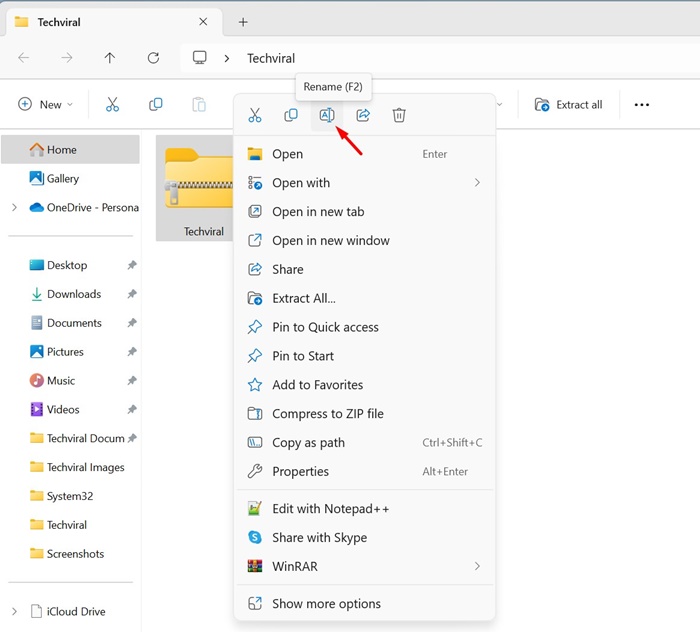
3. Enter a shorter file name for the ZIP archive. Make sure to name the archive as short as possible. It’s recommended to keep the title within 5 or 6 characters.
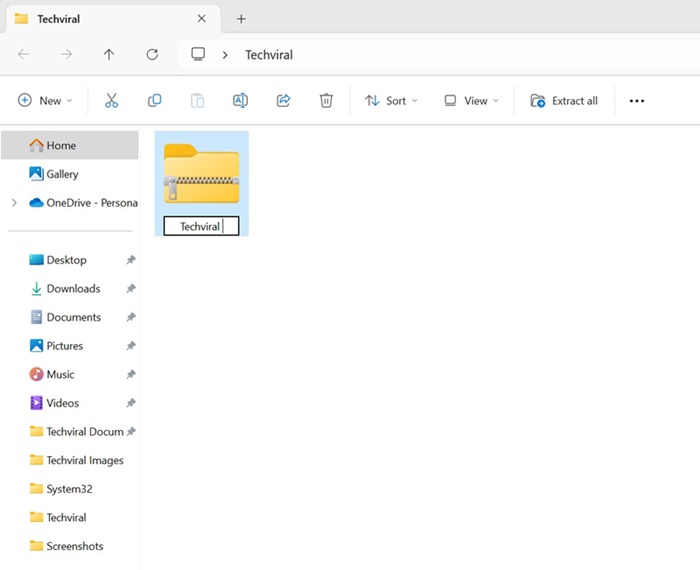
Once renamed, you can extract the ZIP archive from the File Explorer options. This time, you won’t get the error message.
3. Extract the ZIP file to the Root Directory
Even after renaming the ZIP file title, the extraction path may still be too long because it includes many subfolders. You can shorten the extraction path by extracting the archive and moving it to the Root directory.
1. Navigate to the folder where you’ve stored the ZIP file.
2. Right-click on the ZIP archive and select Extract All.
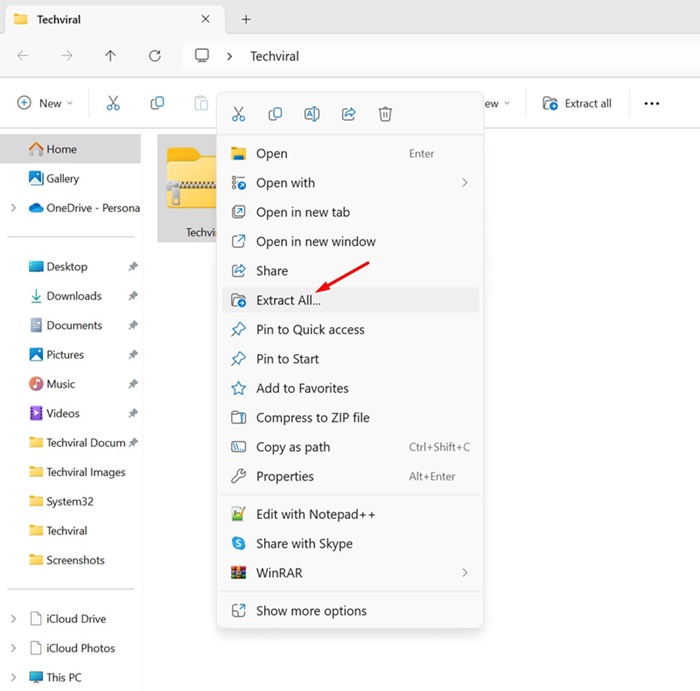
3. Click the Browse button and select the C: Drive. You can also pick any other drive, but make sure the extraction path is just C:, D:, etc.
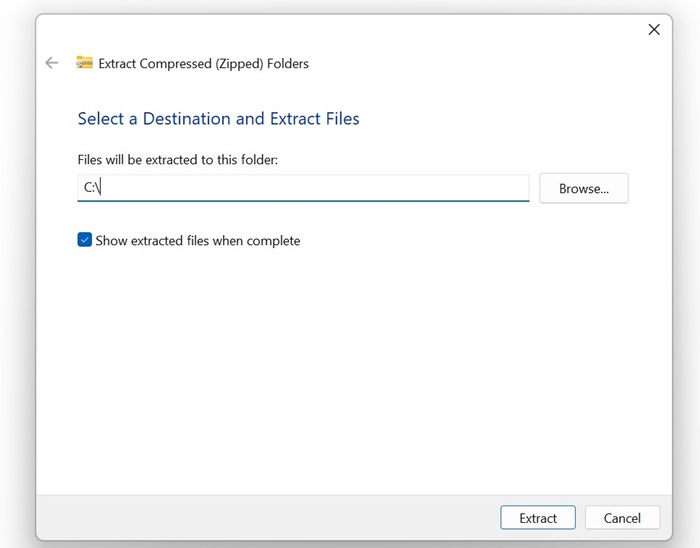
4. Click on the Extract button.
4. Enable the Longer File Path
You can enable longer file path support by modifying the Registry, changing the Local Group Policy, or running the PowerShell command.
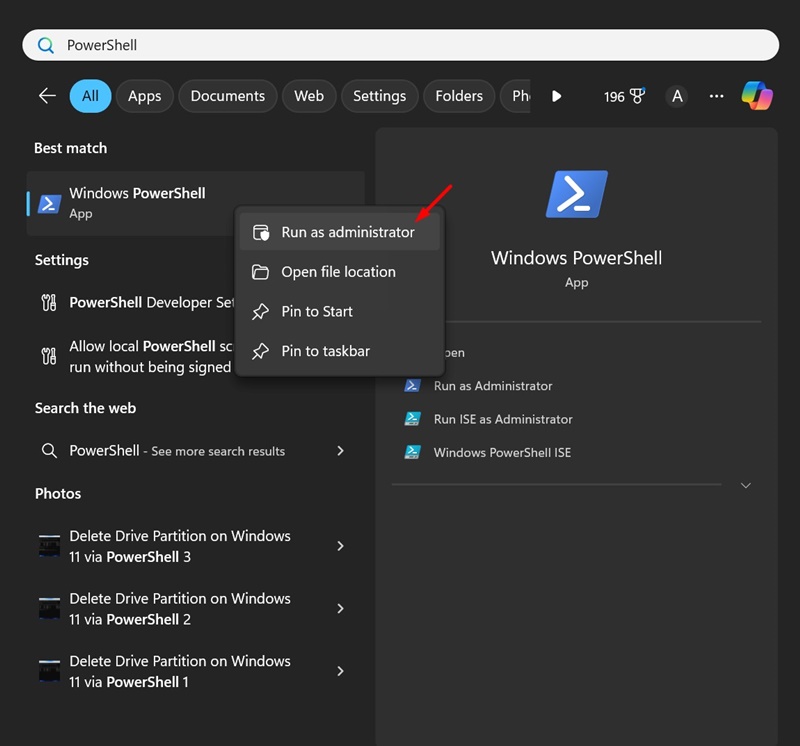
1. Type PowerShell in Windows search. Next, right-click on PowerShell and select Run as administrator.
2. Execute the given command:
New-ItemProperty -Path "HKLM:\SYSTEM\CurrentControlSet\Control\FileSystem" -Name "LongPathsEnabled" -Value 1 -PropertyType DWORD –Force
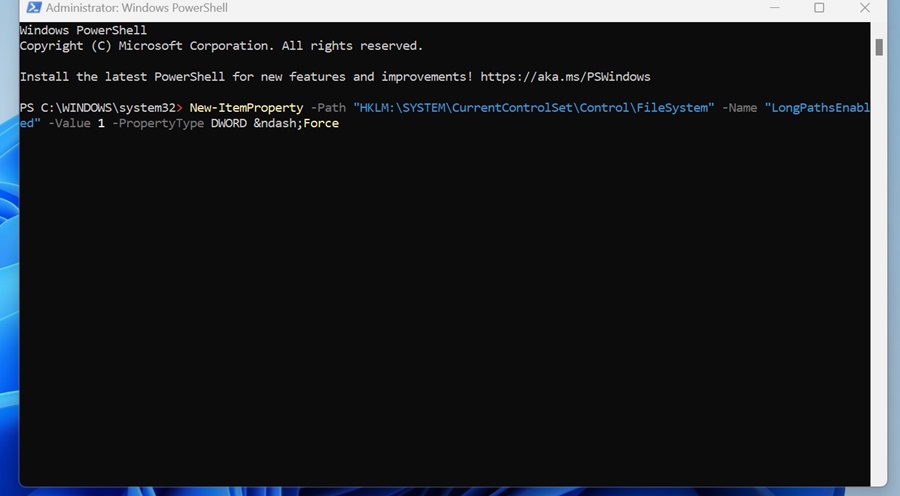
3. After executing the command, close PowerShell.
To apply the changes, restart your Windows PC. After the restart, try extracting the ZIP archive again; you won’t get the Path Too Long error anymore.
5. Use Third-Party Programs to Extract the Archive
If you still get the Path Too Long error message, it’s best to use third-party file extractor tools.
1. Download & install the latest version of 7-Zip on your Windows PC.
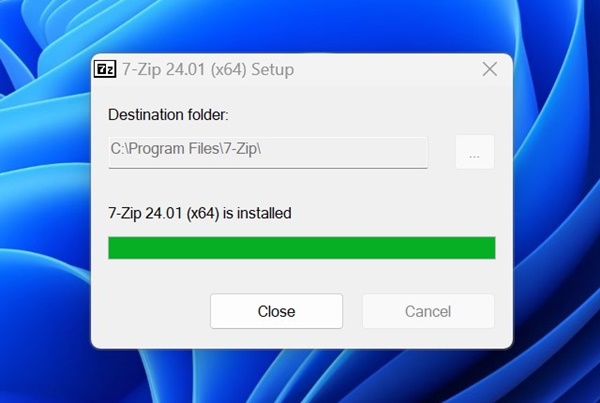
2. Once installed, open the program.
3. Navigate to the location where the ZIP file is saved.
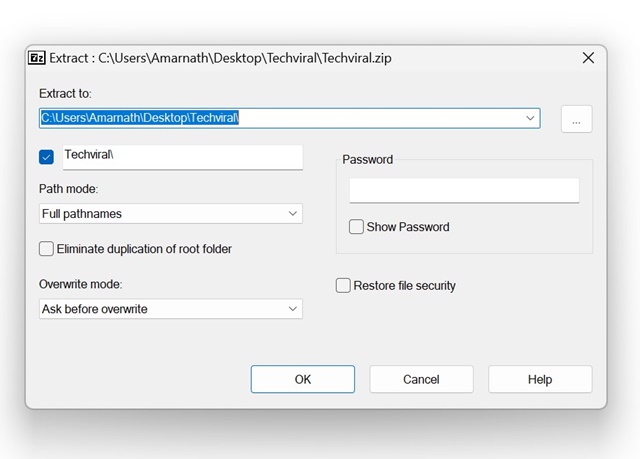
4. Right-click on the ZIP archive and select 7-Zip > Extract.
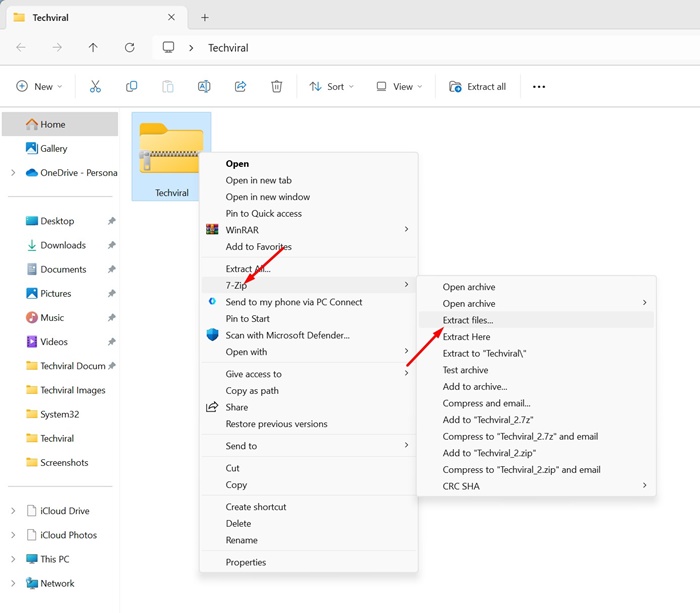
5. Select where you want to extract the files and click OK.
These are some of the working methods to fix the 0x80010135 ZIP Extraction Error in the Windows operating system. Let us know if you need more help resolving the ZIP File Error.
The post How to Fix ZIP Error 0x80010135: Path Too Long appeared first on TechViral.
ethical hacking,hacking,bangla ethical hacking,bangla hacking tutorial,bangla tutorial,bangla hacking book,ethical hacking bangla,bangla,hacking apps,ethical hacking bangla tutorial,bangla hacking,bangla hacking pdf,bangla hacking video,bangla android hacking,bangla hacking tutorials,bangla fb hacking tutorial,bangla hacking book download,learn ethical hacking,hacking ebook,hacking tools,bangla ethical hacking course, tricks,hacking,ludo king tricks,whatsapp hacking trick 2019 tricks,wifi hacking tricks,hacking tricks: secret google tricks,simple hacking tricks,whatsapp hacking tricks,tips and tricks,wifi tricks,tech tricks,redmi tricks,hacking trick paytm cash,hacking trick helo app,hacking trick of helo app,paytm cash hacking trick,wifi password hacking,paytm cash hacking trick malayalam,hacker tricks, tips and tricks,pubg mobile tips and tricks,tricks,tips,tips and tricks for pubg mobile,100 tips and tricks,pubg tips and tricks,excel tips and tricks,google tips and tricks,kitchen tips and tricks,season 2 tips and tricks,android tips and tricks,fortnite tips and tricks,godnixon tips and tricks,free fire tips and tricks,advanced tips and tricks,whatsapp tips and tricks, facebook tricks,facebook,facebook hidden tricks,facebook tips and tricks,facebook latest tricks,facebook tips,facebook new tricks,facebook messenger tricks,facebook android app tricks,fb tricks,facebook app tricks,facebook tricks and tips,facebook tricks in hindi,tricks,facebook tutorial,new facebook tricks,cool facebook tricks,facebook tricks 2016,facebook tricks 2017,facebook secret tricks,facebook new tricks 2020,blogger blogspot seo tips and tricks,blogger tricks,blogger,blogger seo tips,blogger seo tips and tricks,seo for blogger,blogger seo in hindi,blogger seo best tips for increasing visitors,blogging tips and tricks,blogger blog seo,blogger seo in urdu,adsense approval trick,blogging tips and tricks for beginners,blogging tricks,blogger tutorial,blogger tricks 2016,blogger tricks 2017 bangla,tricks,bangla tutorial,bangla magic,bangla motivational video,bangla tricks,bangla tips,all bangla tips,magic tricks,akash bangla tricks,top 10 bangla tricks,tips and tricks,all bangla trick,bangla computer tricks,computer bangla tricks,bangla magic card tricks,ms word bangla tips and tricks,bangla computer tips,trick,psychology tricks,youtube bangla,magic tricks bangla,si trick Credit techviral


