
How to Check If You Have Administrator Rights in Windows 11
While making certain changes to the system settings on Windows 11, you might have come across a UAC prompt asking you to confirm the action. The UAC prompt appears when you try to do something that requires administrative privileges.
You can disable UAC prompts on Windows 11, but it’s not a good option, as doing so will invite many security risks. The other option is to enable the Administrator account on Windows 11, which will bypass the UAC prompts.
However, before enabling the administrator account on Windows 11, you first need to check whether you already have administrator rights or not. Although the administrator account on Windows 11 must be enabled manually, it’s still best to check whether the admin account is already enabled.
1. Check Account type via Settings
In this method, we will use Windows 11’s Settings app to check if the user account is an administrator account.
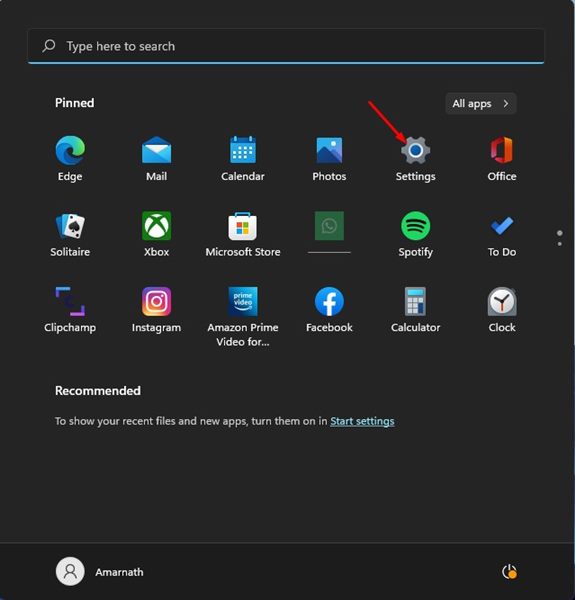
1. Click on the Windows 11 Start menu and select Settings.
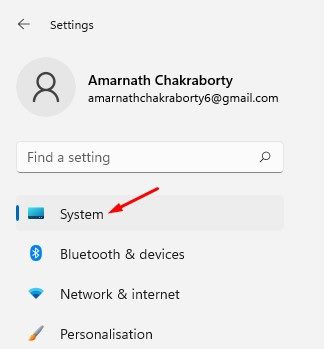
2. In the Settings app, switch to the System tab.
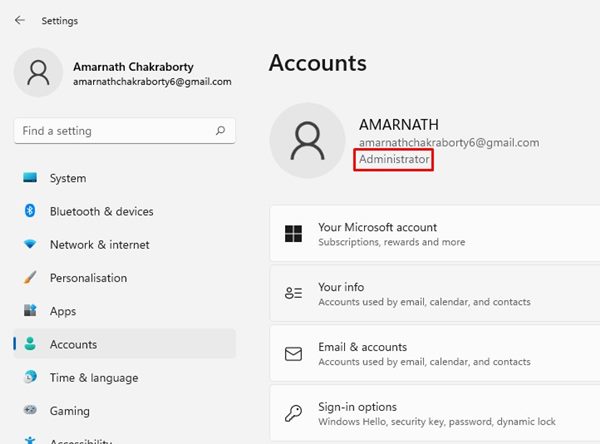
3. On the right pane, you will see the user account details. If the ‘Administrator’ text appears, it indicates you are using an administrator account.
2. Check if you have admin rights via Control Panel
In this method, we will use the Control Panel to check if the user account is an administrator account.
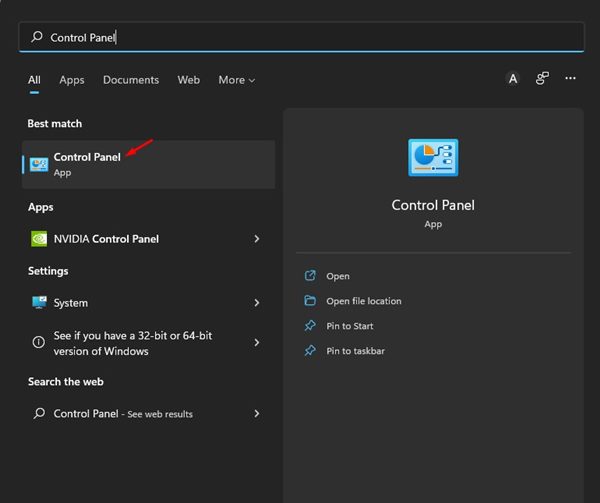
1. Click on the Windows 11 search and type in Control Panel. Open Control Panel from the list of options.
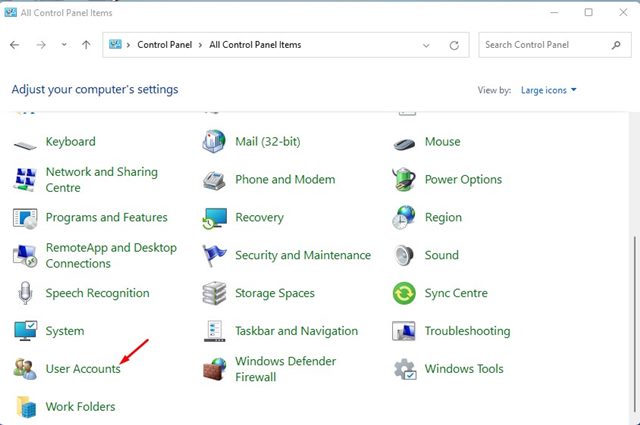
2. In Control Panel, click on User Accounts.
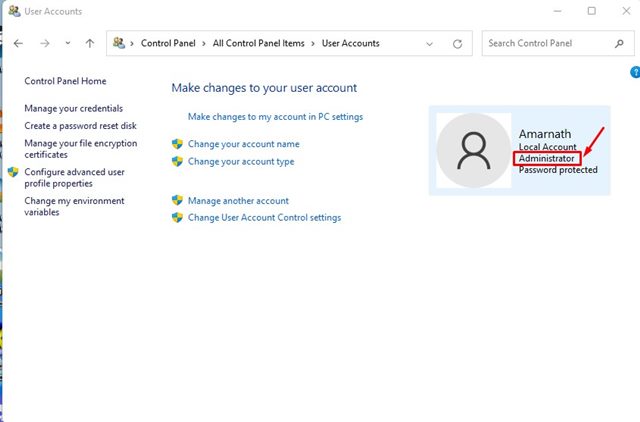
3. On the User Accounts page, look at the right side. If your account is an admin account, you will see the ‘Administrator’ text below the user account name.
3. Check if your Windows 11 Account is an Administrator account via CMD
We will utilize the Command Prompt utility to check if the Windows 11 account is an administrator account in this method.
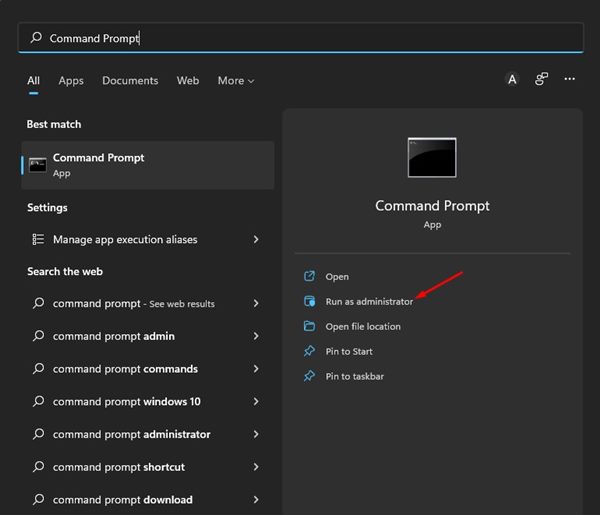
1. Click on the Windows 11 search and type in Command Prompt.
2. Right-click on Command Prompt and select Run as administrator.
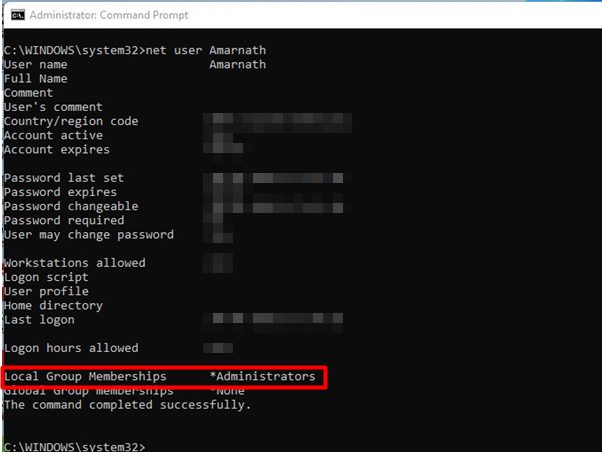
3. In Command Prompt, type in net user accountname and press Enter.
Note: Replace the accountname with your account name. For example, “net user techviral“.
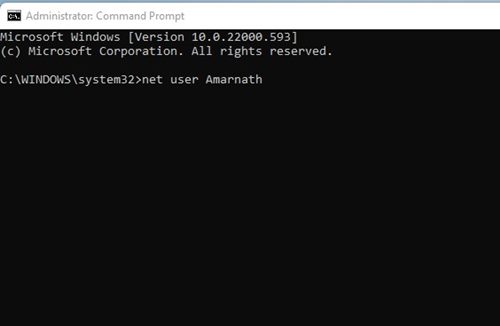
4. The Command Prompt will display a lot of information. You need to check the Local Group Memberships field to check the account type. If the Local Group Membership status shows *Administrators, your current account has admin rights.
These are a few of the best methods to help you check if your user account is an administrator account. If you are using a standard account and wish to enable the administrator account.
The post How to Check If You Have Administrator Rights in Windows 11 appeared first on TechViral.
ethical hacking,hacking,bangla ethical hacking,bangla hacking tutorial,bangla tutorial,bangla hacking book,ethical hacking bangla,bangla,hacking apps,ethical hacking bangla tutorial,bangla hacking,bangla hacking pdf,bangla hacking video,bangla android hacking,bangla hacking tutorials,bangla fb hacking tutorial,bangla hacking book download,learn ethical hacking,hacking ebook,hacking tools,bangla ethical hacking course, tricks,hacking,ludo king tricks,whatsapp hacking trick 2019 tricks,wifi hacking tricks,hacking tricks: secret google tricks,simple hacking tricks,whatsapp hacking tricks,tips and tricks,wifi tricks,tech tricks,redmi tricks,hacking trick paytm cash,hacking trick helo app,hacking trick of helo app,paytm cash hacking trick,wifi password hacking,paytm cash hacking trick malayalam,hacker tricks, tips and tricks,pubg mobile tips and tricks,tricks,tips,tips and tricks for pubg mobile,100 tips and tricks,pubg tips and tricks,excel tips and tricks,google tips and tricks,kitchen tips and tricks,season 2 tips and tricks,android tips and tricks,fortnite tips and tricks,godnixon tips and tricks,free fire tips and tricks,advanced tips and tricks,whatsapp tips and tricks, facebook tricks,facebook,facebook hidden tricks,facebook tips and tricks,facebook latest tricks,facebook tips,facebook new tricks,facebook messenger tricks,facebook android app tricks,fb tricks,facebook app tricks,facebook tricks and tips,facebook tricks in hindi,tricks,facebook tutorial,new facebook tricks,cool facebook tricks,facebook tricks 2016,facebook tricks 2017,facebook secret tricks,facebook new tricks 2020,blogger blogspot seo tips and tricks,blogger tricks,blogger,blogger seo tips,blogger seo tips and tricks,seo for blogger,blogger seo in hindi,blogger seo best tips for increasing visitors,blogging tips and tricks,blogger blog seo,blogger seo in urdu,adsense approval trick,blogging tips and tricks for beginners,blogging tricks,blogger tutorial,blogger tricks 2016,blogger tricks 2017 bangla,tricks,bangla tutorial,bangla magic,bangla motivational video,bangla tricks,bangla tips,all bangla tips,magic tricks,akash bangla tricks,top 10 bangla tricks,tips and tricks,all bangla trick,bangla computer tricks,computer bangla tricks,bangla magic card tricks,ms word bangla tips and tricks,bangla computer tips,trick,psychology tricks,youtube bangla,magic tricks bangla,si trick Credit techviral


